OM-154 500 Page 7
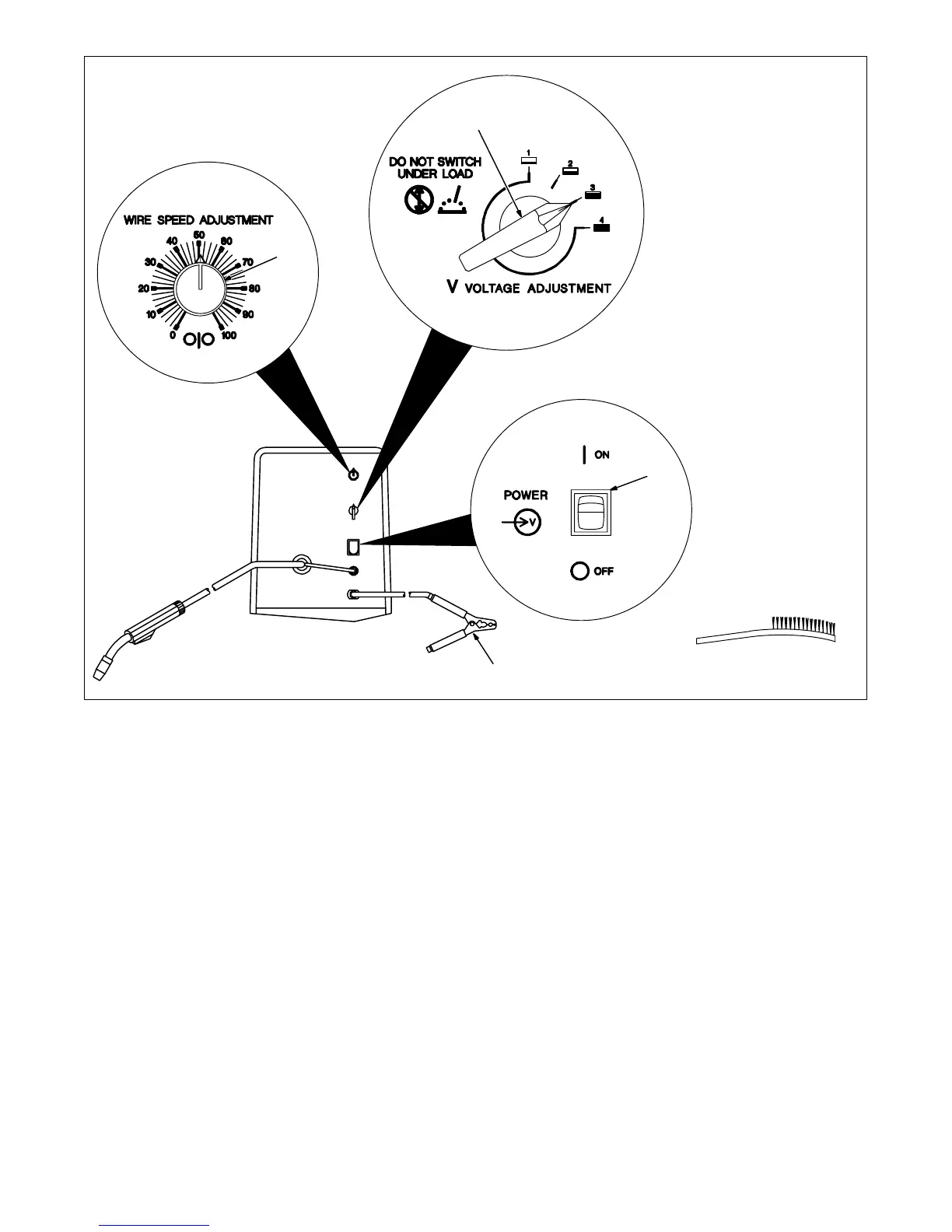
1 Wire Speed Adjustment
Control
Use control to select a wire feed
speed. As Voltage Adjustment
switch setting increases, wire
speed range also increases. The
numbers around the control are not
a wire feed speed (see Table 3-1).
2 Voltage Adjustment Switch
Use switch to select an arc voltage.
The higher the selected number,
the thicker the material that can be
welded (see Table 3-1).
3 Power Switch
Use switch to turn unit On and Off.
4 Work Clamp
Use wire brush or sandpaper to
clean metal at weld joint area.
Connect work clamp to clean,
paint-free location on workpiece, as
close as possible to weld area.
Ref. ST-150 192-A / Ref. ST-156 263–B
4
Tools Needed:
1
2
3
Figure 3-2. Controls



 To Next Page