Istruzioni-HCMMMTTT-24082018 (Cod.620100006 Rev.11) ItaEng MAC3.doc
8
4.3.1 HC Standard (1 pompa - single pump)
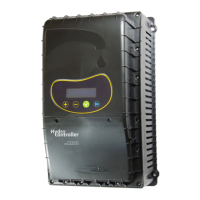
I Alimentare l’apparecchio e dopo 2 secondi compare la
schermata di presentazione del prodotto.
EN Power the HC and in 2 seconds it will be displayed.
HC….. 19/09/09
**By MAC3 SpA**
I Premere il tasto + per avviare l’installazione rapida.
Premere il tasto se l’installazione rapida è già stata
eseguita.
EN Press + to start the procedure of installation.
Press to start the system without doing installation.
Installazione (+)
Start (Enter)
Installation (+)
Start (Enter
Scegli con + e -
Salva con ENTER
Choose with + & -
Save with ENTER
I Compare Lingua
a. Con i tasti + e – scorrere per la LINGUA desiderata.
b. Premere il tasto , mantenerlo premuto fino alla
comparsa della scritta “Impostato…” e non oltre.
EN Displayed Language
a. Press + or – to change the language.
b. Pressing , the value is saved in memory. Keep
pressed till it will be displayed “Done.…………”
I Compare MAX.Corr.Motore
a. Con i tasti + e – inserire il valore della corrente di targa
della pompa. (si consiglia di verificare l’effettiva corrente
massima della pompa)
b. Premere il tasto , mantenerlo premuto fino alla
comparsa della scritta “Impostato…” e non oltre..
EN Displayed MAX.Motor Current
a. Press + or – to Insert current value as indicated on
the electro-pump plate.(it is advisable to check the
real max. current of the pump)
b. Press , and keep pressed till it will be displayed
“Done.…………”.”
Max.Corr. Motore
7,5 Ampere
Max.Motor Current
7,5 Ampere
I Compare Press.Impianto
a. Con i tasti + e – scorrere e selezionare il valore di
pressione desiderata (valori ammessi da 1 a 7,5).
b. Premere il tasto , mantenerlo premuto fino alla
comparsa della scritta “Impostato…” e non oltre.
EN Displayed System Pressure
a. Press + or – to insert the value for desired pressure
of the system. (set value from 1.00 to 7.50).
b. Press , and keep pressed till it will be displayed
“Done.…………”.
I Compare Start Impianto
a. Con i tasti + e – impostare:
ON per avviare l’impianto
OFF se l’impianto non deve essere ancora avviato
EN Displayed System Start
a. Press + or – to change the value (ON/OFF):
ON to active the pump
OFF not to active the pump


 To Next Page
 Loading...