COMPATIBILITY
In s mode, press and hold FN+A buttons for three seconds to switch to the
Switch controller layout.
In S mode, this device support switch, and PC to connect.
Support use HOME button to wake on controller and remote console wake on .
The controller support Gyro motion control . It needs to be turned on in the game
settings that support this feature.
Linear stoke function is not supported, due to the limitation of the Switch
platform, not a product issue.
Games that are not compatible with Switch Pro are also not compatible with this
device. It is a game limitation, not a product issue.
Switch mode-NINTENDO SWITCH
Connection - Wireless Connection
1. When the controller is turned off, drag the “game mode switch slider” to
the S gear.
Connection - Wired Connection
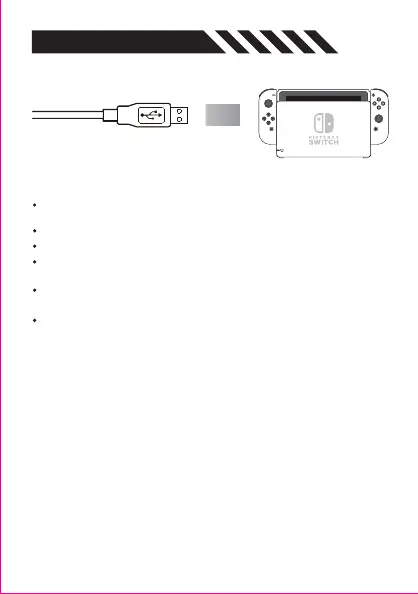
1. Turn on the wired mode in the Switch settings, and insert the Switch
console into the official standard multifunctional dock.
2. It directly connect to the dock and the gamepad through cable when the
controller is turned off.
2. Press and hold the Home button for 3 seconds, until the 2# indicator
flashes,that means the controller enter to pairing mode.
3. On Switch home page -turn on the gamepad- change the grip/order,
and wait for it to appear.


 To Next Page