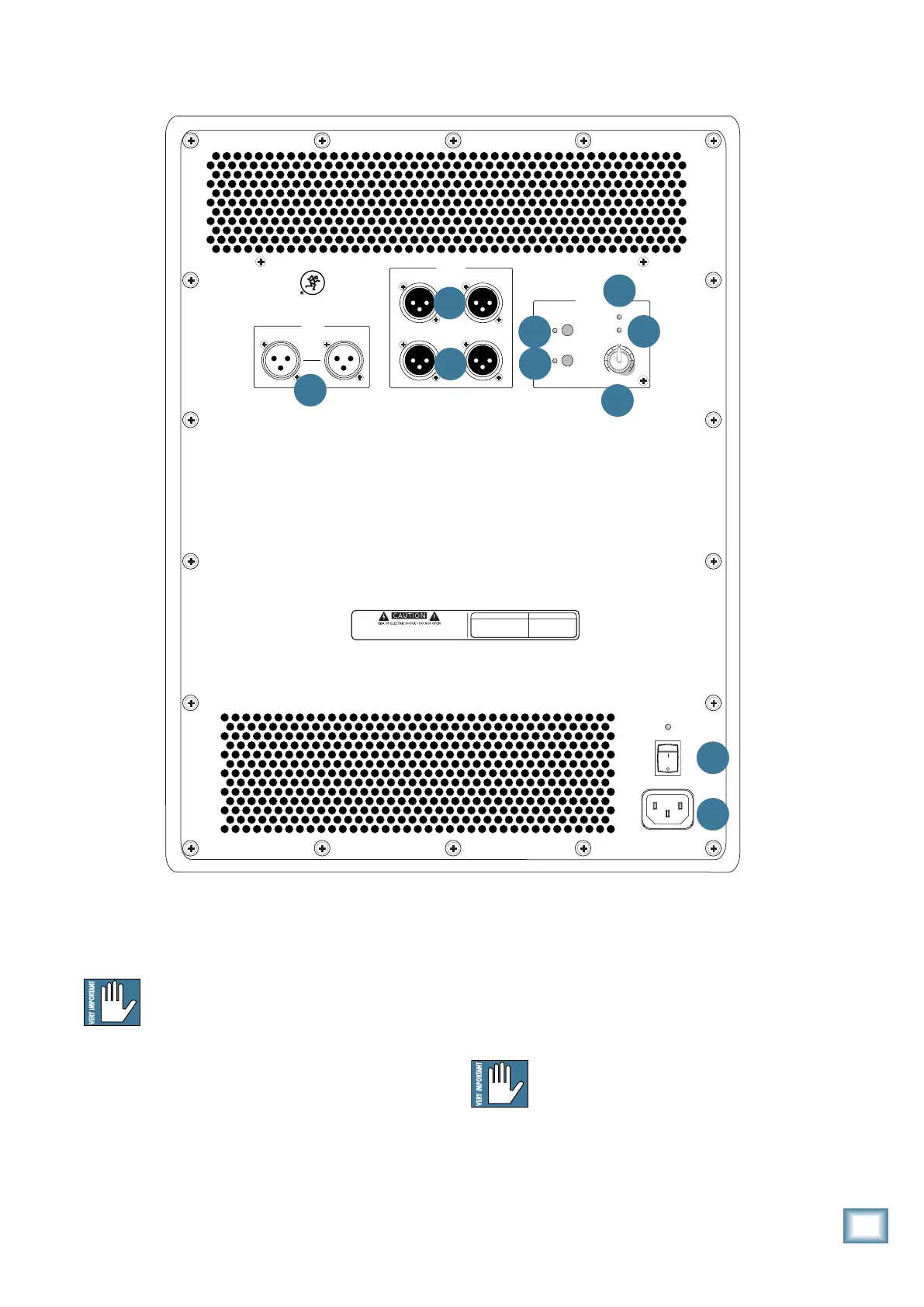
Rear Panel Features
1. IEC AC Receptacle
Thisjackacceptsthesupplied3-prongACpowercord.
BeforeyouplugtheACpowercordintothe
powered subwoofer, make sure that the
voltage of your unit is the same voltage as your
local AC mains supply. Use only the power
cord supplied. Also, disconnecting the plug’s ground pin
is dangerous. Don’t do it.
2. POWER
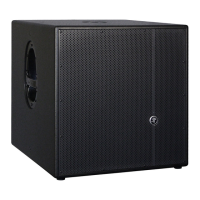
Use this switch to turn the HD1501 on and off. The
LED above the switch will illuminate when powered on.
The front panel LED will also turn on, but only if the
POWER LIGHT ON switch (7) is engaged. Press the
bottom of this switch to turn the subwoofer off.
As a general guide, powered subwoofers
should be turned on after the mixer and other
sources, but prior to full-range speakers.
Additionally, they should also be powered off
after the tops, but before the mixer and other sources.
This will reduce the possibility of any turn-on, or
turn-off thumps in your speakers.
POWER
ON
FULL RANGE
HIGH PASS
OUTPUTS
SETTINGS
AB
AB
AB
HD1501
1 5 -INCH HIG H DEFINIT ION POWE RED SU BWOO FER
POWER
LIGHT ON
SIG/ LIMIT
THERMAL
LEVEL
+6dB6dB
-
POLARITY
INVERT
INPUTS
RE VI SIO N
SE RIA L NUM BE R
WARNING:
TO REDUCE THE RISK OF FIRE OR ELECTRIC SHOCK, DO NOT EXPOSE THIS EQUIPMENT TO RAIN OR
MOISTURE. DO NOT REMOVE COVER. NO USER SERVICEABLE PA RT S INSIDE. REFER SERVICING TO QUALIFIED PERSONNEL.
AV IS:
RISQUE DE CHOC ELECTRIQUE — NE PAS OUVRIR
7
Owner’s Manual
Owner’s Manual
1
2
4
5
6
7
10
3
9
8


 To Next Page