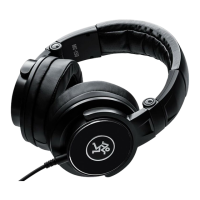
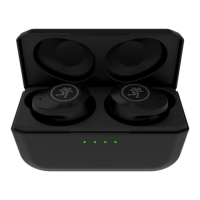
MP-20TWS True Wireless Dual-Driver Earbuds with Active Noise Cancelling
10
MP-20TWS True Wireless Dual-Driver Earbuds with Active Noise Cancelling
Appendix A: Service Information
Poor sound / Noise
• Is it loud and distorted? Make sure that you’re not
overdriving a stage in the signal chain. Verify that
all level controls are set properly.
The Macawhat?
• Don’t give up! Just like anything else, perfecting
the Macarena dance requires time, patience
and... practice!
Bluetooth or Other Issues
• Please email or call Technical Support if you
are having any other issue not listed here:
o mackie.com/support-contact
o -800-898-32
Repair
For warranty service, refer to the warranty
information on page 2.
Non-warranty service is available at a factory-
authorized service center. To locate the nearest service
center, visit www.mackie.com/support/service-locator.
Service for Mackie earbuds living outside the United
States may be obtained through local dealers
or distributors.
If you do not have access to our website, please
call our Tech Support department at -800-898-32
(normal business hours, Pacific Time), to explain the
problem. They will tell you where the nearest factory-
authorized service center is located in your area.
If you think your earbuds have a problem,
please check out the following troubleshooting
tips and do your best to confirm the problem.
Visit the Support section of our website
(www.mackie.com/support) where you will find
lots of useful information such as FAQs and other
documentation. You may find the answer to the
problem without having to part with your earbuds.
Troubleshooting
No power
• Is it charged? There is an amazing amount
of usage time, but they do need to be
recharged occasionally!
• Is it the year 22? If so, their better days
are behind them now.
No sound
• Is the level for the input source turned all
the way down or muted? How about the levels
on the earbuds? Verify that all the volume
controls in the system are properly adjusted.
• Is the signal source working? Try with speakers
first. If it’s good there, try with hardwired
headphones next. If it’s good there, it might
be that the Bluetooth hasn’t been connected
or something else.


 To Next Page