Owner’s Manual
29
Owner’s Manual
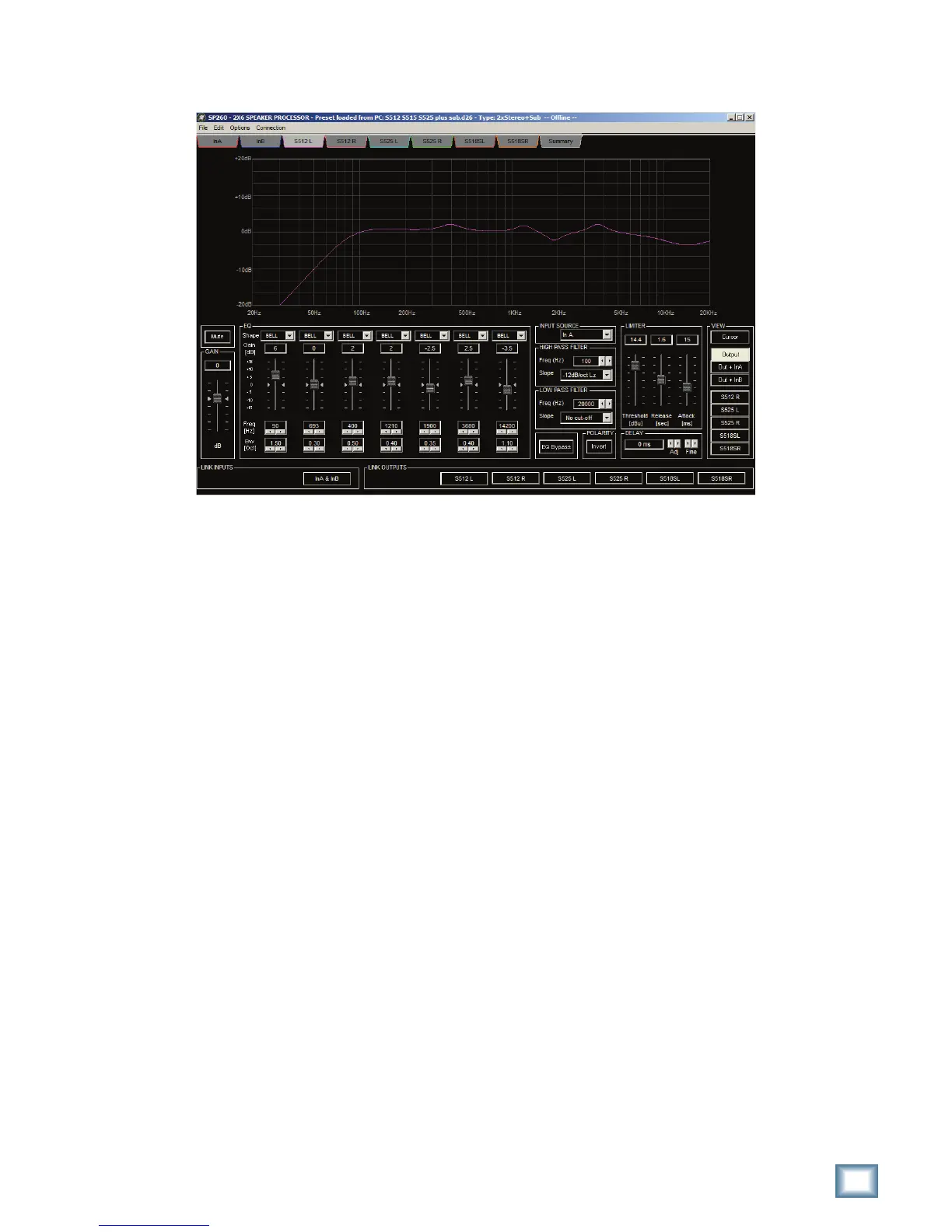
Output Screens
There is a dedicated screen for each of the 6 output channels. The EQ graph, Mute, Gain and EQ controls are
identical to those found on the input tab, except that there are 7 bands of EQ on the outputs. To the right of the
%1CONTROLSARE)NPUT3OURCE(IGHAND,OW0ASS&ILTERS0OLARITY,IMITERAND$ELAYCONTROLS!SWITHTHE)NPUT
TABSTHE#URSORBUTTONWILLSHOWANDHIDE%1NODES4HENEXTBUTTONSDETERMINETHEINFORMATIONSEENONTHE
%1GRAPH"YDEFAULT/UTPUTITSHOWSTHEADDITIVEEFFECTSOFTHEDISPLAYEDOUTPUTSBAND%1(IGHAND,OW0ASS
&ILTERSETTINGS3ELECTINGONEOFTHEOTHEROPTIONS/UT)N!OR/UT)N"WILLALSOADDTHE%1AND'AINSETTINGS
of Input A or Input B, giving you a more complete view of the output’s gain structure. The last 5 buttons allow you to
OVERLAYADDITIONALOUTPUTCHANNEL%1(IGHAND,OW0ASS&ILTERCURVESTOTHEGRAPHHELPFULWHENADJUSTINGSYSTEM
crossover settings.
In Closing
4HE30S#ONTROL!PPLICATIONEXTENDSITSPOWERANDCONVENIENCEBYMAKINGALLOFTHEHARDWAREINTERFACES
FUNCTIONALITYANDCONTROLAVAILABLEVIAYOUR7INDOWSBASED0#WITHADDITIONALOPTIONSFORMANAGINGPRESETSONLINE
or offline. For more detailed information on any of the processing features discussed in this Appendix, please refer
to the appropriate section in the main body of the Owner’s Manual.



 To Next Page