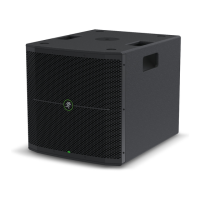
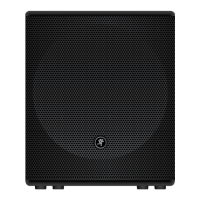
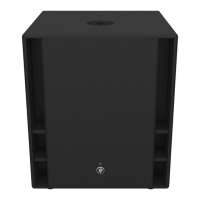
Thump18S Powered Subwoofer
4
Thump18S Powered Subwoofer
Getting Started
Introduction
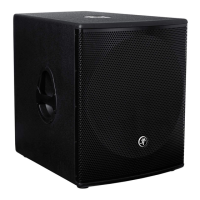
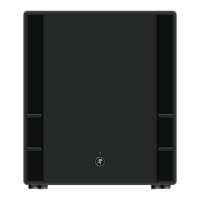
TheThump18S1200W18"PoweredSubwoofer
featuresaprofessionalband-passdesignthat
deliversclass-leadingoutputanddeep,room-lling
lows.Designedbytheworld’sleaderinportable
livesound,theThump18Sprovidesamplepower
forhigh-outputapplications,bringingyourThump
orSRMsystemtoanentirelynewlevel.
Afullsetofprofessionalinputandoutput
connectionsprovidesimpleintegrationandsonic
optimizationofanysystem.Plus,there’samplesystem
protectioninplacetoprotectyourinvestment.
Withtonsofpowerandahigh-output/deep
punchband-passdesign,theThump18Sisthe
perfectsubwoofertocompleteyourprofessionalPA.
How to Use This Manual:
Afterthisintroduction,agettingstartedguidewill
helpyougetthingssetupfast.Thehookupdiagrams
showsometypicalsetups,whiletheremainingsections
providedetailsoftheThump18Ssubwoofer.
Thisiconmarksinformationthatiscritically
importantoruniquetothesubwoofer.For
yourowngood,readandrememberthem.
Thefollowingstepswillhelpyousetupthe
subwoofersquickly.
1.Makeallinitialconnectionswiththepower
switchesOFFonallequipment.Makesurethemaster
volume,level,orgaincontrolsareallthewaydown.
2.Connecttheline-leveloutputsfromthemixing
console(orothersignalsource)totheXLRinputson
therearpaneloftheThump18Ssubwoofers.
3.ConnectthehighpassoutputsfromtheThump18S
subwooferstotheinputsofpoweredloudspeakers
(ortoanamplierpoweringpassiveloudspeakers).
4.ConnectthesuppliedACpowercordstothe
IECsocketsontherearpanelofeachsubwoofer.
PlugtheotherendintoanACoutletproperlycongured
withthecorrectvoltageasindicatedbelowtheIEC
socket.
5.Turnthemixer(orothersignalsource)on.
6.Turnthesubwooferson.
7.Turntheloudspeakerson.
8.Startthesignalsourceandraisethemixer’s
mainL/Rfaderupuntilaudiomaybeheard.
9.Adjustthemastervolumeofthemixertoa
comfortablyloudlisteninglevel.
Things to Remember:
• Neverlistentoloudmusicforprolongedperiods.
PleaseseetheSafetyInstructionsonpage2for
informationonhearingprotection.
• Asageneralguide,themixer(orothersignal
source)shouldbeturnedonrst,Thump18S
subwoofersnext,andloudspeakerslast.Assuch,
theloudspeakersshouldalsobeturnedoffrst,
followedbythesubwoofers,thenthemixer.
Thiswillreducethepossibilityofanyturn-on
orturn-offthumpsandothernoisesgenerated
byanyupstreamequipmentfromcomingoutof
thespeakers.
• Savetheshippingboxesandpackingmaterials!
Youmayneedthemsomeday.Besides,the
catswillloveplayinginthemandjumpingoutat
youunexpectedly.Remembertopretendlikeyou
aresurprised!
• Saveyoursalesreceiptinasafeplace.


 To Next Page