EasyManua.ls Logo

Macrom M-DL40BT - User Manual

Macrom M-DL40BT
9 pages
Print Icon
To Next Page IconTo Next Page
Loading...
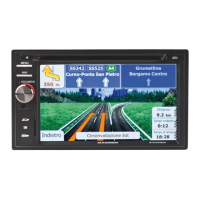
MULTIMEDIA RECEIVER
INSTRUCTION MANUALS

Questions and Answers

  • M
    Michael JensenAug 10, 2025
    What to do if my Macrom Receiver has no power?
    • W
      whayesAug 10, 2025
      If your Macrom Receiver isn't powering on, there are a couple of things to check: * First, make sure your car ignition is switched to ACC if the power supply is properly connected to the car accessory terminal. * Also, inspect the fuse. If it's blown, replace it with a new one.
  • C
    Cheryl ChristianAug 16, 2025
    Why does my Macrom Receiver have no sound?
    • F
      fwellsAug 16, 2025
      If you're not getting any sound from your Macrom Receiver, here's what you can check: * Ensure the volume isn't set to the minimum. Adjust it to a comfortable listening level. * Verify that all wiring is properly connected. Also, make sure your phone's mute function is turned off, as this can sometimes cause the issue.
  • Q
    qhaasAug 22, 2025
    What to do if the operation keys do not work on my Macrom Receiver?
    • J
      Joseph CruzAug 22, 2025
      If the operation keys on your Macrom Receiver aren't working, try these solutions: * Press the RESET button, as noise can sometimes cause the built-in microcomputer to malfunction. * Ensure the front panel is properly fixed into its place. You can clean the contacts with a cotton bud soaked in isopropyl alcohol.
  • R
    Roger KempAug 28, 2025
    Why does the sound skip on my Macrom Receiver?
    • Y
      Yvette TaylorAug 28, 2025
      If the sound is skipping on your Macrom Receiver, it might be due to the installation angle. Adjust the installation angle to less than 30 degrees.
  • L
    Laura McdonaldSep 2, 2025
    How to fix Macrom Receiver if the radio station automatic selection does not work?
    • P
      paulturnerSep 2, 2025
      If your Macrom Receiver isn't automatically selecting radio stations, here are a couple of things to try: * Ensure the antenna cable is securely inserted. * If the signals are too weak, select a station manually.

Summary

Specifications and Precautions

General Specifications

Core electrical, chassis, and output power details.

Safety and Usage Precautions

Essential guidelines for safe operation and installation.

Front Panel Controls

Volume and Settings

Volume adjustment and access to system settings.

Bluetooth and Media Operations

Bluetooth Linking and Dialing

Steps to pair a phone and make calls.

Installation and Troubleshooting

Cable Connections

Diagram and guide for connecting various cables.

Troubleshooting Common Issues

Solutions for problems like no power, no sound, or skips.

Macrom M-DL40BT Specifications

General IconGeneral
BrandMacrom
ModelM-DL40BT
CategoryReceiver
LanguageEnglish

Related product manuals