
EasyManua.ls Logo

Macrom M-DVD5562R - User Manual

Macrom M-DVD5562R
32 pages
To Next Page IconTo Next Page
Loading...
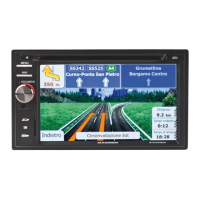
NAVIGATION MULTIMEDIA RECEIVER
INSTRUCTION MANUALS

Table of Contents

Questions and Answers

Macrom M-DVD5562R Specifications

General IconGeneral
TunerYes
DVD playerYes
Tuner TypeAM/FM
TypeReceiver
Supported Disc FormatsDVD, CD, MP3, WMA
Video OutputComposite, S-Video

Summary

Safety Precautions

Precautions

Before Using

Front Panel Overview

Details the front panel controls, buttons, and input/output ports.

Basic Operations

Radio Mode

Tuning and Station Presets

Instructions for tuning radio stations and saving presets.

Playback Functions

Bluetooth Mode

Pairing Bluetooth Devices

Steps to pair your Bluetooth-enabled phone with the unit.

Making and Receiving Calls

How to make, receive, and manage phone calls via Bluetooth.

Adjusting Bluetooth Settings

Configuring Bluetooth, auto-connect, auto-answer, and microphone.

iPod Integration

Connecting and Playing iPod

Selecting iPod as a source and operating playback functions.

Audio Adjustments

Volume, Mute, and Equalizer Settings

Controlling volume, muting sound, and selecting preset equalizers.

Setup: Display and General

Bluetooth Settings Configuration

Managing Bluetooth, auto-connect, auto-answer, and microphone settings.

Device Connections

Installation Guide

Steps for removing old systems and installing the main unit.

Specifications

General and FM;AM Specifications

Technical details for power, FM, AM, LCD, and DVD player.

Troubleshooting

Power, Sound, and Remote Issues

Solutions for no power, no sound, and remote control response problems.

Disc Playback and Image Issues

Troubleshooting disc errors, no image, and distorted video.

Fuse, USB, and Bluetooth Issues

Fixes for blown fuses, USB errors, and Bluetooth connection problems.

Related product manuals
