
 Need help?
Do you have a question about the Maestro E Series and is the answer not in the manual?
Guidelines for safe operation and RF exposure compliance.
Instructions for installing and using the router within vehicles.
Advice on proper installation, handling, and environmental considerations.
Technical specifications including casing, dimensions, weight, and operating conditions.
Detailed power consumption figures for various operating modes and models.
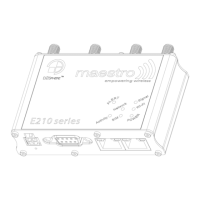
Identifies and describes connectors on the back of the E210 series router.
Details the connectors and ports located on the front of the E210 series router.
Lists requirements and initial configurations needed before setting up the router.
Instructions for inserting SIM cards and connecting the AC power adapter.
Details on accessing the web interface and initial login credentials.
 General
| Brand | Maestro |
|---|---|
| Model | E Series |
| Category | Network Router |
| Language | English |

 To Next Page