OPERATION
OPERATING PANEL FOR THE AUTOMATIC TRANSMISSION
66 Operating manual T225 / T230
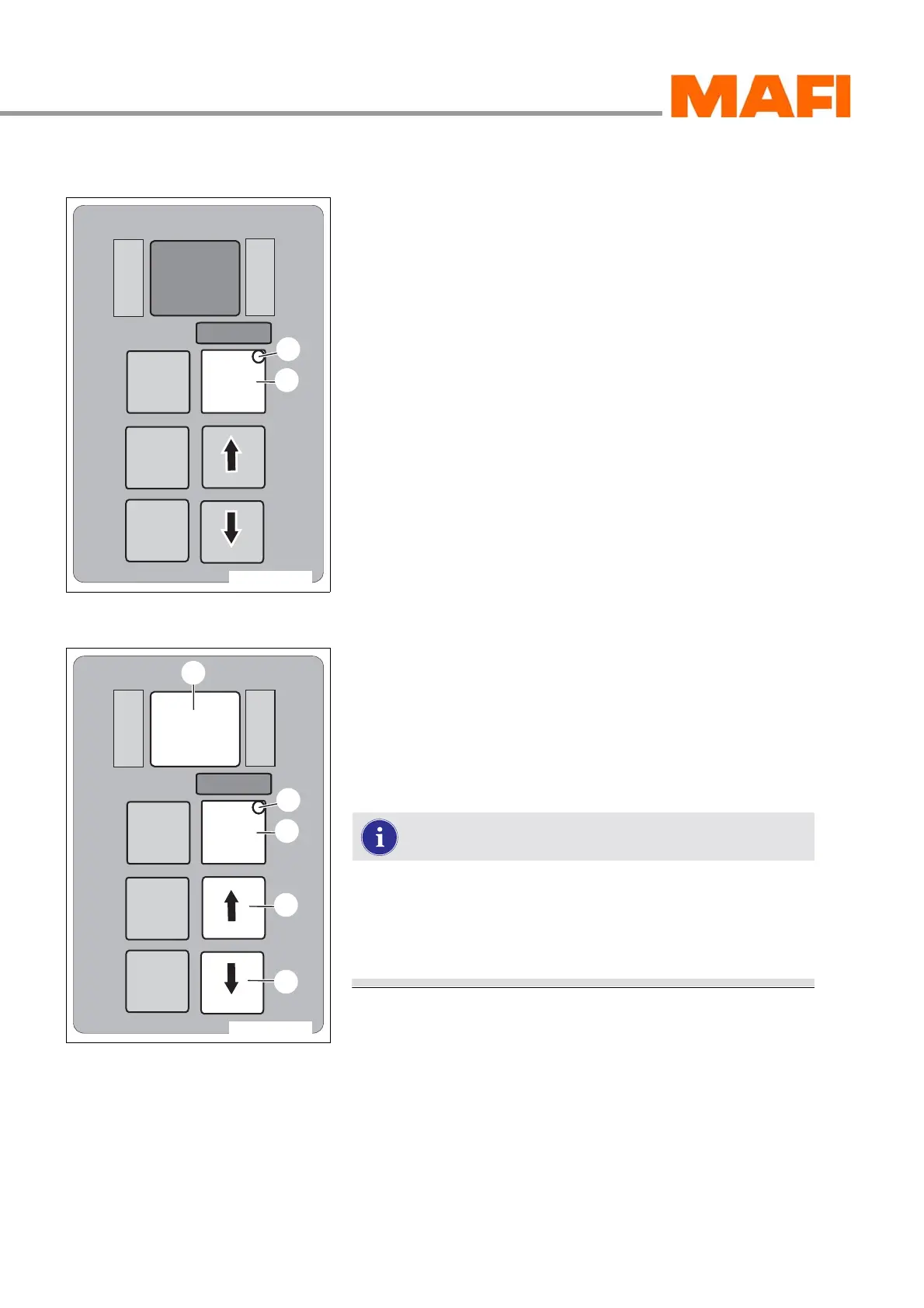
MODE key
Fig. 54: Additional function
1 MODE key
2 MODE-ON LED indicator
The MODE key has two functions:
z With the MODE key 1, a programmed additional function
can be switched on. For control, MODE-ON LED
indicator 2, located in the MODE key, lights up.
z In error code diagnostics mode, the various error code
storage locations can be called up by pressing the MODE
key.
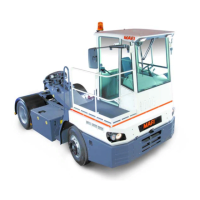
Display in the oil level mode
Fig. 55: Operating panel for oil level measuring
1 Arrow key down
2 Arrow key up
3 MODE key
4 MODE-ON LED indicator
5 Display
You can visibly read out the oil level mode in the display.
To read out the oil level, park the MT on a level surface,
apply the parking brake and shift the transmission into
neutral.
The oil has to be at operating temperature for the oil
level check.
Read oil level
X Press the two arrow keys 1 and 2 once at the same time.
You can read out the oil level or an error message on the oil
measuring in the display 5.
M
O
N
I
T
O
R
R
N
D
S
E
L
E
C
T
MODE
11-C25-067-084A-7
1
2
M
O
N
I
T
O
R
R
N
D
S
E
L
E
C
T
MODE
11-C25-067-084A-8
3
4
1
2
5


 To Next Page