Traffic
Glossary
RDS: Radio Data System. Infrastructure that broadcasts digital information on the FM band.
TMC: Trafc Message Channel, one of the types of information that a Radio Data System can broadcast.
Public TMC Service: In some countries, there is at least one TMC service provider that broadcasts Trafc information
free of charge. The Magellan RoadMate automatically receives public TMC services, whichever country you are in. For
the updated list of countries and providers, please, check www.magellanGPS.com.
Trafc Message: A message received by the Magellan RoadMate that contains the description of a Trafc event.
Trafc Event: An event liable to disturb the ow of trafc.
Traffic Incidents
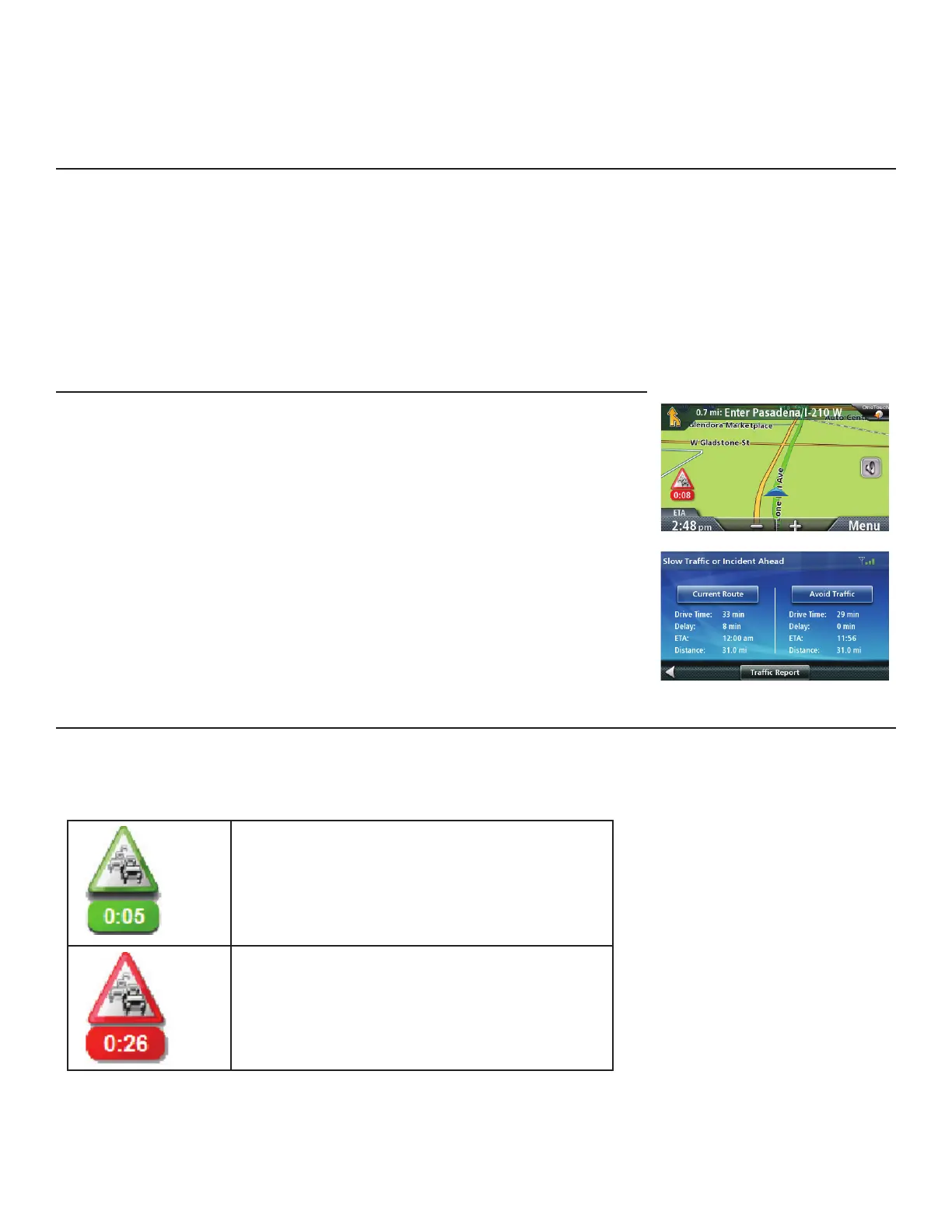
When routing, if a trafc incident(s), slow trafc or stopped trafc will delay your
arrival, the trafc icon on the Map screen will display the computed delay due
to trafc in the red box below the trafc icon. Across the top of the display is the
banner for coupons and offers that are available for Trafc Link users.
Avoiding a Trafc Incidents
When the trafc icon indicates a delay and you are on a route, you can select
to avoid any or all of the trafc incidents that can impact your drive.
Tap on the red trafc icon while traveling on a route. A screen displaying
your current route and a computed route that avoids the trafc incident is
displayed.
Tap Avoid Trafc to select the newly computed route.
.Traffic Icons
There is a trafc icon on the Map screen that will give a visual indication of the trafc status in your immediate vicinity
or, if travelling on a route, the delays that can be expected if you continue to follow the current route. When you are
travelling on a route, the delay is presented in the box below the trafc icon. When not on a route, the box is not
displayed.
Green if delay is less than 15% of the time for the
entire trip.
Red is the deleay is more than 15% of the time
for the entire trip. Popup is displayed if the delay
is more than 20% of the entire trip and there is a
better alternative route.



 To Next Page
 Loading...








