magicleap.com Copyright © 2024 Magic Leap Inc.
Magic Leap 2 Unboxing (cont.) Labeling
Mobile Device
Management (MDM)
Types of MDM Setups
Types of MDM Setups
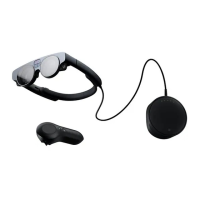
When inventorying the device, it is helpful to
label each headset and controller, whether
they’re assigned to a person or team. We
recommend placing the name of the person
or team on the device and controller.
Note: If an Inventory Management System
is being used, the smaller items (i.e. Fit Kit)
do not have an item number or IDs. There-
fore, they are typically not entered into an
inventory system. It's up to the discretion
of the organization on whether you enter
MDMs manage and control an organization's
extended reality (XR) hardware and software.
It involves the administration, conguration,
security enforcement, and application
management of XR devices. Magic Leap 2
supports several MDMs. These solutions
provide remote device control, application
distribution, security enforcement, and
analytics features, enabling organizations to
There are two types of MDM setups during device setup or after device setup. Please refer
to the provider's documentation on how to setup with either method. Below is a descrip-
tion of both and what is needed before setup.
MDM identies the device by its serial number. Instructions for locating the device serial
number can be found in the serial number section.
Refer to the Third Party Software Maintenance Best Practices Section for more informa-
tion on the most commonly used features on an MDM platform.
Note: If Wi-Fi was precongured for the prole, ensure the Wi-Fi used to set up the device
matches the Wi-Fi that the device will be associated with during the setup process.
these smaller items into the inventory
system. If these items are misplaced or
more are required, they can be purchased
separately from the reseller.
The Fit Kit and charger should be provided
to the end user. The overhead strap and
shoulder strap should be provided to the
end user based on need and environment.
There are additional accessories that can
be purchased depending on the environ-
ment. Refer to the Accessories section for
more information.
manage and optimize customers’ XR device
deployments eciently.
Note: Available MDM features depend on
the type of MDM. All MDMs listed in the link
above currently oer the basic recommended
feature set, such as OS Updates, application
management, and user groups.more infor-
mation.
Provision Devices
This process can take 5 to 10 minutes per unit. It is recommended to use a mobile device management
(MDM) solution to congure and distribute Settings to Magic Leap 2 devices.
MDM Setup Type
During device setup
After device setup
Description
A QR code must be generated and entered DURING the rst turn-
on of the device setup. The QR code may contain details
on the Wi-Fi information or user settings.
After completing the device setup, the user connects the device to
a computer to set up the user. No QR code is required.


 To Next Page
 Loading...