Laminator Status, LED Display and Card Printer’s Operation Panel Display
Laminator Status
LED display
(red)
LED display
(blue)
Card Printer
Operation Panel
Display
Description
Initializing
Off
Blinking
(Slow)
Initializing..
Initializing in progress
Preheating Preheating..
Adjusts the heating roller to the preset temperature
Low temperature standby mode Standby
In HR Control mode
Power-saving mode Sleeping..
Low power consumption standby mode. Operates in
conjunction with the card printer settings.
Ready Off On Ready
Ready for laminating operations.
Laminating Off Blinking (Fast) Laminating..
Laminating in progress
Error mode
Blinking
(Slow)
Off Error message
Errors that does not require reboot of the power, such
as insufficient film, film error, cassette not loaded, and
card jams.
(
A
page 38 “List of Error Codes”)
Blinking (Fast) Off Error message
Errors that require reboot of the power
(
A
page 38 “List of Error Codes”)
Roller cleaning in progress
Blinking
(Slow)
Blinking
(Slow)
Cleaning..
Awaiting insertion of the cleaning card, or cleaning is
in progress. Returns to the original state if a cleaning
card is not inserted after a specific time interval.
Download mode On On Download
Awaiting download data, or process has ended
Downloading Blinking (Fast) Blinking (Fast) Downloading..
Downloading data.
Memo: The blinking speed is faster than that when
laminating is in progress.
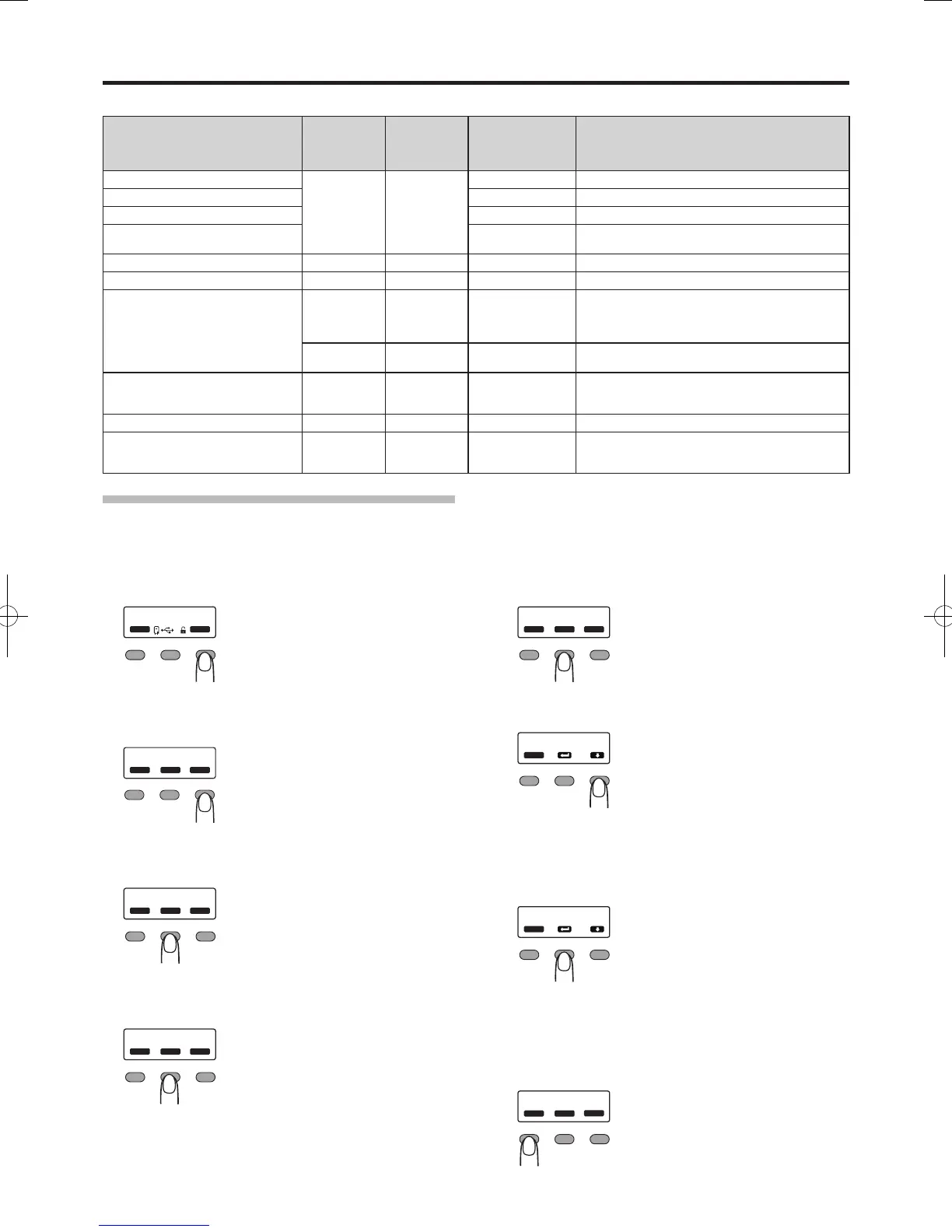
Setting Procedures for Laminator Status Display
You can display the laminator status on the operation panel of the card printer.
1
Press
I
Enter the setting mode.


 To Next Page