Specific Time Playback
1
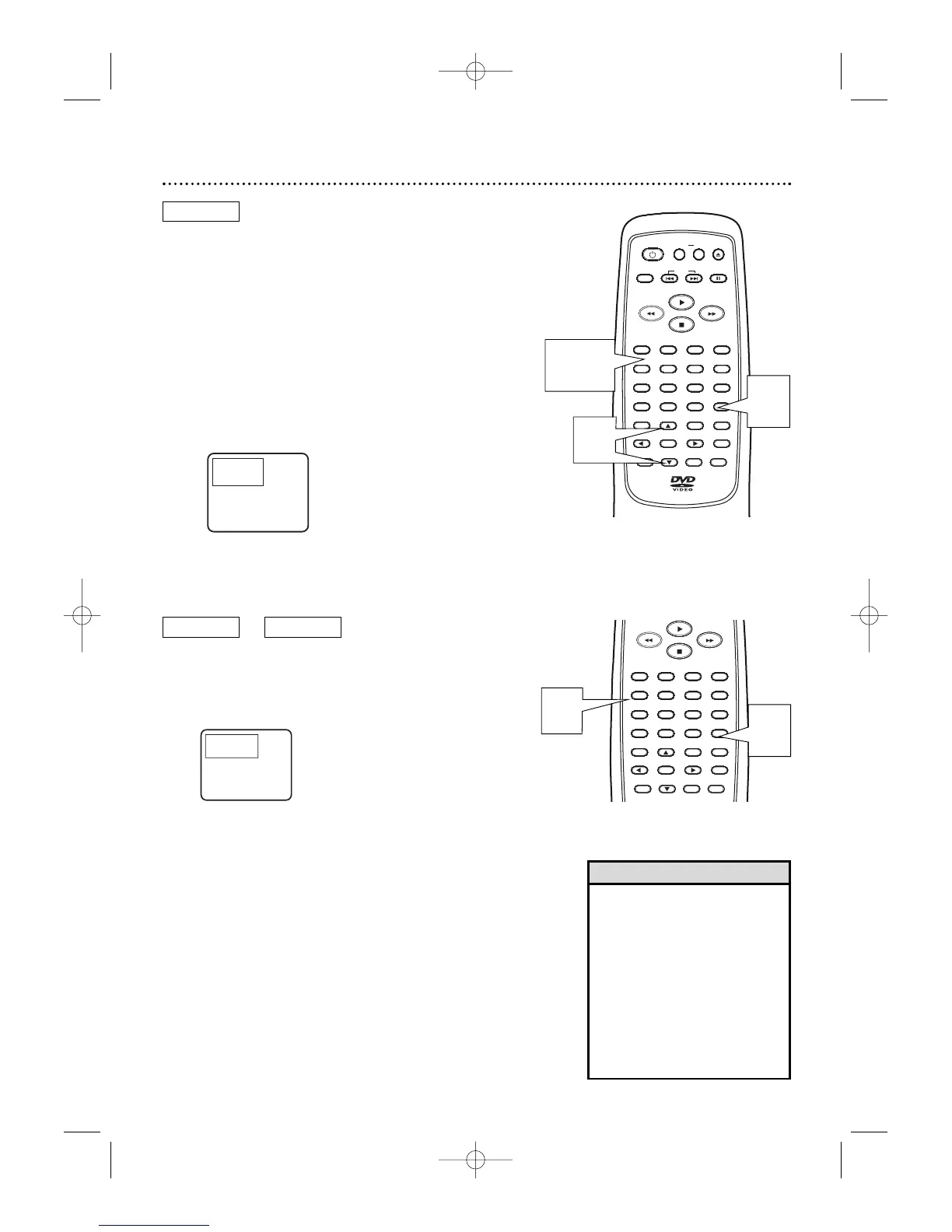
During playback, press SEARCH MODE
repeatedly so the Time Search display appears on
the TV screen.
2
Within 30 seconds, use the Number buttons to
enter the elapsed playing time at which you
want playback to begin. Within a few seconds,
playback will start at the specified time.
● Example: 1 hour, 23 minutes and 30 seconds
1 → 2 → 3 → 3 → 0
● Make sure the time you enter is within the total
time of the current Title or Track. If it is not, you
must re-enter a valid time.
● If you make a mistake, press CLEAR. Then, enter
the correct information.
DVD
AUDIO CD
Specific Title/Chapter Playback, Specific Time Playback 25
DVD
Specific Title/Chapter Playback
1
Press SEARCH MODE so the Title/Chapter
Search display appears on the TV screen.
2
Within 30 seconds, press o or p to select the
TT (Title) space, then press the Number but-
tons to enter the Title number. CH (Chapter)
will be selected next automatically.
3
While CH is selected and within 30 seconds,
press the Number buttons to enter the
Chapter number. The DVD Player will begin play-
back at the selected Chapter.
• Title/Chapter playback is not
available with some DVDs.
• Press SKIP G during DVD
playback to skip the current
Chapter and move to the next
Chapter. Press SKIP G repeat-
edly to skip subsequent
Chapters. Press SKIP H during
DVD playback to return to the
beginning of the current Chapter.
Press SKIP H repeatedly to go
to previous Chapters.
Helpful Hints



 To Next Page