Magner175V/175FF USER Guide
Magner INT 18
2-4. How to check Counting Result
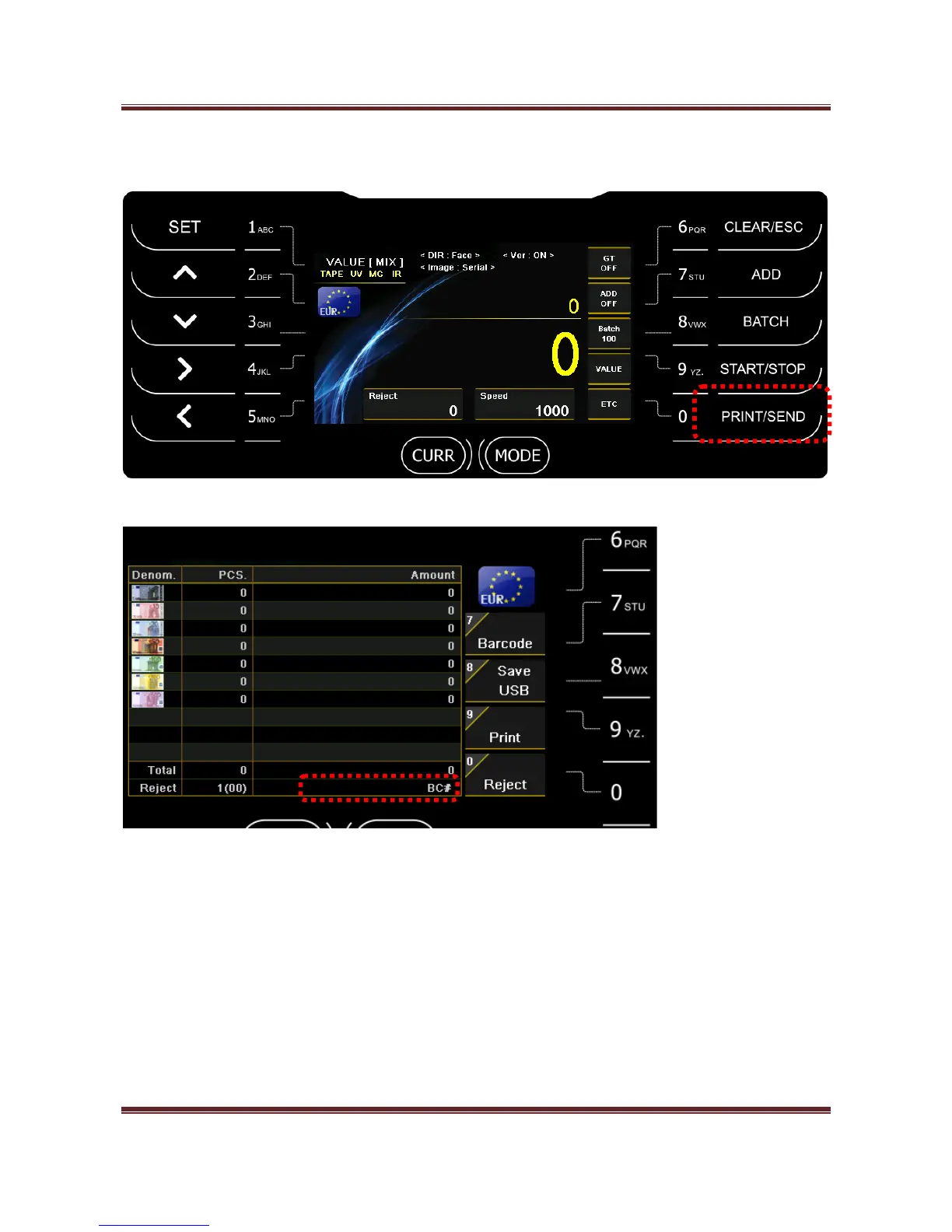
After count the notes, press PRINT/SEND key and check counting result.
Barcode (Russia only)
You can connect Barcode Reader to MAGNER175V/175FF via USB port.
Press “7” key and scan Barcode.
When you press “9” key, the scanned barcode is printed with counting result.
Save USB
After select operation mode, if press “8” key, counting result is saved to USB stick.


 To Next Page