Magner175V/175FF USER Guide
Magner INT 46
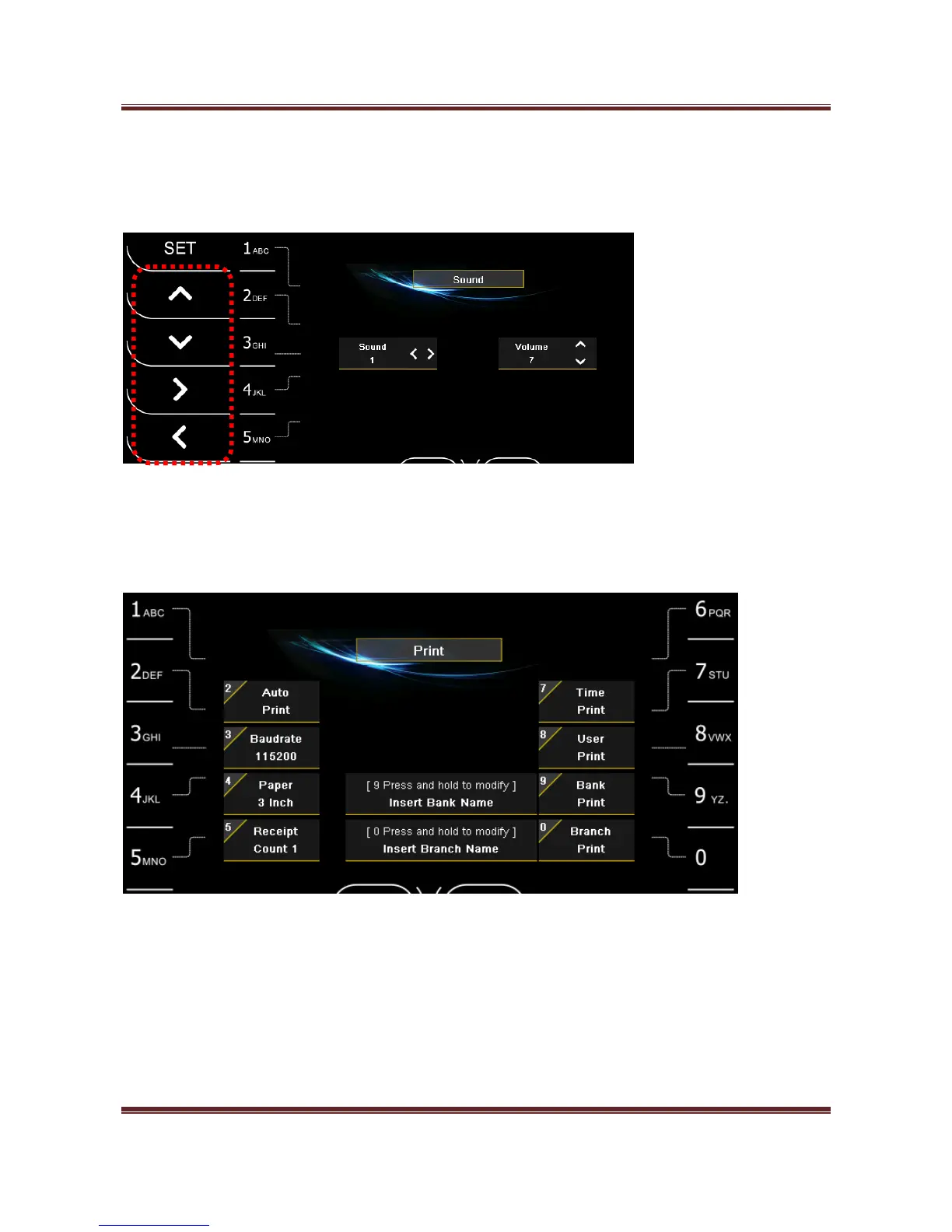
3) Sound
Press “3” key -> Press “>”, “<” key and “∧”, “∨” key for selecting and adjusting Sound and Volume.
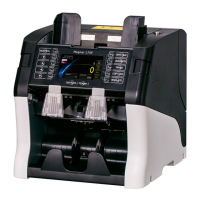
4) Print
Press “4” key and enter Printer setting mode.
Auto Print
After finish the counting, the receipt is printed automatically.
Baud rate
Select Baud rate between Machine and Printer.


 To Next Page