Magner175V/175FF USER Guide
Magner INT 45
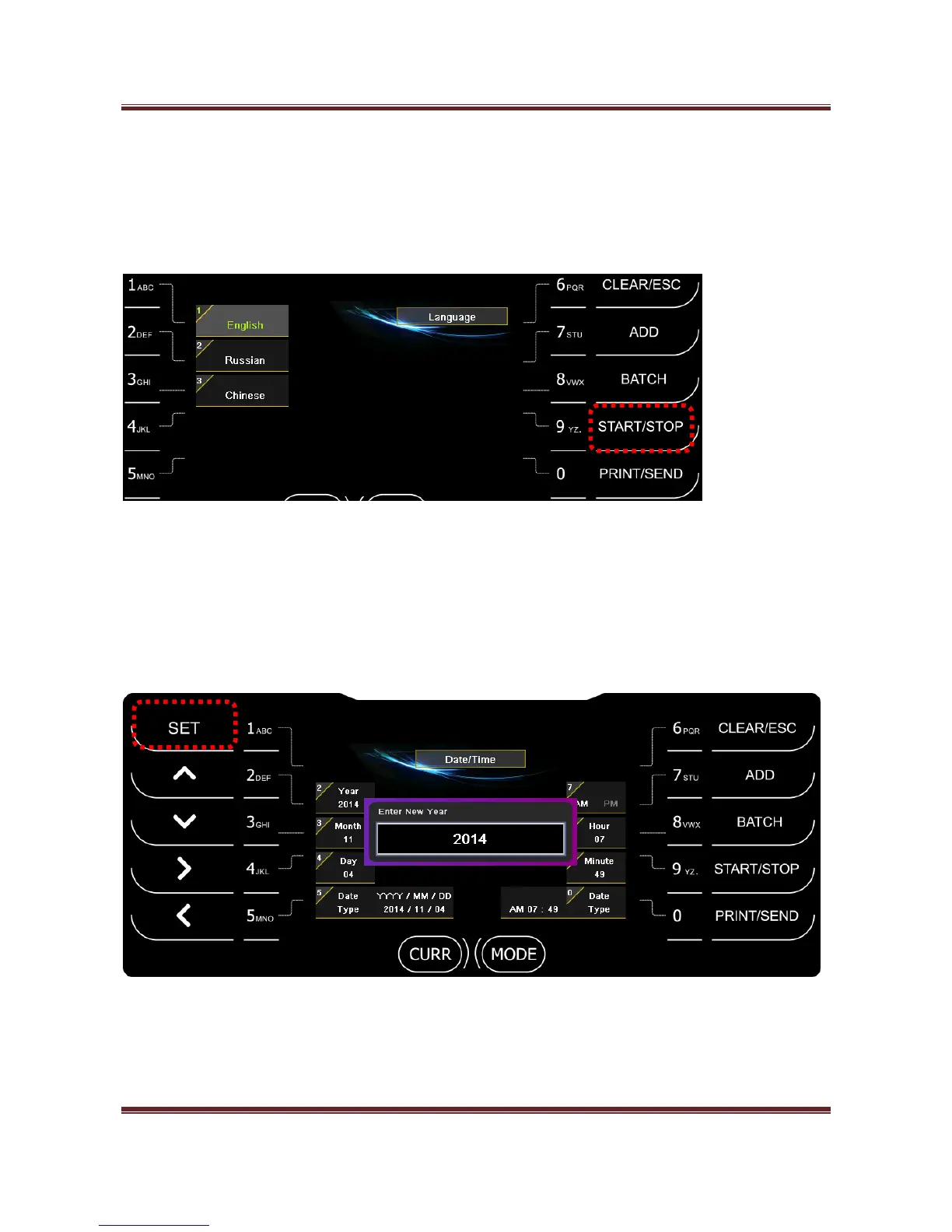
1) Language
Press “1” key -> Press Number key for selecting Language for display.
When press START/STOP key, exit the mode and the selected language is displayed.
2) Date/Time
Press “2” key -> Press Number key for entering Date and Time.
When press “SET” key, the entered data is accepted.
When press START/STOP key, exit the mode and Date and Time setting is completed.


 To Next Page