MAGNER 910 Operation Manual V1.1
Page 6 of 18
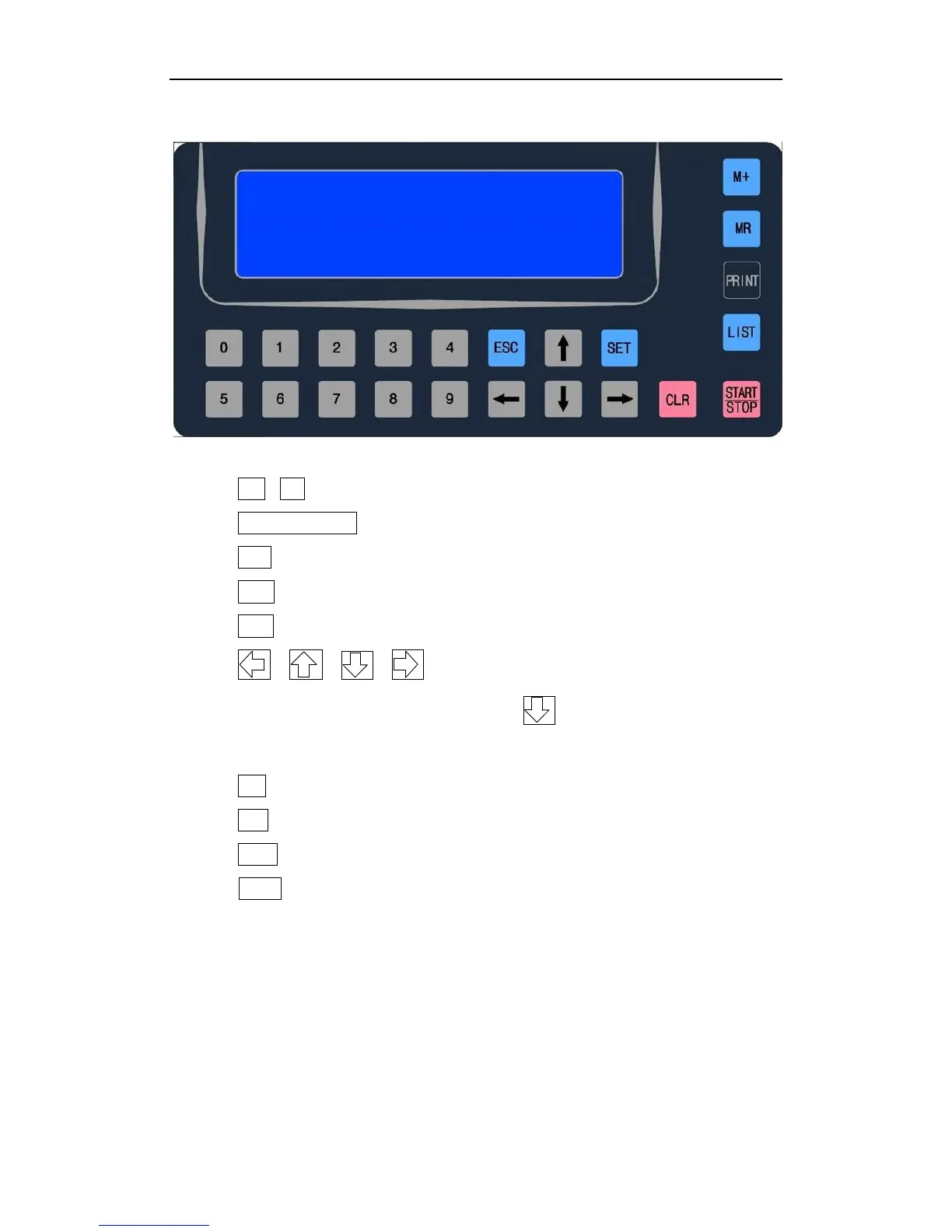
5. Key Panel
Key Function:
1) 0 ~ 9 : Numeric key for fast batch number settings
2) START /STOP: Start or Stop
3) SET: Set MENU or set some functions
4) ESC: Return to MENU or clear rejected coin records
5) CLR: Clear counting records or clear error codes
6) , , , : Select different Channels, or select
different Menu Setting; can also control Batch
function ON/OFF
7) MR: Read memory data
8) M+: Save Self-learning parameters
9) LIST: Check detailed counting list
10) Print: Print sorting result and Self-learning parameters


 To Next Page