1716
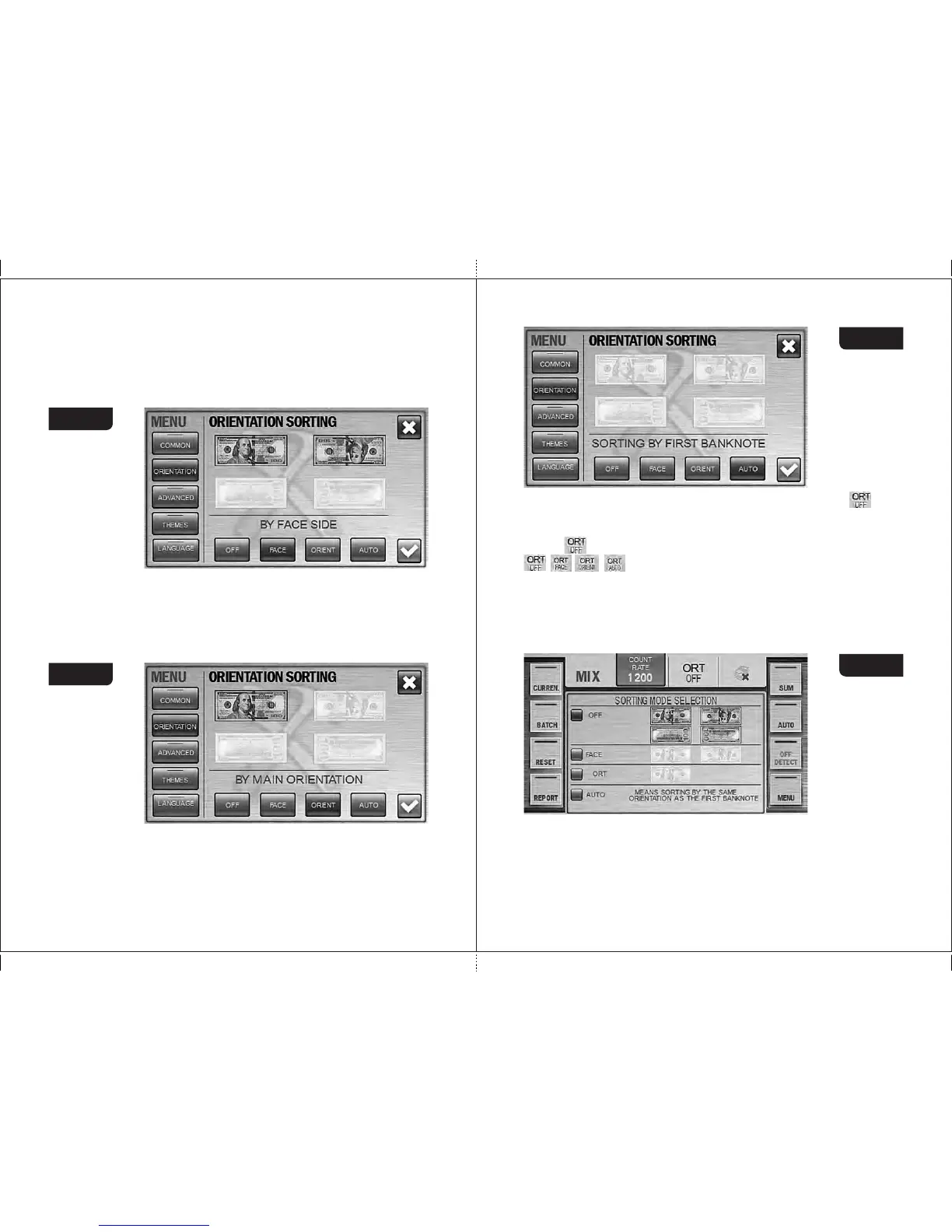
FACE: The banknotes placed into the hopper with their faces up will get
into the stacker (see Figure 22). The remained banknotes will be placed
into the reject pocket. N.B.: to understand which side of certain
currency's banknote is the face, refer to the web site of relevant Central
Bank.
Figure 22
ORIENT: the banknotes placed into the hopper with their faces up and
readable from the left to the right serial number (upside up) will get into
the stacker (see Figure 23). The other banknotes will be transferred into
the reject pocket.
Figure 23
AUTO: The banknotes with the same orientation as the first counted
banknote in a batch (see Figure 24) will get into the stacker. The other
banknotes will be transferred into the reject pocket.
To get an access to the orientation sorting, press the hot keys « » (see
Figure 25). By pressing ORT key, the dropdown menu «orientation sorting»
appears. The required orientation may be selected by a repetitive pressing of
the key ; in this case, the modes will be selected in turn:
, , , .
Af t e r the required mode has been selected, the dropdown menu
automatically disappears in 7 seconds or at the moment when a count starts
(automatic or manual). It is also possible to select a sorting mode by pressing
directly the corresponding icon; in this case, the dropdown menu automatically
disappears and the selected setting is displayed on the indicator.
Figure 24
Figure 25
3 Submenu «ADVANCED»
It contains the settings of brightness and the sound volume as well as
selection of the extended visual mode (see Figure 26).
MAGNER PRB VALUE COUNTERMAGNER PRB VALUE COUNTER



 To Next Page