1514
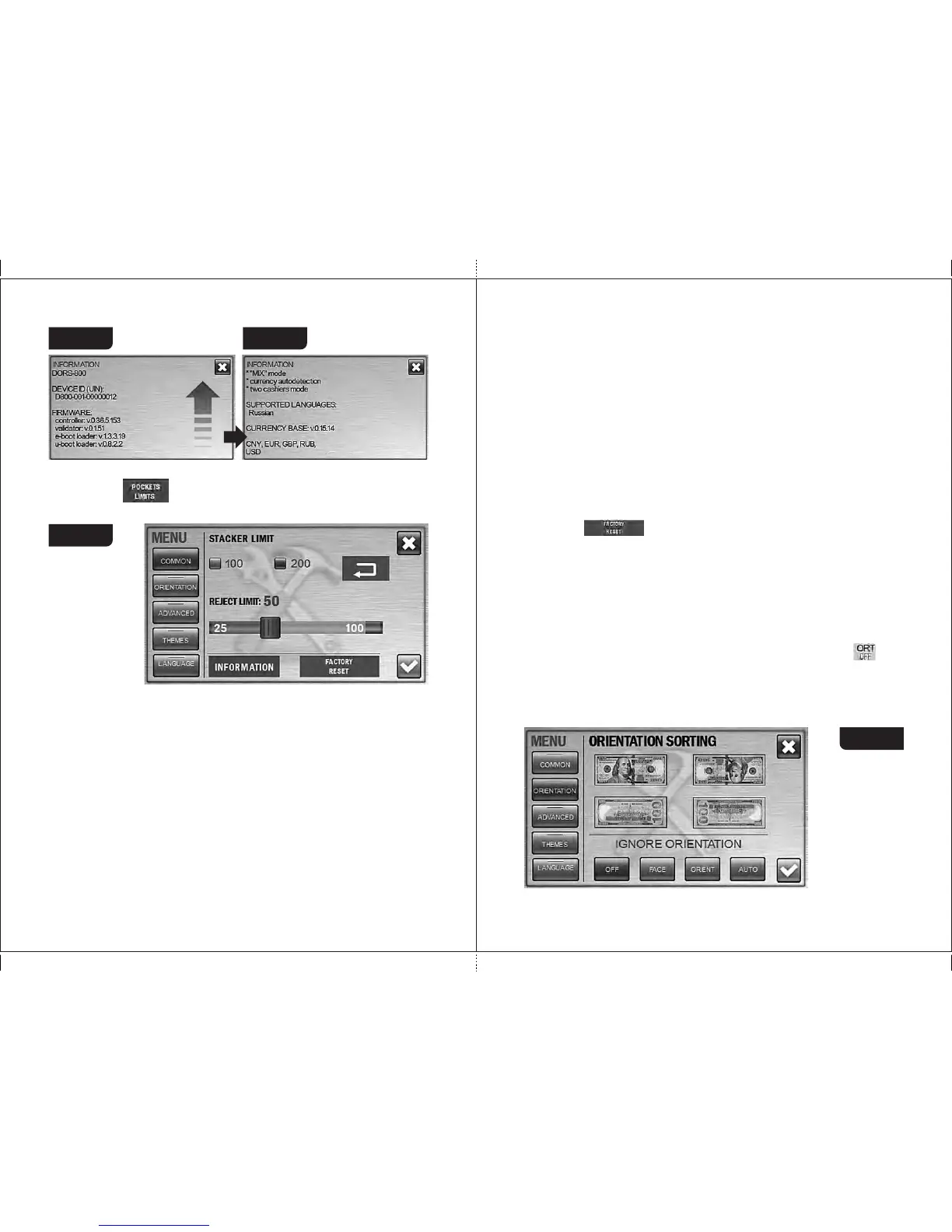
Figure 18 Figure 19
1
2
POCKETS CAPACITY
Press the « » key to open the submenu of the pocket capacities
selection (see Figure 20).
The stacker limit is the maximum number of banknotes that can be placed
into the stacker. The limit has two possible values: 100 and 200 banknotes; as
soon as the selected value is reached, the counter stops and resumes its
operation after the banknotes are removed from the stacker (and pressing the
«start» key , if the counter is in the manual start mode). The selected value of
the stacker limit is highlighted in blue (see Figure 20). To change the setting,
just press the required value (it became highlighted in blue).
The reject pocket has an adjustable limit value. As soon as the specified
limit is reached, the counter stops and resumes its operation after the
banknotes have been removed from the reject pocket (and pressing the
«start» key, if the counter is in the manual start mode). The default (optimal)
value of the reject pocket limit is 50 banknotes. The user can change the limit
within the range of 25 to 100 banknotes. To change the limit, move a slider
Figure 20
to the required value. The slider moves by steps of 5 notes each (25 - 30 - 35 -
etc.).
Attention! For counting of worn notes we suggest the reject pocket limit
would be not more than 50 notes, otherwise it may cause unsmooth stacking
or jamming of notes.
Note: All the banknotes that do not match to the counting/sorting criteria
get into the reject pocket, including the notes with tears and other mechanical
damages. To prevent any banknote damage, please choose such capacity of
reject pocket that corresponds to physical condition of the counting notes.
FACTORY RESET
After the key is pressed, all the current user’s settings are reset
and the factory settings restored (see article 2 of section «Operation»). To
exclude an accidental reset of the settings, you will be asked to confirm it (see
Figure 49).
Attention: the settings are resetted only for the current user, while the
settings of another user remain unchanged.
2 Submenu «Orientation sorting» (see Figure 21)
Orientation sorting is available for modes MIX and DEN. The selected
mode of orientation sorting is displayed on the key/display . The
banknotes may be sorted with the following settings:
OFF: The banknotes are counted regardless their orientation (see
Figure 21).
Figure 21
MAGNER PRB VALUE COUNTERMAGNER PRB VALUE COUNTER



 To Next Page