4 - How to use the MTNET Demo
DYNAMAG, DYNAMAX, EDYNAMO, UDYNAMO, ADYNAMO, MDYNAMO, TDYNAMO, DYNAWAVE| SCRA Devices | MTNET Demo Guide
Page 16
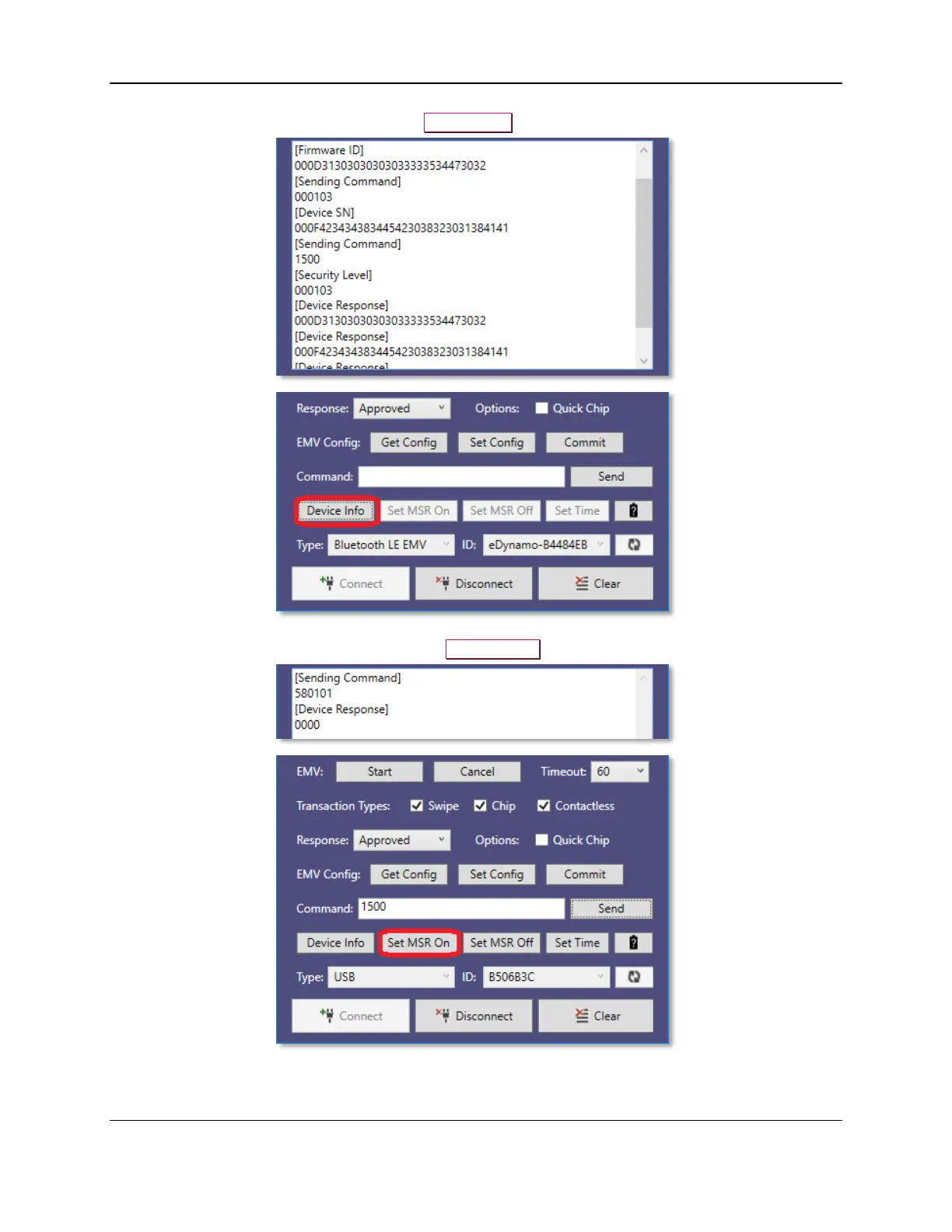
6) To retrieve device information, press the Device Info button.
7) To set the MSR On for the device, press the Set MSR On button.



 To Next Page