5 - How to use the MTNET OEM Demo via USB Interface
DYNAMAG, DYNAMAX, EDYNAMO, UDYNAMO, ADYNAMO, MDYNAMO, TDYNAMO, DYNAWAVE| SCRA Devices | MTNET Demo Guide
Page 21
5 How to use the MTNET OEM Demo via USB Interface
The following instructions detail how to use the MTNET OEM Demo on Windows PC via USB interface.
Same instructions apply to the other interface types.
MTNET OEM Demo queries for device features upon connecting. Some demo features are disabled
based on what is supported on the device. MTNET OEM Demo does not automatically set Time.
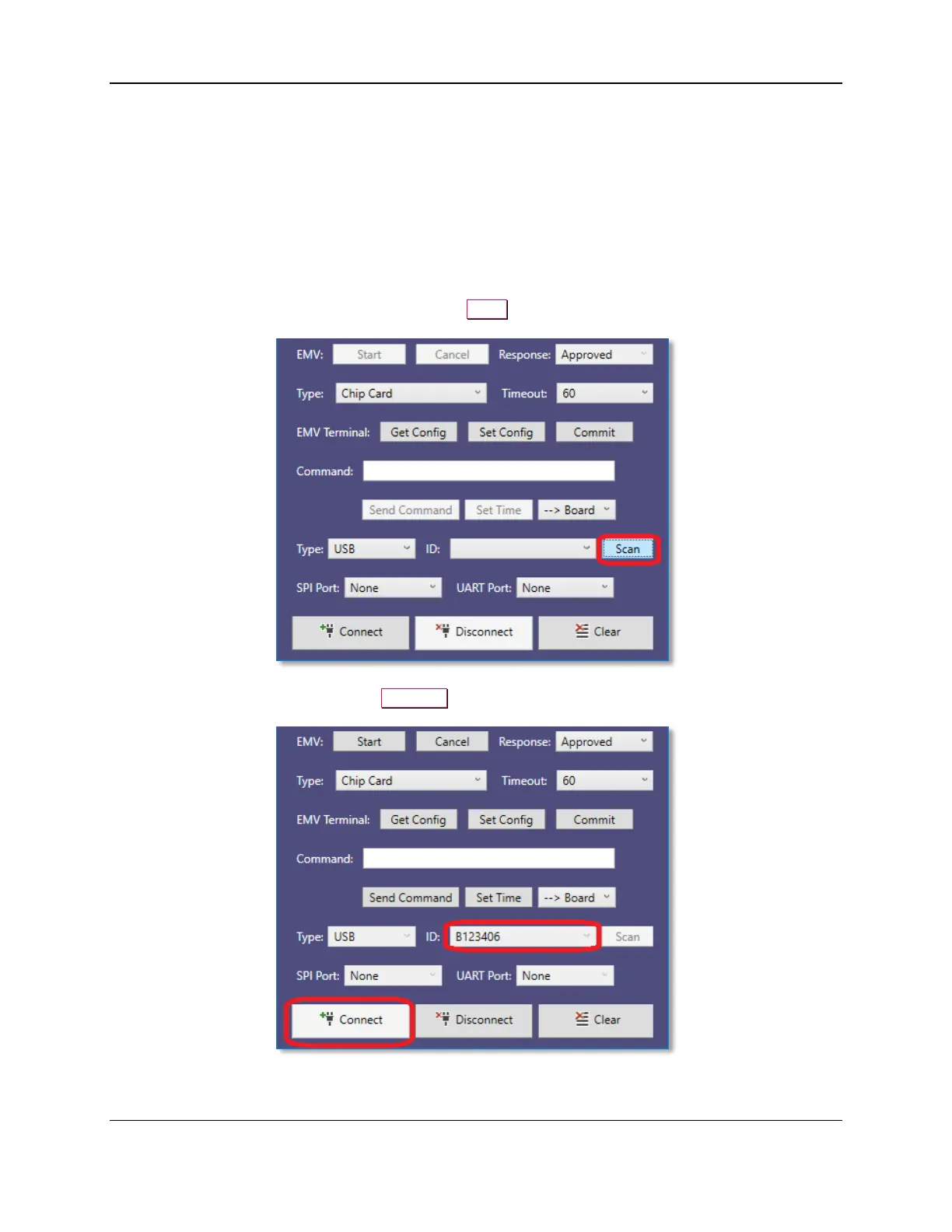
1) Connect the device to the USB port of the Windows PC.
2) Launch the MTNET OEM Demo and press the Scan button to scan for connected USB devices.
3) Select the Device ID and press the Connect to open the device.



 To Next Page