3 - Installation
eDynamo| Secure Card Reader Authenticator | Installation and Operation Manual
Page 20 of 34 (D998200110-23)
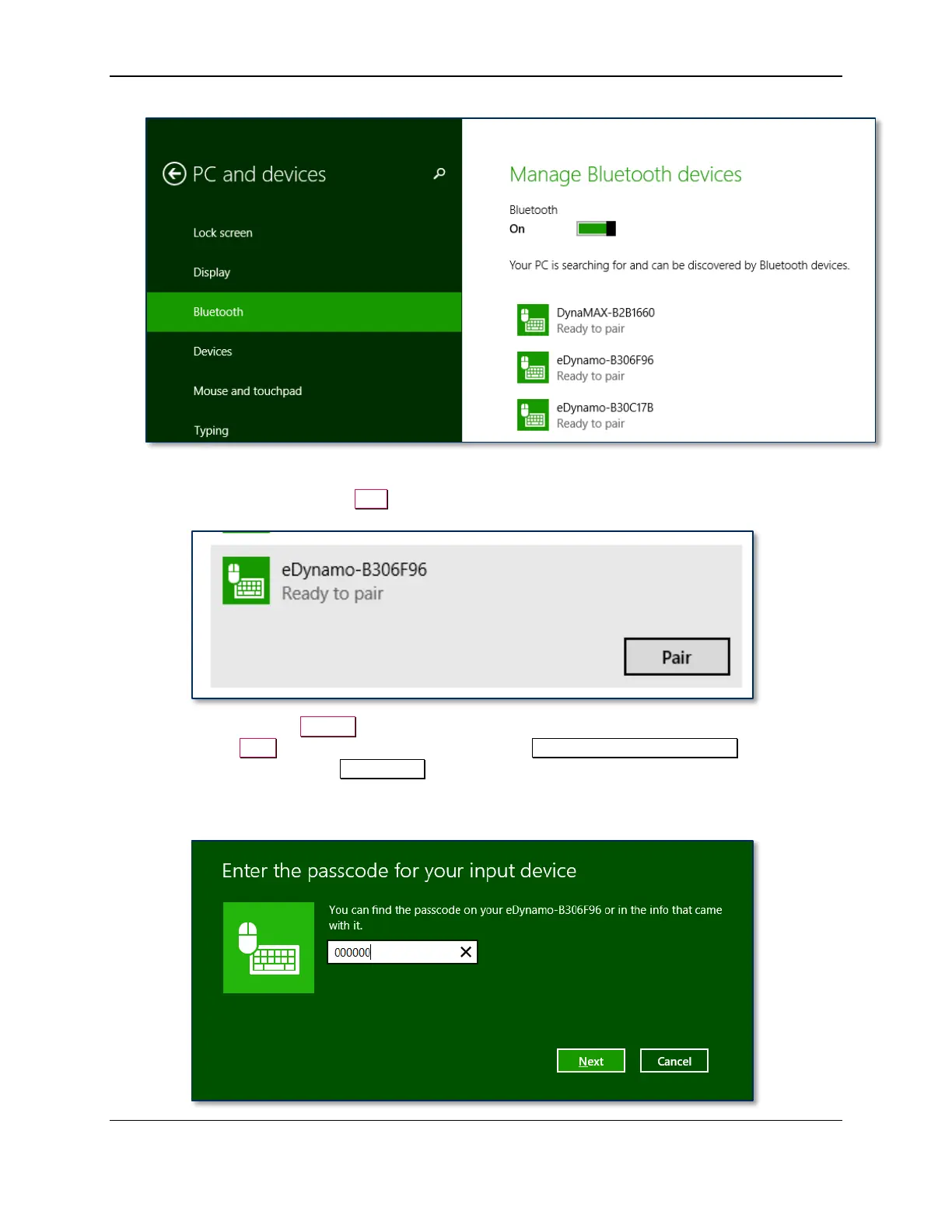
Figure 3-2 – Windows 8.1 Manage Bluetooth Devices Window
10) Select the device and press the Pair button.
11) Enter default passcode 000000 (or the device’s actual password if it has been configured differently),
then press the Next button. Windows returns you to the Manage Bluetooth devices page. After a
short period of time, the text Connected appears below the device you are pairing with. Note that in
this case, “Connected” means the device is paired, but the host does not have an active data
connection until the host software initiates one.



 To Next Page