EasyManua.ls Logo

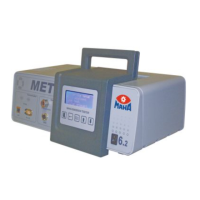
MAHA MET 6.3 - User Manual

MAHA MET 6.3
50 pages
Print Icon
To Next Page IconTo Next Page
Loading...
Fehler! Verwenden Sie die Registerkarte 'Start', um Name dem Text zuzuweisen, der hier angezeigt werden soll.Fehler! Verwenden Sie
die Registerkarte 'Start', um Name dem Text zuzuweisen, der hier angezeigt werden soll.Fehler! Verwenden Sie die Registerkarte
'Start', um Name dem Text zuzuweisen, der hier angezeigt werden soll.
MET 6.1 | 6.2 | 6.3
Exhaust Gas Analyser | Opacimeter | Combination Tester
Original Operating Instructions
BA315001-en

Table of Contents

Questions and Answers

  • D
    Darlene CarrollSep 8, 2025
    How to fix RTC error (real time clock) on MAHA Test Equipment?
    • D
      Danny BatesSep 8, 2025
      If your MAHA Test Equipment displays 'RTC error (real time clock)', turn the master switch off, wait 10 seconds, and then turn it back on. If the problem persists, contact service.
  • J
    Jennifer NunezAug 23, 2025
    What to do if antenna symbol flashes and WiFi is not working on MAHA Test Equipment?
    • J
      John BowenAug 23, 2025
      If the antennae symbol is flashing on your MAHA Test Equipment and the WiFi is not functioning, it might be due to a too-fast unit restart. Try turning the master switch off, waiting 10 seconds, and then turning it back on. If this doesn't solve the problem, use a LAN cable and the “MET Service Tool” program to transfer the WiFi configuration to the unit. If the issue persists, contact service.
  • H
    howardjenniferAug 25, 2025
    What causes opacimeter sensor defective in MAHA Test Equipment?
    • O
      olivia09Aug 25, 2025
      If your MAHA Test Equipment's opacimeter sensor is defective, start by checking if the transmitter and receiver are correctly installed and screwed in. Also, verify that the filter glass holder is inserted correctly and that the servicing hatches are closed during start-up. Ensure that the glasses are clean. If none of these steps resolve the issue, turn the master switch off, wait 10 seconds, and then turn it back on. If the problem continues, contact service.
  • C
    christopher26Aug 26, 2025
    How to fix filter blocked error on MAHA Test Equipment?
    • K
      kimcherylAug 26, 2025
      If your MAHA Test Equipment displays a 'Filter blocked!' message, change both F1 filters. Then, turn the master switch off, wait 10 seconds, and turn it back on. If the problem persists, contact service.
  • K
    Kathleen HowardAug 27, 2025
    How to fix LED too dim on MAHA Test Equipment?
    • G
      Gabriel HarrisonAug 28, 2025
      If the LED on your MAHA Test Equipment is too dim, first ensure that the transmitter and receiver are properly installed and screwed in. If they are, check if the glasses are soiled and clean them. If the issue persists, turn the master switch off, wait 10 seconds, and then turn it back on. If the LED remains dim, contact service.
  • D
    Dennis SmithSep 22, 2025
    What to do if ambient temperature sensor defective on MAHA Test Equipment?
    • M
      markwoodSep 22, 2025
      If your MAHA Test Equipment displays 'Ambient temperature/sensor defective', turn the master switch off, wait 10 seconds, and then turn it back on. If the problem persists, contact service.
  • R
    rachel46Sep 16, 2025
    What to do if heater temperature sensor defective on MAHA Test Equipment?
    • M
      Mrs. Tammy Nelson DVMSep 16, 2025
      If your MAHA Test Equipment displays 'Heater/temperature sensor defective', turn the master switch off, wait 10 seconds, and then turn it back on. If the problem persists, contact service.
  • J
    Joseph PotterSep 18, 2025
    What to do if water extractor temperature sensor defective on MAHA Test Equipment?
    • A
      Amanda GraySep 18, 2025
      If your MAHA Test Equipment displays 'Water extractor/temperature sensor defective', turn the master switch off, wait 10 seconds, and then turn it back on. If the problem persists, contact service.
  • T
    Tracy TurnerSep 7, 2025
    What to do if test bench communication faulty on MAHA Test Equipment?
    • C
      Courtney CervantesSep 7, 2025
      If your MAHA Test Equipment displays 'Test bench communication faulty', turn the master switch off, wait 10 seconds, and then turn it back on. If the problem persists, contact service.
  • M
    Megan HicksSep 4, 2025
    What to do if limit value exceeded in HC residue test on MAHA Test Equipment?
    • U
      usteeleSep 4, 2025
      If a limit value is exceeded in the HC residue test on your MAHA Test Equipment, ensure that the sampling probe is positioned to avoid drawing in hydrocarbons from sources like exhaust gas or brake cleaner, and then restart the test. You can also rinse out the unit by running it in measurement mode for 2-3 minutes, making sure the probe doesn't take in any hydrocarbons. Additionally, try changing both F1 filters.

Summary

Safety

Symbols and Signal Words

Explains warning symbols (DANGER, WARNING, CAUTION, NOTICE) and their meanings.

Operating and Service Personnel Requirements

Outlines necessary qualifications and training for users and service staff.

Critical Safety Instructions

Details critical safety warnings regarding heat, exhaust fumes, and electric shock.

Controls, Interfaces, and Components

Basic Settings Configuration

Measurement Modes, States, and Settings

Performing a Leaktightness Test

Explains the procedure and importance of daily leaktightness testing.

Zero Adjustment Procedure

Details the automatic and manual zero-balance adjustment process for accuracy.

Residue Hydrocarbon (HC) Test

Outlines the daily HC residue test procedure for ensuring probe cleanliness.

Measurement Value Display

Describes how measurement values are displayed and navigated during operation.

Initial Operation and Setup

PC-MET Connection Options

Maintenance Procedures

Maintenance Schedule Overview

Provides a comprehensive schedule for routine maintenance tasks and checks.

Changing Black F1 Filters

Step-by-step guide for replacing F1 filters in the maintenance kit.

Changing Blue F1 and F2 Filters

Instructions for replacing the F1 and F2 filters, emphasizing correct pairing.

Replacing the O2 Sensor

Procedure for safely replacing the oxygen sensor and reconnecting the cable.

Cleaning Opacimeter and Water Extractor

Detailed steps for cleaning internal components of the opacimeter and water extractor.

Adjusting the IR Test Bench (MET 6.1;6.3)

Detailed procedure for adjusting the IR test bench with calibration gas.

Calibrating the Opacimeter (MET 6.2;6.3)

Explains manual and MES calibration procedures for the opacimeter.

Troubleshooting Common Errors

Provides a table of error codes, messages, and corrective actions for common issues.

Configuration Options via MAHA Emission Software

Optional Accessories

Disposal Information

Technical Specifications

MAHA MET 6.3 Specifications

General IconGeneral
TypeDigital Multimeter
Voltage measurement range (DC)600 mV to 1000 V
Current measurement range (DC)600 μA to 10 A
Resistance measurement range600 Ω to 60 MΩ
Frequency measurement range10 Hz to 10 MHz
Display6000 counts
Battery type2 x AA
Operating temperature0 °C to +40 °C
Weight340 g

Related product manuals