EasyManua.ls Logo

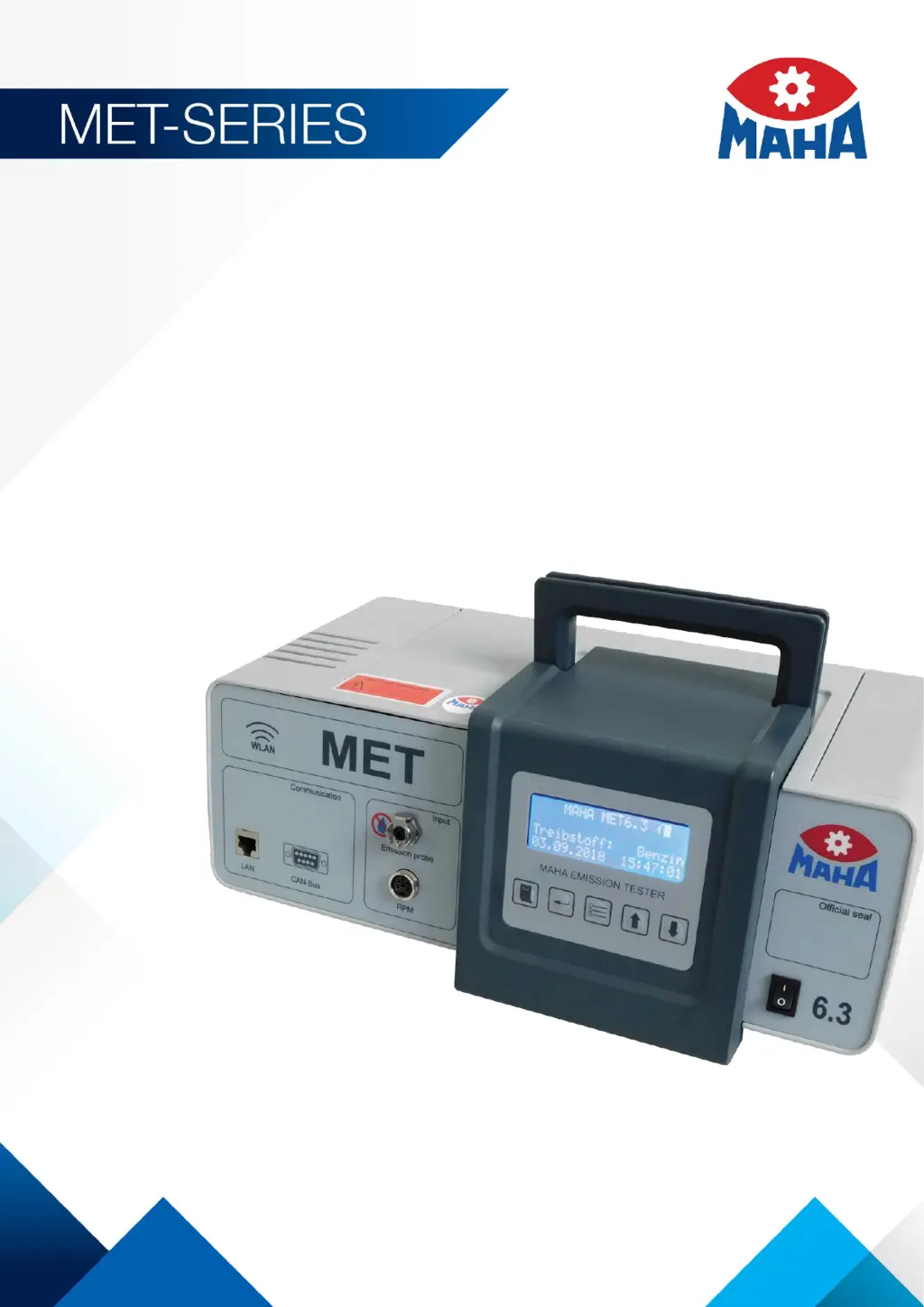
MAHA MET Series - User Manual

MAHA MET Series
50 pages
Print Icon
To Next Page IconTo Next Page
Loading...
Fehler! Verwenden Sie die Registerkarte 'Start', um Name dem Text zuzuweisen, der hier angezeigt werden soll.Fehler! Verwenden Sie
die Registerkarte 'Start', um Name dem Text zuzuweisen, der hier angezeigt werden soll.Fehler! Verwenden Sie die Registerkarte
'Start', um Name dem Text zuzuweisen, der hier angezeigt werden soll.
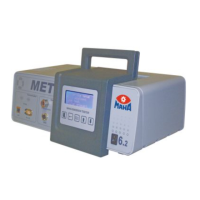
MET 6.1 | 6.2 | 6.3
Exhaust Gas Analyser | Opacimeter | Combination Tester
Original Operating Instructions
BA315001-en

Table of Contents

Questions and Answers

  • V
    Vanessa GutierrezSep 8, 2025
    How to fix RTC error (real time clock) on MAHA Test Equipment?
    • J
      James FlynnSep 8, 2025
      If your MAHA Test Equipment displays 'RTC error (real time clock)', turn the master switch off, wait 10 seconds, and then turn it back on. If the problem persists, contact service.
  • W
    wolfaimeeAug 23, 2025
    What to do if antenna symbol flashes and WiFi is not working on MAHA Test Equipment?
    • M
      Michael SmithAug 23, 2025
      If the antennae symbol is flashing on your MAHA Test Equipment and the WiFi is not functioning, it might be due to a too-fast unit restart. Try turning the master switch off, waiting 10 seconds, and then turning it back on. If this doesn't solve the problem, use a LAN cable and the “MET Service Tool” program to transfer the WiFi configuration to the unit. If the issue persists, contact service.
  • A
    adam09Aug 25, 2025
    What causes opacimeter sensor defective in MAHA Test Equipment?
    • T
      Taylor CoxAug 26, 2025
      If your MAHA Test Equipment's opacimeter sensor is defective, start by checking if the transmitter and receiver are correctly installed and screwed in. Also, verify that the filter glass holder is inserted correctly and that the servicing hatches are closed during start-up. Ensure that the glasses are clean. If none of these steps resolve the issue, turn the master switch off, wait 10 seconds, and then turn it back on. If the problem continues, contact service.
  • D
    douglasstevenAug 26, 2025
    How to fix filter blocked error on MAHA Test Equipment?
    • C
      Christopher AllenAug 27, 2025
      If your MAHA Test Equipment displays a 'Filter blocked!' message, change both F1 filters. Then, turn the master switch off, wait 10 seconds, and turn it back on. If the problem persists, contact service.
  • L
    Lisa MurrayAug 27, 2025
    How to fix LED too dim on MAHA Test Equipment?
    • S
      samanthawilsonAug 27, 2025
      If the LED on your MAHA Test Equipment is too dim, first ensure that the transmitter and receiver are properly installed and screwed in. If they are, check if the glasses are soiled and clean them. If the issue persists, turn the master switch off, wait 10 seconds, and then turn it back on. If the LED remains dim, contact service.
  • A
    Alex GuerraSep 22, 2025
    What to do if ambient temperature sensor defective on MAHA Test Equipment?
    • M
      mmcphersonSep 22, 2025
      If your MAHA Test Equipment displays 'Ambient temperature/sensor defective', turn the master switch off, wait 10 seconds, and then turn it back on. If the problem persists, contact service.
  • C
    Catherine HerreraSep 16, 2025
    What to do if heater temperature sensor defective on MAHA Test Equipment?
    • M
      melissaclarkSep 16, 2025
      If your MAHA Test Equipment displays 'Heater/temperature sensor defective', turn the master switch off, wait 10 seconds, and then turn it back on. If the problem persists, contact service.
  • K
    Kurt BryantSep 18, 2025
    What to do if water extractor temperature sensor defective on MAHA Test Equipment?
    • C
      Crystal RiversSep 18, 2025
      If your MAHA Test Equipment displays 'Water extractor/temperature sensor defective', turn the master switch off, wait 10 seconds, and then turn it back on. If the problem persists, contact service.
  • L
    leon64Sep 7, 2025
    What to do if test bench communication faulty on MAHA Test Equipment?
    • C
      Christopher GreenSep 7, 2025
      If your MAHA Test Equipment displays 'Test bench communication faulty', turn the master switch off, wait 10 seconds, and then turn it back on. If the problem persists, contact service.
  • E
    Eric ThompsonSep 4, 2025
    What to do if limit value exceeded in HC residue test on MAHA Test Equipment?
    • C
      clloydSep 4, 2025
      If a limit value is exceeded in the HC residue test on your MAHA Test Equipment, ensure that the sampling probe is positioned to avoid drawing in hydrocarbons from sources like exhaust gas or brake cleaner, and then restart the test. You can also rinse out the unit by running it in measurement mode for 2-3 minutes, making sure the probe doesn't take in any hydrocarbons. Additionally, try changing both F1 filters.

MAHA MET Series Specifications

General IconGeneral
BrandMAHA
ModelMET Series
CategoryTest Equipment
LanguageEnglish

Related product manuals