Operating Instructions MA 25 / MA 25e
operating instructions_8012238-4_MA25_E_13a 7 8012238-4 10/13
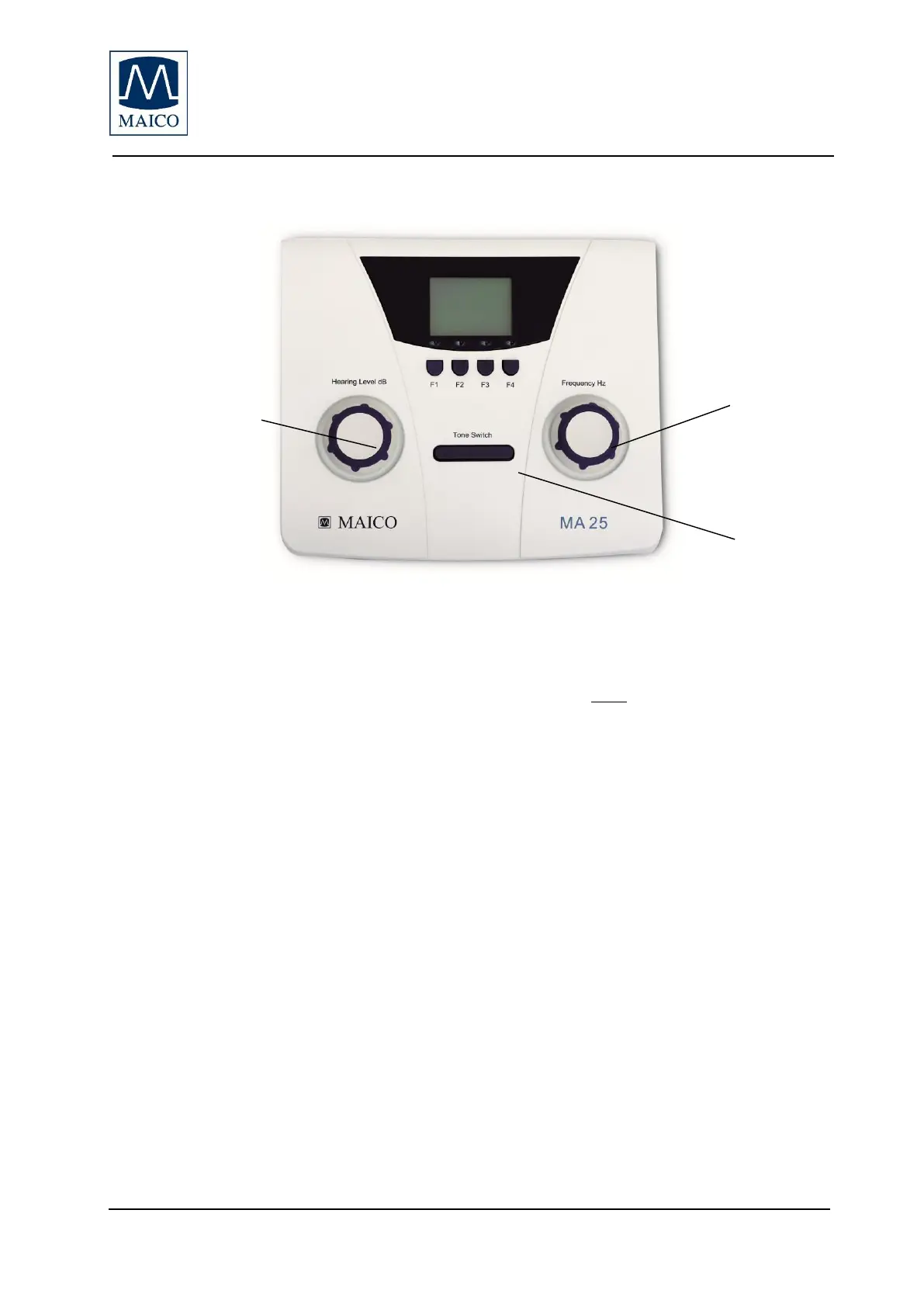
3 Function of buttons and display
Power On and Power Off
Attention: Power on is only possible if headphones are plugged-in!
To turn on the audiometer press the Tone Switch button.
To power off the audiometer press the level dialer and frequency dialer for a
few seconds. The audiometer will also automatically power off after 3, 4, 5
minutes (or not) depending on the settings.
Pure Tone Presentation
Frequency: Turn the Frequency Hz dialer to select another frequency
Level: Rotate the Hearing Level dB dialer to increase or decrease the level
Present tone: Touch the Tone Switch
3.1 Function buttons
F1 - MA 25 - Select the Right ear. MA 25e: Toggle between Right and Left.
F2 - MA 25 - Select the Left ear. MA 25e: Store threshold.
F3 – Pulse – Pulse Off: Manual tone presentation; Pulse On: Pulsing Tone
will be presented.
F4 – Warble - Warble off: Pure tones will be presented. Warble on: Warble
tones will be presented.


 To Next Page
 Loading...








