
 Need help?
Do you have a question about the Maidaid Halcyon C512D and is the answer not in the manual?
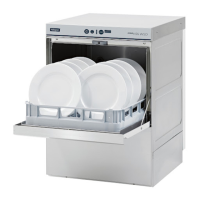
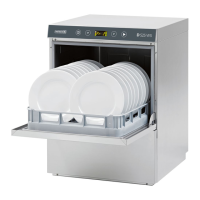
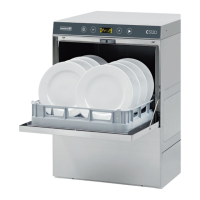
This document serves as the User & Installation Guide for the Maidaid Halcyon C512D pumped waste dishwasher, providing comprehensive instructions for its operation, maintenance, and installation.
The Maidaid Halcyon C512D is a professional heavy-duty dishwasher designed for commercial use. It features various wash programs tailored for different levels of soiling and types of dishes, including short, medium, and long wash cycles, as well as specialized programs for heavily encrusted dishes, cutlery, glasses, and sanitization. The machine is equipped with a pumped waste system, ensuring efficient drainage. It also includes an integral water softener (optional) to manage water hardness, contributing to optimal washing results and machine longevity. An automatic cycle start-up feature is available, allowing the machine to begin a chosen cycle automatically when the door is closed. The dishwasher provides an information display and status bar (LED) to communicate its operational status, heating progress, and any detected malfunctions.
To operate the dishwasher, users first turn on the main power switch and open the external water tap. After checking for the presence of an overflow (if required), the ON/OFF button is pressed to power on the machine. The CHECK BAR (LED) will light up, indicating the machine's status: green for normal operation, orange for a minor error that doesn't stop the cycle, and red for a serious fault that halts operation. Loading of dishes begins automatically once the machine is switched on and the water level is reached. The STATUS BAR (LED) indicates heating progress, turning solid green when the optimal wash temperature is achieved.
Dishes should be loaded into suitable racks without overloading or overlapping. It is recommended to wipe dishes before placing them in the dishwasher to remove dry or solid residues. Empty dishes should face downwards, while plates should be placed in the sloping rack with their inner surface facing upwards. Cutlery should be placed in the cutlery basket, handle end down, avoiding mixing silver and stainless steel cutlery to prevent discoloration. Washing dishes immediately after use helps prevent residue from hardening. Only solid, dishwasher-proof dishes should be used.
Users can select a wash cycle using the PROGRAMME SELECTION or SPECIAL PROGRAMME SELECTION buttons, with the chosen cycle number displayed. Pressing the START button initiates the program, and the STATUS BAR flashes orange, indicating cycle progression. Upon completion, the bar turns green. For rapid drying, racks should be removed promptly. A wash cycle can be stopped early by pressing the START button again. For hood versions, an automatic start feature enables subsequent cycles when the hood is closed, indicated by "AS" on the display.
Special programs include "ECO" for reduced energy and water consumption, "Act/Ac62" for very dirty dishes with two washes and two rinses, "StEE" for cutlery with higher water temperature, "EFr" for a total water change in the washing tub, "PLAE" for dishes, "GLAS" for glasses with low rinse temperature and long drying time, "LonG" for continuous wash, and "SAn" for sanitization, which calculates the A0 value. "Pr5" is recommended for sparkling glassware when used with a reverse osmosis device, and "Pr6" and "Pr7" are for heavily soiled dishes with longer wash times.
The dishwasher also provides information display features. By holding the START button, users can view the Boiler temperature, Tub temperature, and the number of cycles performed. Similarly, holding the PROGRAMME SELECTION button displays the same information. Viewable messages include "door" (door open), "b" (rinse temperature), "t" (wash temperature), "rEG" (regeneration cycle or request), "SALt" (no salt in softener), "CY" (number of cycles carried out), "End" (end of cycle), "AS" (automatic start enabled), "LonG" (continuous wash), and "Seru" (service).
At the end of a shift, the machine should always be drained, the power supply disconnected, and the external water cock closed. Leaving the door ajar helps prevent bad odors.
Regular maintenance is crucial for the dishwasher's optimal performance and longevity. Before any maintenance, the machine must be completely drained, the power supply shut off, and the water supply cock closed. Water under pressure should not be used for cleaning, as it can damage electrical equipment. The body panels should only be washed when cold, using products specifically designed for steel. If there is a risk of ice formation, the water from the boiler and wash pump should be drained.
The filter unit requires daily cleaning. This involves removing and cleaning the baskets, emptying the tub (as described in the draining section), removing and thoroughly cleaning all filters, and then restoring all parts. Abrasive products should not be used to clean the tub.
The wash and rinse arms are designed for easy removal to clean their nozzles and prevent blockages. Users can unscrew retaining nuts or unclip quick-fit attachments to remove the spray arms. All parts should be washed under running water, and nozzles cleaned with a toothpick or pointed tool if necessary. The arm rotation pins inside the machine and the wash/rinse water drainage area should also be cleaned. After cleaning, the arms should be restored and checked for free rotation.
For machines fitted with a water softener, when the "SALt" warning appears, salt needs to be added to the container. This involves removing the basket and integral filter, unscrewing the salt container cap, pouring in approximately 700g of large-grain kitchen salt (filling with water first for the initial fill), and then firmly closing the cap. The area around the salt cap should be rinsed, and a self-cleaning cycle run to prevent corrosion. The "SALt" warning will disappear after a few minutes. The "rEG" warning indicates a resin regeneration cycle, during which the machine should not be switched off.
The dishwasher is equipped with a self-diagnosis system that alerts users to malfunctions with specific error codes, such as "Er01" (no rinsing), "Er02" (no drainage), "Er03" (rinsing temperature reset fault), "Er04" (water filling fault), "Er05" (tank thermometer fault - probe open), "Er06" (tank thermometer fault - probe short-circuited), "Er07" (boiler thermometer fault - probe open), "Er08" (boiler thermometer fault - probe short-circuited), "Er09" (boiler loading time out), "Er21" (insufficient rinse), "Er22" (tank temperature reset fault), "ErSF" (electro-mechanical safety device triggered), "ErSL" (level safety switch - incorrect water level), and "drb" (dirty filter). If problems persist after following the suggested remedies, an Authorized Service Centre should be contacted.
Settings for the machine, such as boiler temperature, tank temperature, Thermostop function, Energy Saving function, detergent pump, rinse aid pump, manual rinse, detergent dosing time, rinse aid dosing time, water hardness, set number of service cycles, autostart autoenabling, and manual drain, can be configured by a qualified technician through a dedicated settings menu.
 General
| Type | Undercounter Dishwasher |
|---|---|
| Rack Size | 500 x 500 mm |
| Wash Cycles | 3 |
| Wash Cycle Time | 120 seconds |
| Power Supply | 230V, 50Hz |



 To Next Page