ainship 40 Trawler Sin
le & Twin • DC Electric S
stems
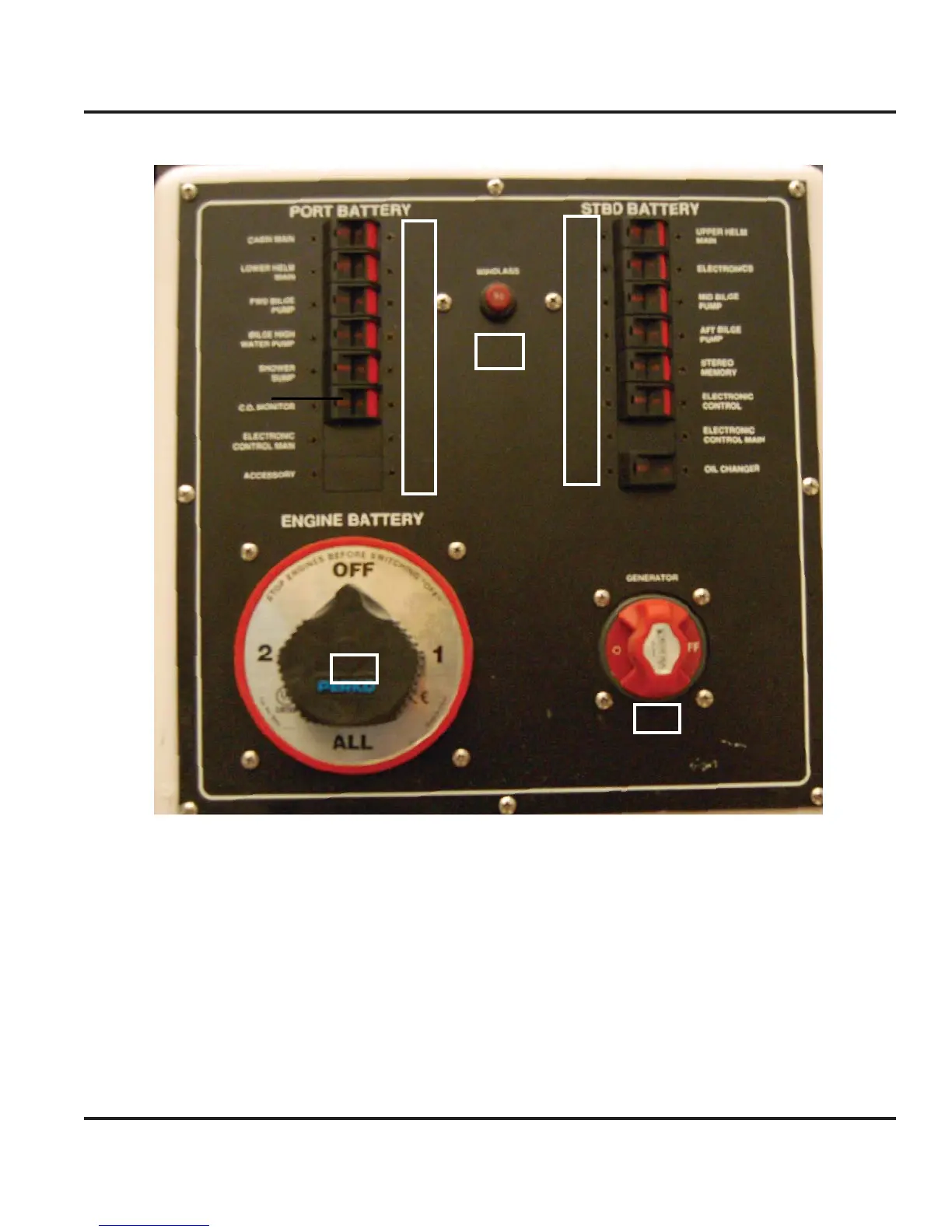
7.1
Batter
Switch Pane
1
2
3
4
5
6
7
8
9
10
11
12
13
14
15
16
17
18
19
1. Breaker controls power to the DC Panel.
2. Breaker controls
ower to the Helm.
. Breaker controls power to the Fwd Bil
e Pump
4. Breaker controls power to the Emer
enc
o
ater
e
ump
.
hower
ump protection
. Breaker controls the power to the C
Monitor.
7. Controls power to the Electronics packa
e
optional
. Accessor
or extra breaker slots
. Not Used.
10.
ontrols power to the Electronics packa
e
optional
11. Mid Bil
e Pum
12. Aft Bil
e pum
13. Stereo memor
.
14. Electronic en
ine control
optional
1
. El
tr
ni
ntr
l M
i
16. Breaker for
il Chan
er
optional
17. Br
k
r
r An
h
r Win
l
.
18. Main Batter
switch.
19. Generator Batter
switch
Note: The breakers installed are the “push to
reset” type. They are not on and off switches.
These systems are meant to be powered at all
times and the only time these breakers will be
“off” is if there is a fault in the component or
circuit.
Fi
. 7.1



 To Next Page