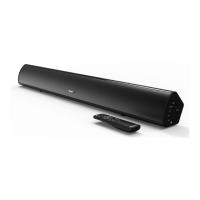
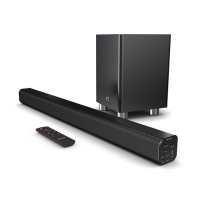
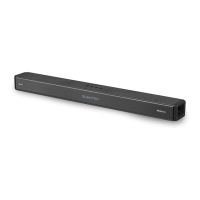
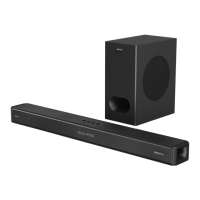
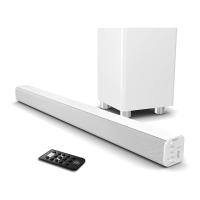
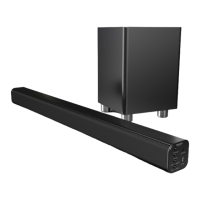
The Majority Atlas PC Soundbar is a versatile audio device designed to enhance your listening experience with various connectivity options and user-friendly controls. This soundbar offers multiple modes for playing audio, including Bluetooth, USB, SD card, and AUX, making it compatible with a wide range of external devices.
Function Description
The primary function of the Majority Atlas PC Soundbar is to provide high-quality audio output for your computer or other external devices. It serves as a compact and powerful speaker system, delivering clear sound for music, movies, games, and more. The soundbar integrates several playback modes, allowing users to choose their preferred method of audio input.
In Bluetooth mode, the soundbar can wirelessly connect to Bluetooth-enabled devices such as smartphones, tablets, and laptops. This mode offers convenience and freedom from cables, allowing you to stream audio from a distance. The soundbar provides audible cues, such as "Bluetooth mode," "Connected," and "Disconnected," to keep you informed of its connection status. An indicator light also helps visualize the connection state, flashing when pairing and remaining static blue once connected. If the soundbar switches to a different mode, the Bluetooth connection will automatically disconnect.
The USB mode allows you to play audio directly from a USB drive. Simply insert a USB drive into the designated port on the back of the unit, and the soundbar will automatically switch to USB mode and begin playing audio. It supports USB drives up to 64GB, providing ample storage for your music library. The soundbar will announce "USB driver mode" when this mode is active.
Similarly, the SD card mode enables playback from a micro SD card. Insert a micro SD card into the 'SD' port, and the unit will automatically switch to SD card mode, announcing "SD card mode." This mode also supports cards up to 64GB, offering another convenient way to access your stored audio files.
For wired connections, the AUX mode is available. Using the included 3.5mm to 3.5mm AUX cable, you can connect external devices that have an audio output jack. When an AUX cable is plugged into the AUX port at the rear of the speaker, the unit will automatically switch to AUX mode, indicated by the phrase "Line in mode." This ensures compatibility with devices that do not support Bluetooth or for users who prefer a stable wired connection.
Usage Features
The Majority Atlas PC Soundbar is designed for ease of use, with intuitive controls located on the top and back of the unit.
Top View Controls:
- On/Off/Volume Dial (Ref.6): This multi-functional dial is used to switch the unit on or off and adjust the volume. Rotating it clockwise until it clicks powers on the soundbar, while rotating it anti-clockwise until it stops powers it off. Continuous rotation adjusts the volume level.
- Play/Pause Button (Ref.1): This button allows you to start or stop audio playback in Bluetooth, SD, and USB modes.
- Previous/Rewind Button (Ref.2): In Bluetooth, SD, and USB modes, a short press of this button will skip to the previous track. Pressing and holding it will initiate a rewind function.
- Next/Fast Forward Button (Ref.4): Similar to the previous track button, a short press will skip to the next track, and pressing and holding it will fast forward through the current track.
- Mode Button (Ref.5): This button is used to cycle through the different input modes: SD card, Bluetooth, AUX, and USB. This allows you to manually select your desired audio source if the automatic switching does not occur or if you wish to change modes.
- Indicator Light (Ref.3): This light provides visual feedback on the soundbar's status, particularly for Bluetooth connectivity.
Back View Ports:
- SD Card Slot (Ref.7): For inserting micro SD cards for audio playback.
- DC 5V Power Input (Ref.8): This is where the mini USB connector from the power adapter is plugged in to power the soundbar.
- USB Slot (Ref.9): For inserting USB drives for audio playback.
- AUX Input (Ref.10): For connecting external devices via a 3.5mm AUX cable.
Connecting and Powering:
To set up the soundbar, connect the provided USB to Mini USB power cord. Plug the mini USB connector into the DC 5V power input (Ref.8) on the back of the soundbar, and the other end into a USB power supply, such as a mains adapter or another USB power source. Once powered, you can switch on the unit using the On/Off/Volume dial (Ref.6).
Basic Operations:
Volume control is managed solely by the On/Off/Volume dial (Ref.6). For playback controls like play/pause, next/previous track, and fast forward/rewind, the dedicated buttons (Ref.1, Ref.2, Ref.4) are used in Bluetooth, SD, and USB modes. The 'MODE' button (Ref.5) is essential for switching between the various input sources.
Maintenance Features
Maintaining the Majority Atlas PC Soundbar involves simple care practices to ensure its longevity and optimal performance.
General Care:
- Cleaning: Do not clean the apparatus near or with water. For cleaning, it is recommended to use a dry cloth. Avoid using harsh chemicals or abrasive cleaners that could damage the surface or internal components.
- Ventilation: Ensure that no ventilation openings are blocked. Proper airflow is crucial to prevent overheating. Install the soundbar in accordance with the manufacturer's instructions, avoiding placement near heat sources like radiators, heat registers, stoves, or other heat-producing apparatus.
- Power Cord Protection: Protect the power cord from being walked on or pinched, especially at the plugs, convenience receptacles, and the point where it exits the apparatus. A damaged power cord can pose a safety risk and affect the device's functionality.
- Attachments/Accessories: Only use attachments and accessories specified by the manufacturer to avoid damage and ensure compatibility.
Troubleshooting:
The manual provides a troubleshooting section to address common issues:
- No power/function: Check if the power is switched on at the wall and if the power adapter is properly connected to the power outlet.
- No sound: Verify that the correct mode is selected (Bluetooth, AUX, USB, SD). If connected via Bluetooth or AUX, ensure the volume on your external device is turned up.
- Function disturbance: If the unit experiences a disturbance, switch it off, unplug it, leave it for 2 minutes, and then switch it on again.
- Bluetooth not connecting: Ensure the soundbar is in Bluetooth mode and Bluetooth is enabled on your device. Select "Majority Atlas" from your device's Bluetooth list.
The manual emphasizes several safety precautions:
- Read and keep all instructions for future reference.
- Heed all warnings and follow all instructions.
- The apparatus should not be exposed to dripping or splashing liquids, and no objects filled with liquids, such as vases, should be placed on the apparatus.
- The main plug is used to disconnect the device and should remain readily operable. To completely disconnect the apparatus from the mains, the mains plug should be disconnected from the main socket outlet.
- Batteries should not be exposed to excessive heat.
- No naked flame sources, such as lit candles, should be placed on the apparatus.
- Refer all servicing to qualified service personnel. Servicing is required if the apparatus has been damaged, such as a damaged power-supply cord or plug, liquid spillage, objects falling into the apparatus, exposure to rain or moisture, or if it does not operate normally or has been dropped.
- The device carries a "Risk of Electric Shock - Do Not Open" warning, indicating that internal components should only be accessed by qualified professionals.
Recycling:
The product is marked with a symbol indicating that electrical products should not be disposed of with normal household waste. Users are advised to recycle their waste electrical goods at a suitable facility for disposal, contributing to environmental protection.
By following these guidelines, users can ensure the safe and effective operation of their Majority Atlas PC Soundbar for an extended period.



 To Next Page

 General