EasyManua.ls Logo

MAJORITY BEN NEVIS - User Manual

MAJORITY BEN NEVIS
19 pages
Print Icon
To Next Page IconTo Next Page
Loading...
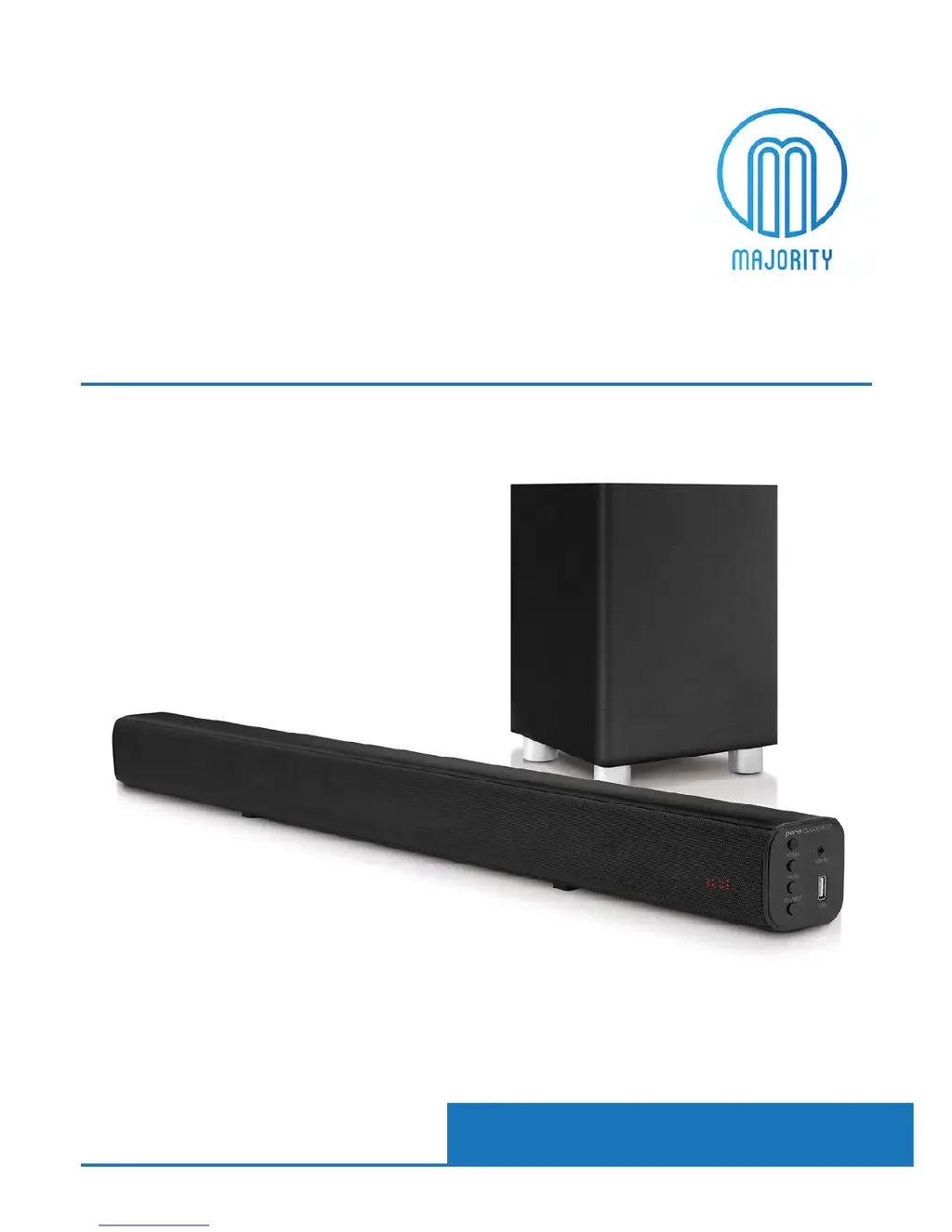
BEN-BAR-BLK
MAJORITY
BEN NEVIS
Audio Soundbar & Subwoofer
Instrucons Guide

Questions and Answers

  • S
    swilliamsAug 3, 2025
    What to do if my MAJORITY BEN NEVIS has no sound or distorted sound?
    • R
      ramseyashleyAug 3, 2025
      If your MAJORITY Speaker System isn't producing any sound or the sound is distorted, first ensure that the audio cables are correctly connected to the appropriate inputs. Secondly, check that the volume isn't set to the minimum level and increase it as needed. Finally, verify that the mute function is not enabled by pressing the MUTE button on the remote, and also press Play/Pause.
  • A
    Ashley DavenportAug 10, 2025
    How to fix MAJORITY BEN NEVIS IR remote control if it is not functioning properly?
    • D
      David JohnsonAug 10, 2025
      If the IR remote control for your MAJORITY Speaker System isn't working properly: 1. Ensure that a Lithium CR2025 3V cell battery is correctly installed. 2. If the batteries are depleted, replace them with new ones. 3. Remove any obstructions from the remote control sensor and ensure it's within operating range, pointed towards the right of the panel.
  • M
    Matthew KingAug 18, 2025
    Why are the buttons on my MAJORITY BEN NEVIS Speaker System not working?
    • E
      Ellen MossAug 18, 2025
      If the buttons on your MAJORITY Speaker System aren't working, it might be due to static electricity interference. To resolve this, switch off and unplug the unit from the power supply. Then, reconnect the plug to the power supply to switch it back on.
  • C
    Charles Lyons Jr.Aug 27, 2025
    What to do if my MAJORITY Speaker System has no power?
    • J
      Jamie GuerreroAug 27, 2025
      If your MAJORITY Speaker System has no power, ensure that the unit is properly connected to the power supply. Try connecting the power cable to a different outlet to rule out any issues with the original outlet.

Summary

Controls and Functions

Side View; Control Buttons

Identifies and labels the control buttons on the side of the soundbar.

Sub Woofer Controls

Details the controls and connections on the subwoofer unit.

Remote Control Overview

Lists and explains the functions of the remote control buttons.

Remote Control Operation

Explains how to operate the remote control and its special functions.

Remote Battery Information

Provides notes on remote control battery usage, care, and replacement.

Getting Started and Connections

Whats In The Box?

Lists all the components included in the product packaging.

Initial Setup Guide

Guides the user through the initial setup and power connection process.

AUX Line In Connection

Explains how to connect the soundbar using the AUX 'Line In' cable.

Optical Input Connection

Details the process of connecting and using the optical audio input.

Bluetooth Pairing and Operation

Guides the user through pairing and using Bluetooth devices.

AUX-In Device Connection

Explains how to connect devices using the AUX 'Line In' port.

FM Mode Operation

Describes how to tune into and listen to FM radio stations.

Troubleshooting and Support

Troubleshooting Common Issues

Provides solutions for common problems like no power, no sound, or remote control issues.

Product Specifications

Lists technical specifications including power, consumption, and frequency response.

Warranty Information

Details the product warranty terms and registration process.

Safety Information

General Safety Instructions

Outlines essential safety precautions and guidelines for using the product.

Additional Safety Warnings

Lists extra warnings regarding splashing, liquid objects, and battery exposure.

Electrical Product Recycling

Provides guidance on environmentally friendly disposal of electrical waste.

MAJORITY BEN NEVIS Specifications

General IconGeneral
BrandMAJORITY
ModelBEN NEVIS
CategorySpeaker System
LanguageEnglish

Related product manuals