EasyManua.ls Logo

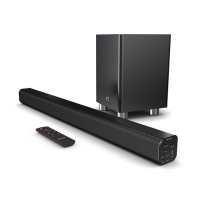
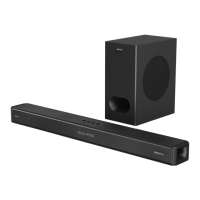
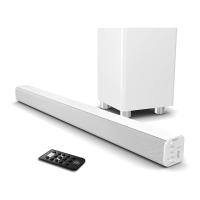
MAJORITY TETON - User Manual

MAJORITY TETON
20 pages
Print Icon
To Next Page IconTo Next Page
Loading...
USER MANUAL
HOME AUDIO • CAMBRIDGE
TETON

Questions and Answers

  • J
    Jason SanchezJul 28, 2025
    What to do if there is no sound from my MAJORITY TETON?
    • M
      Margaret GilmoreJul 28, 2025
      If you're not getting any sound, first ensure that the unit is not muted. Also, verify that all cables are correctly and securely installed. Trying a different cable to connect to your TV might also help. Finally, confirm that the unit is switched on and in the correct mode.
  • P
    Patrick Fletcher Jr.Aug 2, 2025
    How to fix MAJORITY TETON Speaker System remote control function issues?
    • J
      Jessica ShepardAug 2, 2025
      If you're experiencing issues with the remote control, start by checking the battery. Replace it if needed. Also, make sure there are no obstacles blocking the path between the remote and the sensor on the speaker system.
  • D
    diana62Aug 7, 2025
    Why is there no sound when connected to OPTICAL IN mode on my MAJORITY Speaker System?
    • A
      Andrew TaylorAug 7, 2025
      If you have no sound when connected and switched to Optical In mode, check and ensure that the audio setting of the input source (e.g. TV, games console, DVD player, etc.) is set to PCM mode while using a digital connection such as Optical, HDMI, or Coaxial.
  • R
    reidscottAug 11, 2025
    How to troubleshoot no sound in Bluetooth mode on MAJORITY TETON?
    • J
      Joyce WardAug 12, 2025
      If you're experiencing no sound in Bluetooth mode, first ensure that your Bluetooth device is properly paired with the speaker system. Also, verify that you pressed the PAIR button before attempting to pair the devices. Finally, check whether your external device requires a password; if so, the password is '0000'.
  • A
    allison79Aug 16, 2025
    What to do if my MAJORITY Speaker System has no power/function?
    • C
      courtneycortezAug 16, 2025
      If your device has no power, make sure the power is switched on at the wall and that the power adapter is properly connected to the power outlet.
  • J
    Jamie TrevinoAug 21, 2025
    What to do if my MAJORITY TETON Speaker System has function disturbance?
    • K
      Kaitlyn LuceroAug 21, 2025
      If you are experiencing function disturbances, switch off and unplug the unit. Leave it for 2 minutes, then switch it on again. If a particular mode is causing problems, try an alternative connection to your TV, such as Optical or Bluetooth.

Summary

Controls and Functions

Soundbar Controls and Layout

Overview of the soundbar's physical layout, ports, and indicators.

Remote Control Functions

Explanation of buttons and their operations on the provided remote control.

Whats in the Box

Additional Product Information

Automatic Power Off Feature

Explains the soundbar's auto standby feature after inactivity.

Wall Mounting Guide

Guidance on safely mounting the soundbar to a wall.

Mode Indicator Lights and Audio Settings

Mode Indicator Light Meanings

Explains the meaning of different LED indicator light states for modes.

Audio Mode Configurations

Details the available audio modes (Music, Dialog, Movie, Flat) and their effects.

Audio Input Connections

Connecting via USB

Instructions on how to connect and use a USB device for audio playback.

Connecting via RCA

Guide on connecting the soundbar using RCA audio cables.

Connecting via HDMI ARC

Instructions for connecting the soundbar via HDMI ARC for audio.

Connecting via Optical Cable

Steps to connect the soundbar using an optical audio cable.

Connecting via AUX;Line In

How to connect audio devices via the 3.5mm AUX input.

Connecting to Power Outlet

Bluetooth Operation and Pairing

Troubleshooting Guide

Specifications, Support, and Warranty

Product Specifications

Technical details of the soundbar including power, dimensions, and weight.

Customer Support Information

Information on how to contact support for assistance with the product.

Product Warranty Details

Details on the product's warranty coverage and registration process.

Regulatory Information

Safety Information and Warnings

General Safety Instructions

General safety precautions and guidelines for using the soundbar.

Specific Usage Warnings

Specific warnings regarding liquid, heat, and battery exposure.

Electrical Product Recycling

Guidance on responsible disposal and recycling of the soundbar.

MAJORITY TETON Specifications

General IconGeneral
Frequency Response60Hz - 20kHz
Input Sensitivity500 mV
Input Impedance10kΩ
ConnectivityBluetooth, AUX, USB
Power SourceAC Adapter
FeaturesRemote control
Signal-to-Noise Ratio80dB
Power SupplyAC 100-240V ~ 50/60Hz

Related product manuals