EasyManua.ls Logo

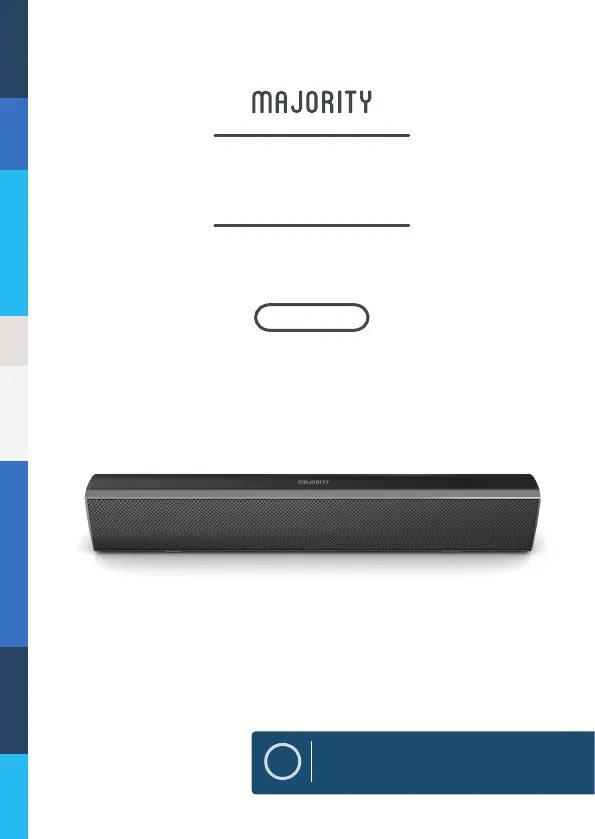
MAJORITY BOWFELL - User Manual

MAJORITY BOWFELL
21 pages
Print Icon
To Next Page IconTo Next Page
Loading...
EN
Instructions Guide
BOW-BAR-BLK
BOWFELL
COMPACT BLUETOOTH SOUNDBAR

Questions and Answers

  • A
    Angela SmithJul 28, 2025
    How to fix no sound from Bluetooth connection on MAJORITY Speakers?
    • T
      Tricia HickmanJul 29, 2025
      If you're getting no sound from a Bluetooth connection on your MAJORITY Speakers, check that you pressed the PAIR button before pairing. Also, verify whether the external device requires a password; if so, the password is “0000.”
  • E
    Eric HendersonAug 2, 2025
    What to do if my MAJORITY Speakers have no sound?
    • M
      Melissa ChoiAug 2, 2025
      If your MAJORITY Speakers have no sound, first ensure the unit isn't muted. Then, verify that you've selected the correct MODE. Finally, double-check that all cables are properly installed.
  • P
    Paula HughesAug 7, 2025
    Why is my MAJORITY Speakers remote control not working?
    • M
      Mr. Tyler HallAug 7, 2025
      If you're experiencing issues with your MAJORITY Speakers' remote control, start by checking the battery. If needed, replace it. Also, make sure there are no obstacles blocking the remote sensor.
  • L
    Lori LiAug 12, 2025
    How to fix MAJORITY Speakers with no power?
    • J
      james39Aug 12, 2025
      If your MAJORITY Speakers have no power, ensure that the power outlet is switched on. Also, check that the power adapter is correctly connected to the power outlet.
  • I
    ifisherAug 17, 2025
    Why is there no sound from my MAJORITY Speakers in OPTICAL IN mode?
    • L
      lindseymelissaAug 17, 2025
      If you have no sound when your MAJORITY Speakers are connected and switched to OPTICAL IN mode, check and ensure that the audio setting of the input source (e.g. TV, games console, DVD player, etc.) is set to PCM mode while using a digital connection (such as Optical, HDMI and COAXIAL).
  • A
    Aaron LarsonAug 22, 2025
    What to do if my MAJORITY Speakers have function disturbance?
    • S
      Shawna WashingtonAug 22, 2025
      If your MAJORITY Speakers are experiencing function disturbances, try switching the unit off and unplugging it. Leave it for two minutes, then switch it back on. If a particular mode is causing problems, try an alternative connection such as Optical, AUX, or Bluetooth.

Summary

Controls and Functions

Unit Controls and Indicators

Details the front LED indicator, side buttons, and rear panel connections.

Remote Control Functions

Lists and describes the functions of each button on the provided remote control.

Wall Mounting Guide

Mounting Procedure Steps

Details the step-by-step process for securely attaching the soundbar to a wall.

Audio Input Connections

Connecting to Mains Supply

Instructions on how to safely and correctly connect the soundbar to a power source.

Bluetooth Operation

Pairing a Bluetooth Device

Step-by-step guide to successfully pairing a Bluetooth device with the soundbar.

Troubleshooting Common Issues

Safety Information

MAJORITY BOWFELL Specifications

General IconGeneral
TypeSoundbar
Remote ControlYes
Input Sensitivity500 mV
Bluetooth Version4.2
ConnectivityBluetooth, AUX, USB
Power SourceAC Adapter
Signal-to-Noise Ratio75 dB
Power Output50W

Related product manuals