EasyManua.ls Logo

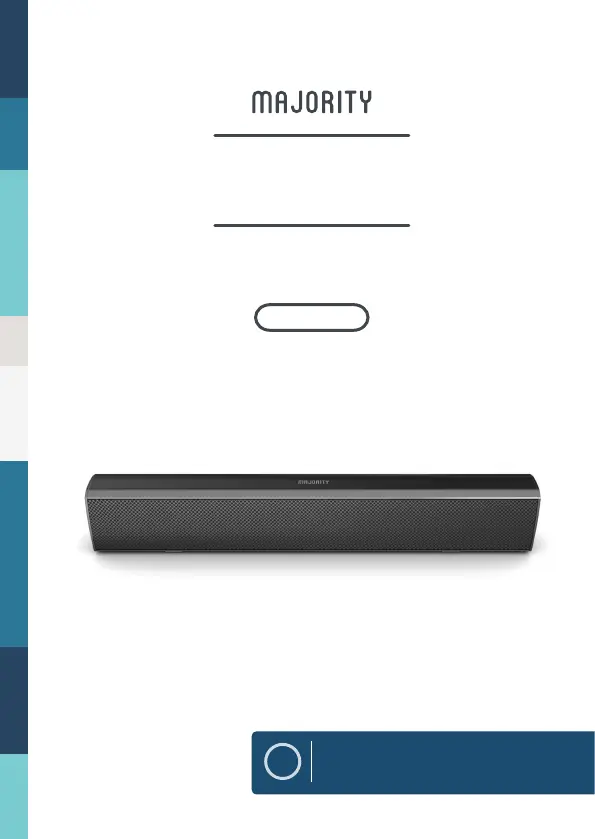
MAJORITY BOWFELL BOW-BAR-BLK - User Manual

MAJORITY BOWFELL BOW-BAR-BLK
16 pages
Print Icon
To Next Page IconTo Next Page
Loading...
EN
Instructions Guide
BOW-BAR-BLK
BOWFELL
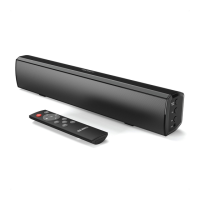
COMPACT BLUETOOTH SOUNDBAR

Questions and Answers

  • D
    Deanna SanchezAug 3, 2025
    How to fix no sound from Bluetooth connection on MAJORITY BOWFELL BOW-BAR-BLK?
    • R
      Robert MurphyAug 3, 2025
      If you're getting no sound from a Bluetooth connection on your MAJORITY Speakers, check that you pressed the PAIR button before pairing. Also, verify whether the external device requires a password; if so, the password is “0000.”
  • D
    Deborah WalshAug 8, 2025
    What to do if my MAJORITY BOWFELL BOW-BAR-BLK Speakers have no sound?
    • D
      dylan52Aug 8, 2025
      If your MAJORITY Speakers have no sound, first ensure the unit isn't muted. Then, verify that you've selected the correct MODE. Finally, double-check that all cables are properly installed.
  • D
    Dustin WilliamsAug 13, 2025
    Why is my MAJORITY BOWFELL BOW-BAR-BLK Speakers remote control not working?
    • D
      Dr. Mario Hill Jr.Aug 13, 2025
      If you're experiencing issues with your MAJORITY Speakers' remote control, start by checking the battery. If needed, replace it. Also, make sure there are no obstacles blocking the remote sensor.
  • M
    Melissa CarrAug 18, 2025
    How to fix MAJORITY BOWFELL BOW-BAR-BLK Speakers with no power?
    • D
      Denise TuckerAug 18, 2025
      If your MAJORITY Speakers have no power, ensure that the power outlet is switched on. Also, check that the power adapter is correctly connected to the power outlet.
  • A
    Alan HernandezAug 23, 2025
    Why is there no sound from my MAJORITY BOWFELL BOW-BAR-BLK Speakers in OPTICAL IN mode?
    • R
      Richard FieldsAug 23, 2025
      If you have no sound when your MAJORITY Speakers are connected and switched to OPTICAL IN mode, check and ensure that the audio setting of the input source (e.g. TV, games console, DVD player, etc.) is set to PCM mode while using a digital connection (such as Optical, HDMI and COAXIAL).
  • B
    bryanmccoyAug 28, 2025
    What to do if my MAJORITY BOWFELL BOW-BAR-BLK Speakers have function disturbance?
    • J
      jenniferwilliamsAug 28, 2025
      If your MAJORITY Speakers are experiencing function disturbances, try switching the unit off and unplugging it. Leave it for two minutes, then switch it back on. If a particular mode is causing problems, try an alternative connection such as Optical, AUX, or Bluetooth.

Summary

Controls And Functions

Front View and LED Indicator Light

Overview of front indicators, sensors, and speaker drivers on the soundbar.

Side View Button Controls

Details the physical buttons on the side of the soundbar for power, mode, and volume.

Rear Panel Connection Interface

Explains the USB, Optical In, and DC power sockets on the rear panel.

Automatic Power Off Function

Describes the soundbar's standby mode activation after 180 minutes of inactivity.

Remote Control Operation

Remote Control Buttons

Detailed guide to all buttons on the remote control and their functions.

Whats In The Box

Mode Indicator Lights

Using the USB Input

Using the Optical Input

Using the RCA Input

Using the MP3 LINK Connection

Connecting to a Power Outlet

Bluetooth Operation

Pairing a Bluetooth Device

Step-by-step guide for first-time pairing with Bluetooth devices.

Troubleshooting Guide

Product Specifications

Support and Warranty Information

Safety Information

General Safety Warnings

Important safety precautions and warnings for operating the apparatus.

Electrical Safety and Recycling

Guidance on electrical safety, handling, and recycling of electronic products.

MAJORITY BOWFELL BOW-BAR-BLK Specifications

General IconGeneral
BrandMAJORITY
ModelBOWFELL BOW-BAR-BLK
Product TypeSoundbar
Frequency Response60Hz - 20kHz
Weight1.5 kg
ColorBlack
Audio Output ModeStereo
ConnectivityBluetooth, AUX, Optical

Related product manuals