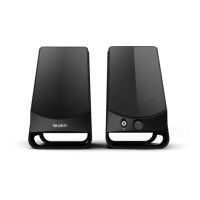
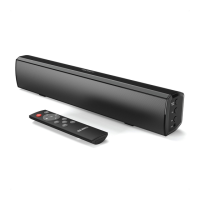
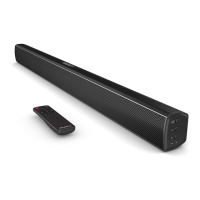
The Majority D80 is a set of bookshelf speakers designed for home audio, offering a variety of connectivity options and sound controls. These speakers are part of the Majority brand, which specializes in home audio products from Cambridge.
Function Description:
The Majority D80 speakers serve as a versatile audio system, capable of playing sound from multiple sources. They can connect to external devices via Bluetooth, USB, RCA, optical, and HDMI ARC, making them suitable for use with TVs, smartphones, computers, and other audio players. The system includes both active and passive speakers, with the active speaker housing the main controls and connections. Users can adjust volume, treble, and bass directly on the active speaker or via the included remote control. The remote also provides controls for mode selection, track navigation (for Bluetooth and USB modes), mute, and specific sound modes like Music, Movie, and Dialog.
Important Technical Specifications:
- Power Supply: 100-240V/50-60Hz
- Modes: Bluetooth, Line in, ARC (HDMI), USB reader, Optical
- Power Consumption: 0.5W (standby mode)
- Dimensions: 230 x 155 x 155 mm
- Weight: 2.45 kg
- Speakers: 2x 4" full range + 2x 1" tweeter
- Bluetooth Version: 5.0
- Bluetooth Range: Up to 10 meters
- Compatible USB File Types: MP3, WMA, FLAC, MAV, APE
- Maximum Compatible USB Storage: 128GB
Usage Features:
- Connectivity: The D80 speakers offer a wide array of connection options. For TV integration, users can connect via optical digital cable (requiring the TV's audio output to be set to optical or PCM) or HDMI ARC (requiring the TV's audio output to be set to HDMI or PCM). For other devices, a 3.5mm to 3.5mm AUX cable or a 3.5mm to RCA cable can be used. USB mode allows for direct playback from a USB drive.
- Bluetooth Mode: To connect a Bluetooth device, users select 'Bluetooth' mode (indicated by a flashing dark blue light) and pair with 'Majority D80' from their device's Bluetooth list. A successful connection is confirmed by an audible sound and a static dark blue indicator light.
- USB Mode: When in 'USB' mode (indicated by a green light), a USB drive can be inserted into the USB port. The remote control can then be used to play, pause, and navigate through audio files.
- RCA and Optical Modes: These modes are selected via the remote or the 'input' button on the main speaker. RCA/Line In is indicated by a light blue LED, and Optical by a white LED.
- HDMI ARC Mode: This mode is selected via the remote or the 'input' button on the main speaker, indicated by a green LED.
- Controls: Volume, treble, and bass can be adjusted using dials on the rear of the active speaker or via the remote control. The remote also features dedicated buttons for muting audio, skipping tracks, and selecting specific sound profiles (Music, Movie, Dialog).
- Indicator Lights: The active speaker features an LED light that changes color to indicate the current operating mode: Dark Blue for Bluetooth, White for Optical, Light Blue for Line In/RCA, Purple for USB, and Green for HDMI ARC.
- Remote Control: The included remote provides comprehensive control over power, volume, track navigation, mute, and mode selection, as well as specific sound modes. It requires 2x AAA batteries (not included). For optimal performance, the remote should be pointed at the remote sensor on the active speaker.
Maintenance Features:
- Troubleshooting: The manual provides a troubleshooting guide for common issues such as no power/function, no sound, function disturbance, and Bluetooth not connecting. Solutions include checking power connections, ensuring correct mode selection, verifying cable installations, and resetting the unit.
- Safety Information: The manual emphasizes important safety precautions, including reading all instructions, keeping the instructions for future reference, heeding warnings, and following all instructions. It advises against cleaning the apparatus near water, blocking ventilation, installing near heat sources, and exposing the unit to dripping or splashing liquids. It also highlights the importance of using manufacturer-specified attachments and accessories, unplugging during storms or long periods of disuse, and referring all servicing to qualified personnel.
- Disposal: Users are instructed to recycle waste electrical goods and batteries safely according to local authority regulations, as indicated by the crossed-out wheelie bin symbol.
- Warranty: All Majority products come with a standard 12-month warranty. Users can register their product online at www.majority.co.uk to validate the warranty and have the option to extend it for an additional 24 months free of charge.
- Support: For further assistance, customers are directed to contact the Majority support team via their website.

 Need help?

 To Next Page
 General