Basic
controls
Volume, treble and bass can be changed on all speaker modes.
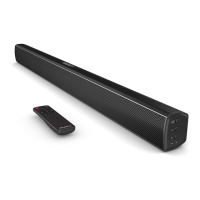
On the remote control, use the Vol+ & Vol- buttons to control the volume. Press
MUTE to mute the audio.
Alternatively on the rear of the main speaker, use the Volume dial to increase
and decrease volume.
Use the Treble & Bass dials on the rear of the main speaker to control the bass and
treble settings of the sound
In Bluetooth or USB mode, use the ⏴ ⏵ buttons to skip tracks and rewind or fast
forward.
Switching
mode
Select the correct mode using the Mode option buttons on the remote control, or press
the ‘input’ button on the rear of the main speaker.
The mode selected is indicated by LED light colour on the front of the main speaker:
Dark Blue – Bluetooth
White – Optical
Light Blue – Line In/RCA
Purple – USB
Green – HDMI Arc


 To Next Page