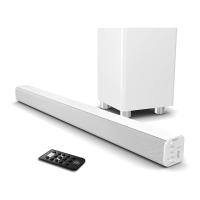
Ensure that the power supply voltage is within the range of 110V -240V ~ 50Hz/60Hz. Any other voltage
Please note: The soundbar and subwoofer must be within a 10 metre range of each other in order to be
You will need a TV/audio source with RCA audio output sockets and an RCA to 3.5mm AUX cable
Troubleshooting: If you are not receiving a picture, please ensure that the RCA cable is connected to
You will need a TV/audio source with an HDMI High Definition Multimedia Interface HDMI cable (not
Connecting to the Mains Supply
The Sierra Plus comes with a power adapter for the soundbar. Make sure to unwind the cable to its full length. Connect the plug to a mains socket by fully inserting the plug into the mains
socket.
Connect the adapter to the AC power port in the back of the soundbar (Back View Ref.6).
The display panel will indicate it has registered a power source and is on standby mode.
Press the button on the remote control (Remote Control Ref.1) or press and hold the button for 3 seconds on the top of the soundbar (Front and Top View Ref.2) to
turn the unit on or off.
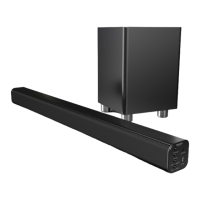
Connecting the Soundbar and Wireless Subwoofer
The subwoofer and soundbar will wirelessly connect for a surround sound experience. This allows you to place the subwoofer in the corner of the room to ensure that the sound from your
TV fills the room.
To connect them, please ensure that your soundbar is switched on for the initial setup. To do this, press the button (Front and Top View Ref.2) o
button on the remote control (Remote Control Ref.1).
The subwoofer has an indicator light (Subwoofer Back View Ref.1)- this will flash when looking for a connection, and show a solid light when connected.
The subwoofer and soundbar should then automatically connect using a wireless Bluetooth connection.
If you are having connectivity issues, please move the subwoofer closer to the soundbar for setup. If this does not work, please press and hold the PAIR button (Subwoofer Back View
Ref.2) to reset the connection between the subwoofer and the soundbar.
Using the RCA Audio Cable
Connect the RCA stereo audio cable to your stereo RCA (L/R) audio output sockets (for help on how to locate your
Connect the 3.5mm AUX end of the cable to the side of the soundbar via the AUX IN port (Back View Ref.10).
Press on the remote control (Remote Control Ref.10) or the unit (Front and Top View Ref.5) until mode is selected.
If ports, please use an alternative connection method.
Using the HDMI Input
Connect the HDMI cable from the HDMI input on the soundbar (Back View Ref.7 & 8) to the HDMI output on your TV (for help locating
user manual).
Press the button on the remote control (Remote Control Ref.10) or the button on the top of the soundbar (Front and Top View Ref.5) until or
mode is selected. The display will show or (Front and Top View Ref.1).
Using the native controls on your connected device, ensure the audio settings are set to ARC or HDMI Audio.


 To Next Page