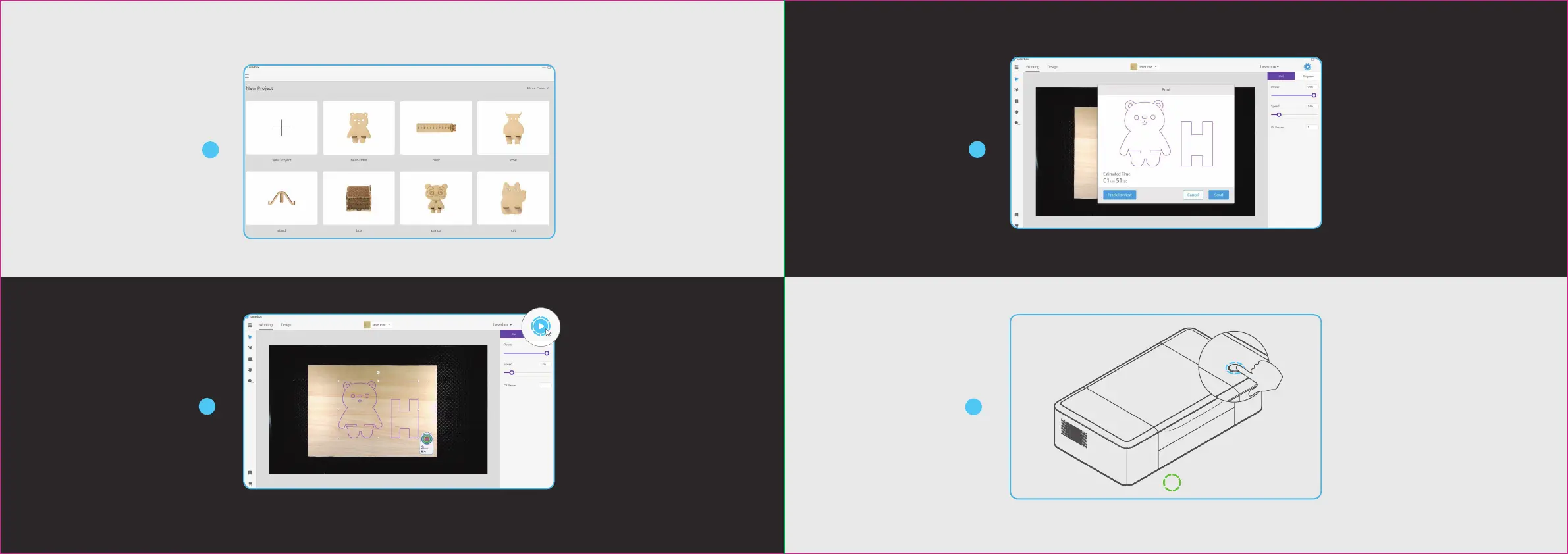
Open the Laserbox
soware and select the
sample image. You can also
import or draw images
yourself.
Press the button on the
Laserbox to start
cutting/engraving.
The task is completed when the annular
indicator turns solid green.
21
22
2
Click the “Start” button. The
Laserbox can automatically identify
oicial materials and set cutting/en-
graving parameters.
3
Click "Send" to send the image to
the Laserbox. Aer the transmis-
sion is completed, the Laserbox
would be ready, and the annular
indicator would turn flashing blue.
4
5
100%
Laserbox
对象
速度 20%
功率 30%
2切割次数
雕刻切割


 To Next Page