EasyManua.ls Logo

Makita RU03 - User Manual

Makita RU03
36 pages
Print Icon
To Next Page IconTo Next Page
Loading...
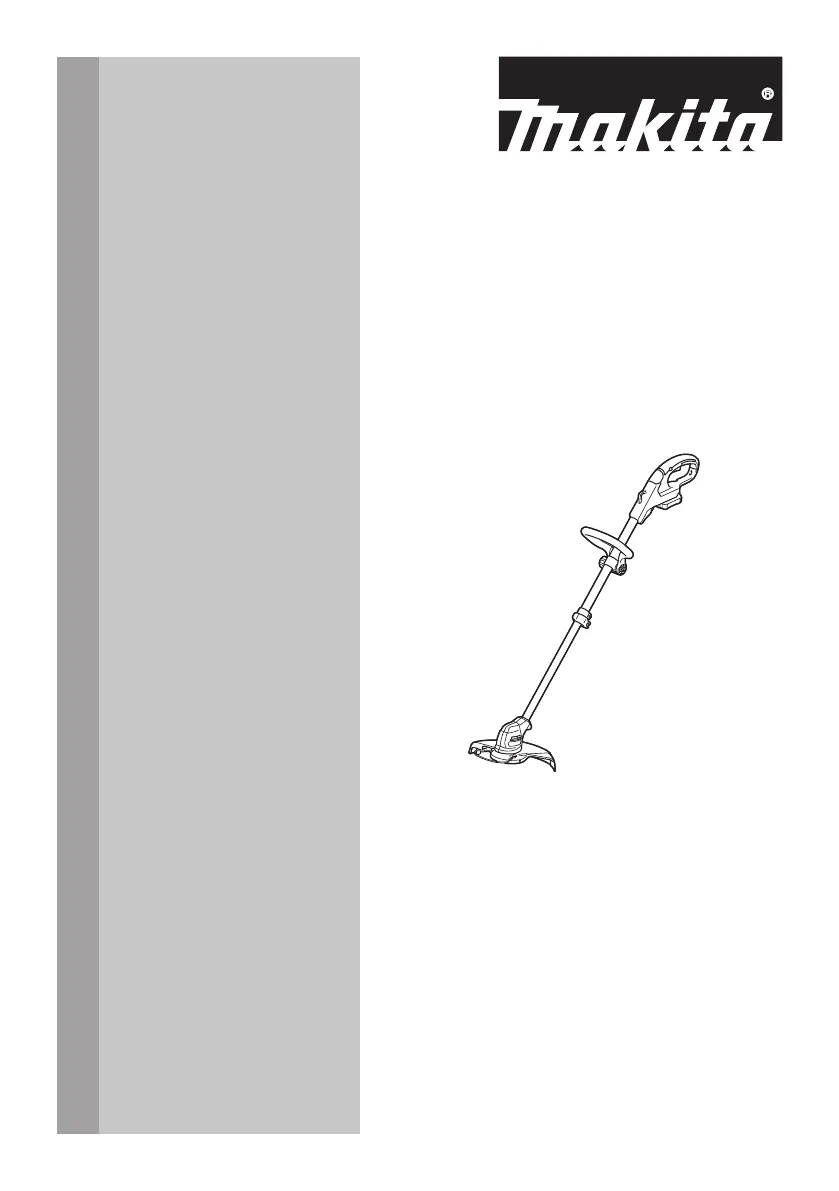
INSTRUCTION MANUAL
MANUAL DE INSTRUCCIONES
Cordless Grass Trimmer
Cortador Inalámbrico de Pasto
RU03
IMPORTANT: Read Before Using.
IMPORTANTE: Lea antes de usar.

Questions and Answers

  • J
    Jessica RyanJul 27, 2025
    What to do if my Makita Trimmer motor does not run?
    • S
      Sarah GonzalezJul 27, 2025
      If the motor of your Makita Trimmer doesn't run, there could be several reasons: * The battery cartridge might not be installed. Ensure the battery cartridge is correctly installed. * There might be a battery problem, such as undervoltage. Try recharging the battery. If recharging doesn't work, replace the battery. * The drive system may not be working correctly. In this case, ask your local authorized service center for repair.
  • M
    mcculloughanneAug 1, 2025
    Why does my Makita RU03 Trimmer motor stop running after a little use?
    • S
      Steven DominguezAug 1, 2025
      If your Makita Trimmer motor stops running after a short period, it could be due to: * Low battery charge. Recharge the battery, and if it's still not effective, replace the battery. * Overheating. Stop using the tool and allow it to cool down.
  • X
    xstoneAug 6, 2025
    What to do if my Makita RU03 cutting tool and motor cannot stop?
    • M
      Maria MoralesAug 6, 2025
      If the cutting tool and motor of your Makita Trimmer won't stop, it indicates an electric or electronic malfunction. Immediately remove the battery and ask your local authorized service center for repair.
  • S
    Shawn HoltAug 11, 2025
    Why does my Makita RU03 Trimmer not reach maximum RPM?
    • A
      andersonroyAug 11, 2025
      Your Makita Trimmer might not reach maximum RPM due to a few reasons: * The battery might be installed improperly. Ensure you install the battery cartridge as described in this manual. * The battery power could be dropping. Try recharging the battery, and if that doesn't help, replace it. * The drive system may not be functioning correctly. Contact your local authorized service center for repair.
  • T
    tracey66Aug 16, 2025
    What to do if my Makita RU03 Trimmer cutting tool does not rotate?
    • A
      aprilcollinsAug 16, 2025
      If the cutting tool of your Makita Trimmer doesn't rotate, stop the machine immediately. This could be due to: * A foreign object, like a branch, jammed between the guard and the nylon cutting head. Remove the foreign object. * The drive system not working correctly. In this case, ask your local authorized service center for repair.
  • S
    Stephanie RiosAug 21, 2025
    What to do if Makita RU03 Trimmer has abnormal vibration?
    • L
      Linda KleinAug 21, 2025
      If your Makita Trimmer is vibrating abnormally, stop the machine immediately! This could be because: * One end of the nylon cord has broken. Tap the nylon cutting head against the ground while it is rotating to cause the cord to feed. * The drive system is not working correctly. Ask your local authorized service center for repair.

Summary

SAFETY WARNINGS

Important Safety Precautions

Basic safety precautions to reduce risks of fire, shock, and injury.

General Operating Instructions

Guidelines for safe and careful operation, handling, and user condition.

TOOL USAGE AND SAFETY

Intended Use and Accessories

Proper usage guidelines and the importance of using recommended accessories.

Personal Protective Equipment (PPE)

Essential protective gear to prevent injuries to head, eyes, hands, feet, and hearing.

Electrical and Battery Safety Guidelines

Precautions for safe electrical and battery handling, charging, and disposal.

Startup Procedures

Steps for safe startup, including area check and tool inspection.

OPERATION METHODS

Safe Operation Guidelines

Rules for proper handling, cutting techniques, and safety during operation.

Tool Handling and Storage Precautions

Guidelines for removing battery, clearing debris, and general tool handling.

MAINTENANCE AND STORAGE

Maintenance Procedures

Procedures for checking, cleaning, lubricating, and storing the tool.

BATTERY CARTRIDGE MANAGEMENT

Battery Cartridge Safety Instructions

Critical safety guidelines for handling, charging, and storing battery cartridges.

Battery Life Maintenance Tips

Advice on charging, storage, and handling to maximize battery lifespan.

TOOL COMPONENTS AND FUNCTION

Parts Identification

Identifies and illustrates the components of the grass trimmer with nylon cutting head and plastic blade.

Functional Description

Overview of the tool's primary functions and operational principles.

Battery Cartridge Installation;Removal

Step-by-step guide for securely installing and removing the battery cartridge.

BATTERY AND SWITCH SYSTEMS

Battery Protection System

Explains the tool's system that automatically cuts off power to protect the motor and battery.

Battery Capacity Indicator

Details how to check the remaining battery capacity using indicator lamps.

Switch Operation

Instructions on using the switch trigger and lock-off button for safe operation.

Indication Lamp Status

Explains the meaning of the indication lamp lights during operation.

ADJUSTMENT AND STORAGE

Plastic Blade Storage

Instructions on how to store the plastic blade safely when not in use.

Handle and Grip Adjustment

Guide on how to adjust the shaft length and front grip for comfortable operation.

ASSEMBLY PROCEDURES

Installing the Front Grip

Steps to attach and secure the front grip to the tool handle.

Installing the Wire Guard

Instructions on attaching the wire guard to the protector for cutting range control.

COMPONENT INSTALLATION

Installing the Nylon Cutting Head

Procedure for attaching the nylon cutting head accessory.

Installing the Protector

Steps to mount the protector onto the motor housing using screws.

ACCESSORY INSTALLATION AND STORAGE

Installing the Plastic Blade Head

Procedure for attaching the plastic blade head accessory.

Attaching the Shoulder Harness

Instructions on how to attach the shoulder harness hooks to the tool securely.

Hex Wrench Storage

Guidance on storing the hex wrench to prevent loss or damage.

OPERATING THE GRASS TRIMMER

Cutting the Grass

Techniques for cutting grass at the correct angle and avoiding motor overload.

Cutting Grass Near Obstacles

How to cut grass near trees, blocks, or stones safely without touching them.

ADVANCED OPERATION AND MAINTENANCE

Using as an Edger

Technique for using the trimmer to cut grass along bricks or blocks.

Cleaning the Tool

Instructions for cleaning the tool with a dry cloth or soapy water.

Tool Storage

How to store the tool properly by hanging, adjusting shaft, and folding grip.

REPLACEMENT PROCEDURES

Replacing the Plastic Blade

Steps to replace a worn-out plastic blade with a new one.

Replacing the Nylon Cord

Procedure for replacing the nylon cord if it's not feeding properly.

TROUBLESHOOTING AND SUPPORT

Troubleshooting Guide

Lists common problems, their probable causes, and remedies.

Recommended Accessories

Lists recommended accessories for the tool and cautions about using others.

Makita Limited Warranty

Information on warranty terms and where to find details.

Makita RU03 Specifications

General IconGeneral
Cutting Width9-1/2"
Power SourceCordless
Shaft typeStraight
TypeTrimmer
Weight4.6 lbs.
Battery TypeLi-ion
No Load Speed7500 rpm
Net Weight1.8 kg

Related product manuals