www.malags.com
22
Give the distance between the profiles, decide direction and line spacing.
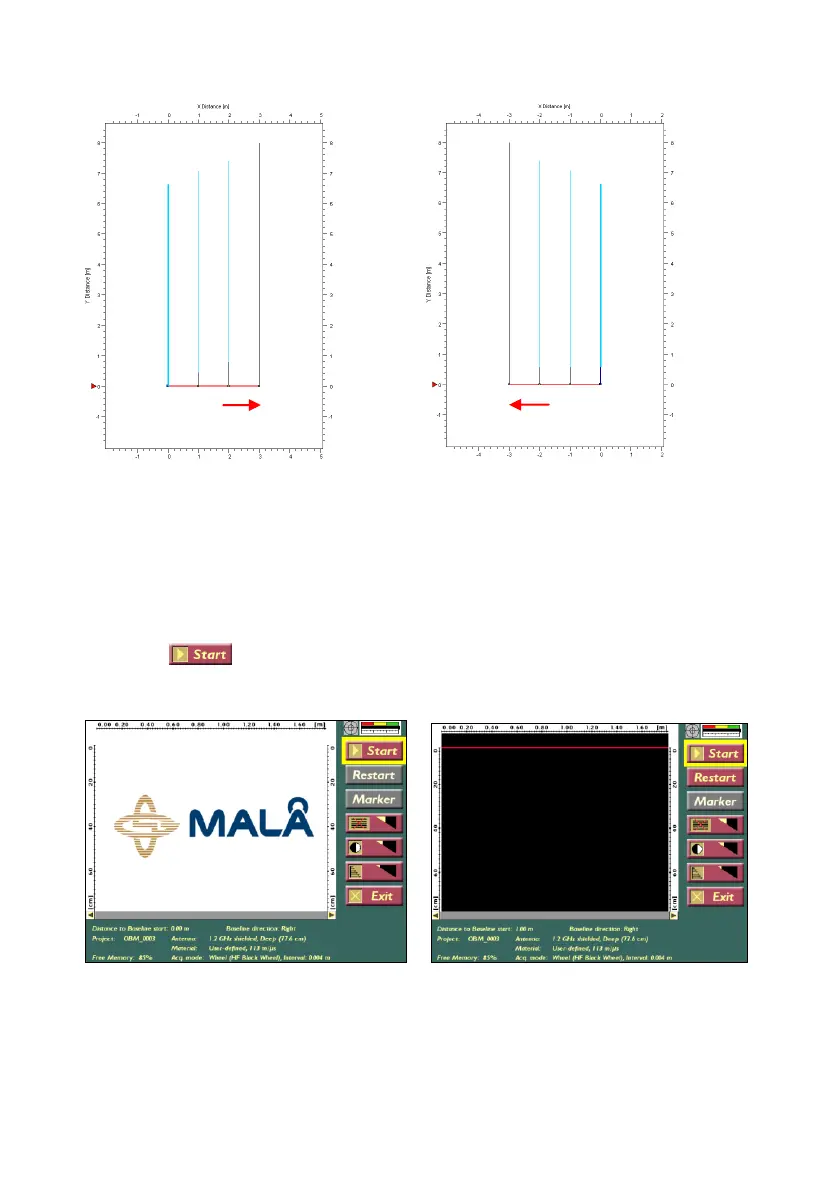
The direction right and left is defined as shown below:
Profiles are made on the right-hand
side of the 1
st
profile
Profiles are made on the left-hand
side of the 1
st
profile
Note! In an Object-Mapper project the measurement lines are measured
parallel to each other and orthogonal to the baseline.
Press Start to measure the first line, press Stop when finishing it and
continue in the same way until all profiles are collected, and then
press Exit.


 To Next Page