MALEKKOHEAVYINDUSTRY.COM
OVERVIEW 2
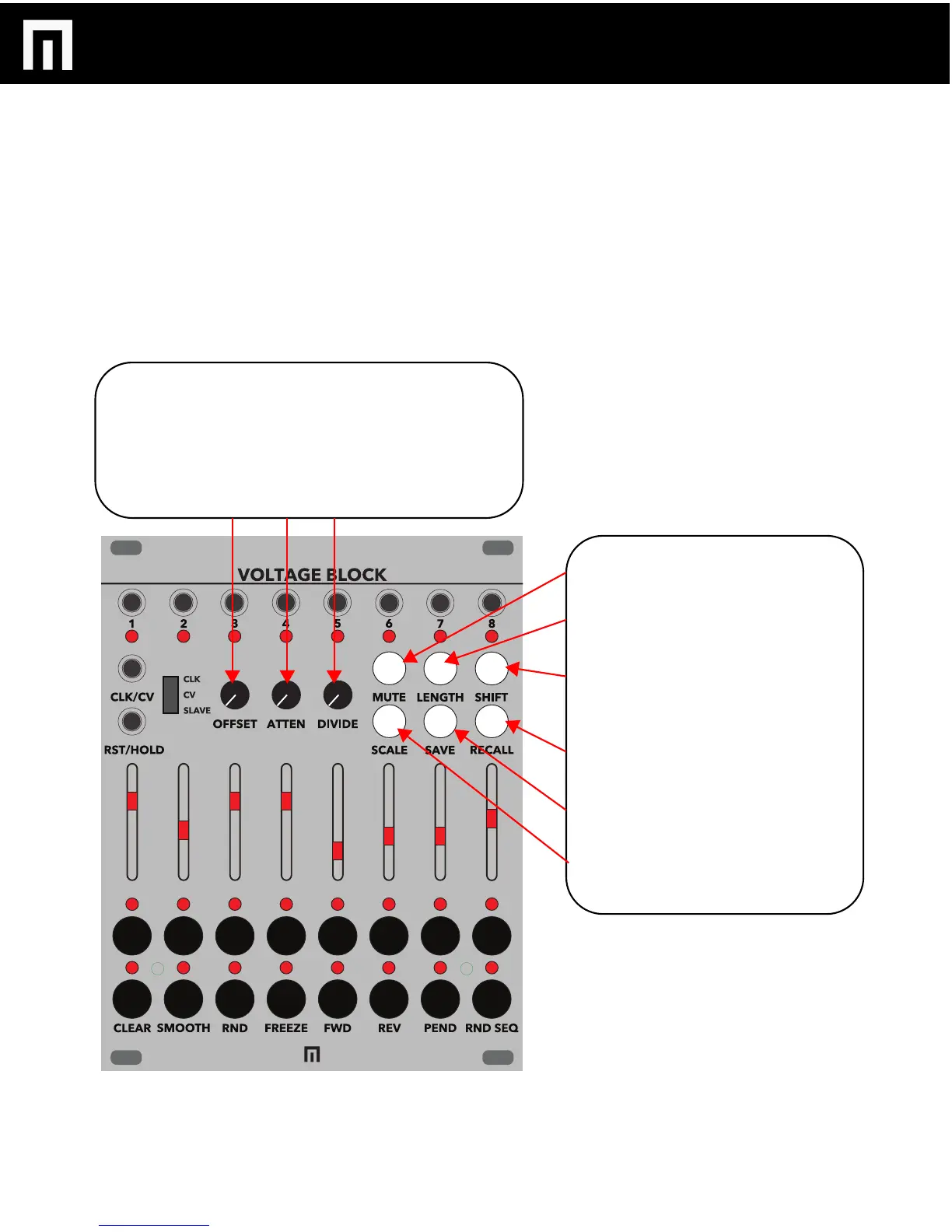
MUTE: Mute per channel OR mute per
step.
LENGTH: Select and then adjust a step
slider to control the amount of steps per
sequence.
SHIFT: Extra feature access (for CLEAR,
SMOOTH, RANDOM, FREEZE,
FORWARD, REVERSE, PENDULUM
AND RANDOM SEQUENCE)
RECALL: Hold and select a STEP button
to recall a saved preset.
SAVE: Hold and select a STEP button to
save a preset.
SCALE: Select and adjust sliders to
change a given sequence scale.
PG. 5
OFFSET: When in CV interpolation mode, OFFSET up to 16
steps.
ATTENUATE: When in CV interpolation mode, adjust the
incoming CV signal by adjusting the ATTENUATE control knob.
DIVIDE: Divide your sequences down to 16.
VOLTAGE BLOCK MANUAL V.1


 To Next Page