SEQUENCE DIRECTION, SMOOTH AND RANDOMIZING
MALEKKOHEAVYINDUSTRY.COM
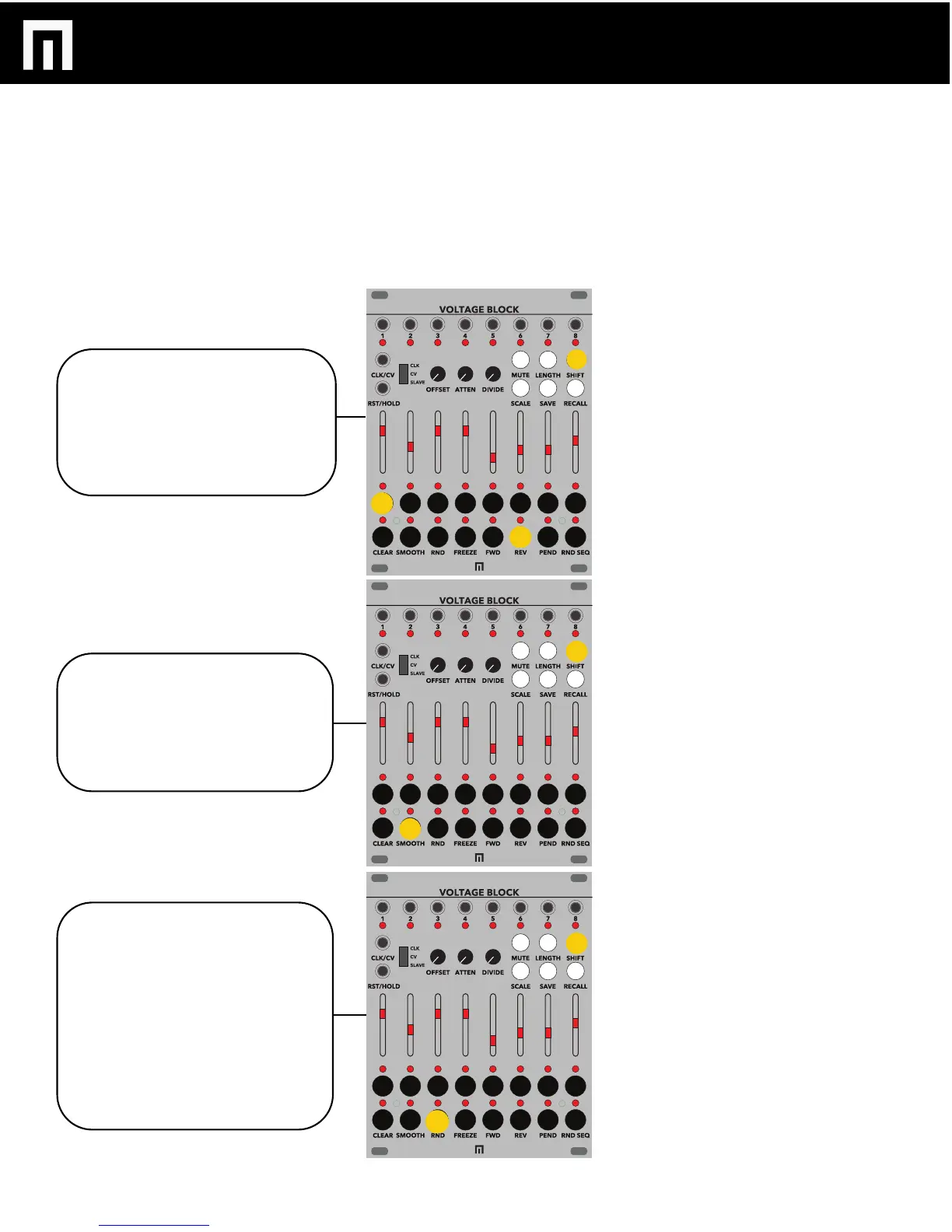
SEQUENCE DIRECTION can be
changed by selecting SHIFT, the
channel which you’d like to change
and then one of the corresponding
step buttons. Forward is on by default
but REVERSE, PENDULUM AND
RANDOM SEQUENCE are available.
To add SMOOTHING (glide) to a step,
select the SHIFT button, then select
SMOOTH and then a step button. To
remove smooth from a step simply
select that step button again (LED no
longer lit).
To RANDOMIZE the voltages per step,
select SHIFT, then the channel you
want to randomize and then the RND
button. You can keep selecting RND to
continue randomizing until you find
something you like. If you want to
change the randomization at all simply
exit out of this mode (select SHIFT
again) and you can manually change
the pitch by holding a step button and
adjusting the corresponding slider.
PG. 7
VOLTAGE BLOCK MANUAL V.1


 To Next Page