Hardware features Chapter 2
Hydro 2000G/S Page 2-11
Features of the Hydro 2000S
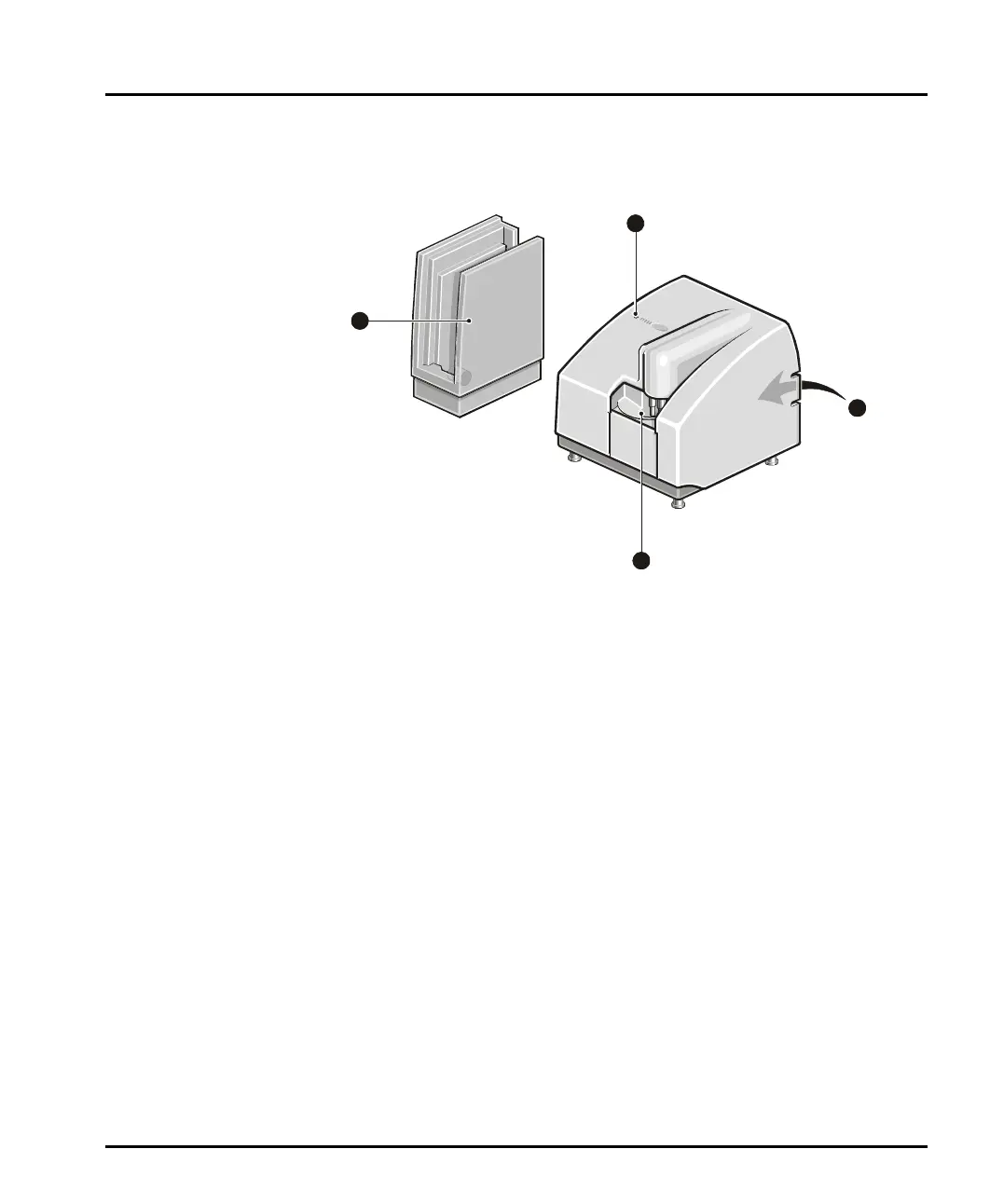
This illustration identifies the main features of the dispersion unit:
ill 4916
Tank a rea
The tank holds the sample and dispersant. A combined pump/stirrer within the
tank keeps the sample in suspension and continually circulates the sample and dis-
persant through the flow cell. More details on the tank area are given below.
An ultrasonic probe also helps to disperse the sample. All functions of the tank area
are controlled by the Malvern software.
Status indicator
The status indicator illuminates in one of three colours at power up:
Green if the dispersion unit is functioning correctly and its cell has been
loaded into the optical bench. (i.e. the dispersion unit is “active”).
Amber if the dispersion unit is functioning correctly but its cell has not
been loaded into the optical bench. (i.e. the dispersion unit is at “standby”).
Red if the dispersion unit has detected an error. If an error message does
not appear on the screen, selecting Configure-Accessory will display the
accessory control dialogue which should show the error.
Rear panel
The rear panel contains all services and communication connectors for the disper-
sion unit. The rear panel is described in detail below.
3
1
2
4
MAN0385-1.0 Hydro 2000G-S.book Page 11 Friday, March 16, 2007 4:02 PM



 To Next Page