Chapter 3 Software features
Page 3-2 MAN 0386
3
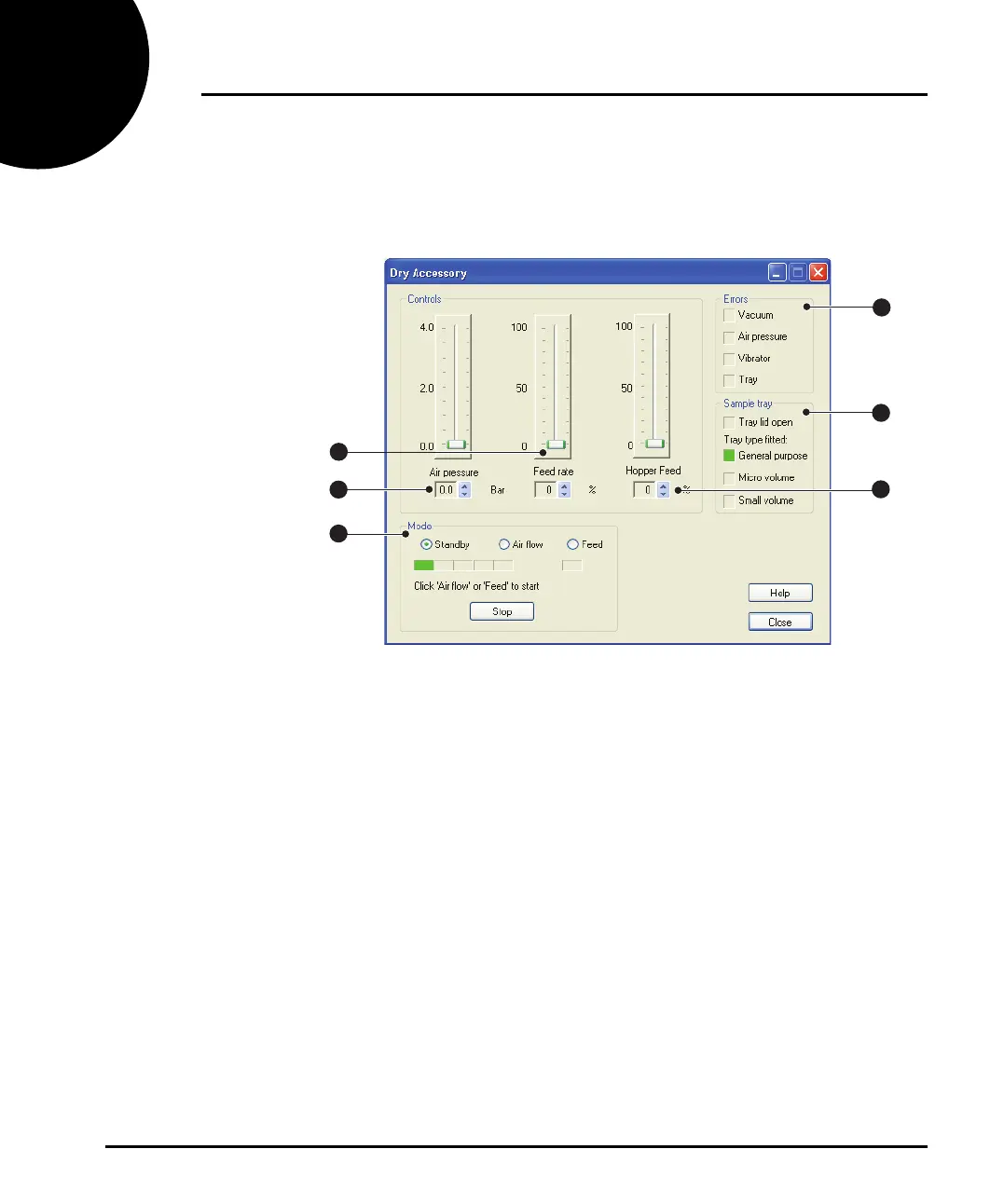
Manually controlling the dispersion unit
All Scirocco 2000 functions can be controlled directly from the Dry Accessory
dialogue (accessed by selecting Configure-accessories). The dialogue is shown
below:
ill 7771
This example shows the hopper-equipped version of the dialogue. The dialogue
allows the user to alter, by using the relevant slider bar, the Air Pressure, sample
tray vibration Feed Rate, and (for hopper instruments) the Hopper Feed rate.
The dialogue also allows the user to turn on the feed mechanism and air pressure.
Status indicators give information such as whether the tray lid is open/closed and
which sample tray is fitted, as well as reporting any errors.
Air pressure control
The Scirocco 2000 uses compressed air to transport and suspend the particles of the
sample as they pass through the air cell. High air pressure settings can also help
break up agglomerates. The air pressure can be controlled up to a pressure of 4 bar.
The optimum air pressure setting depends on your sample, so a few trial measure-
ments are recommended. A typical starting air pressure is between 1 and 3 bar. If
the sample is fragile, for example freeze dried coffee, use a lower pressure. If the
sample is dense or cohesive, use a higher pressure.
If the air pressure is set too high this may physically change the particle size, giving
an incorrect result.
1
3
4
5
6
2
MAN0386-1.0 Scirocco 2000.book Page 2 Friday, March 16, 2007 4:15 PM



 To Next Page