Software features Chapter 3
Scirocco 2000 Page 3-7
Select the dispersion unit to use from the drop down list . All dispersion units
available are listed, even those that are not attached to the system. This enables an
SOP to be written remotely from the system.
Under the Sample handling unit options specify the type of venturi fitted.
There are two types:
Metal – suitable for most applications.
Ceramic – for abrasive materials.
Note
The unit’s A/B identity must be set for the correct venturi. It must be set to
A for a metal venturi and B for ceramic. On older systems this switch was
not used; if in doubt, select Original Configuration to disable the ven-
turi type check. Contact the Malvern representative if required to switch
between the types of venturi.
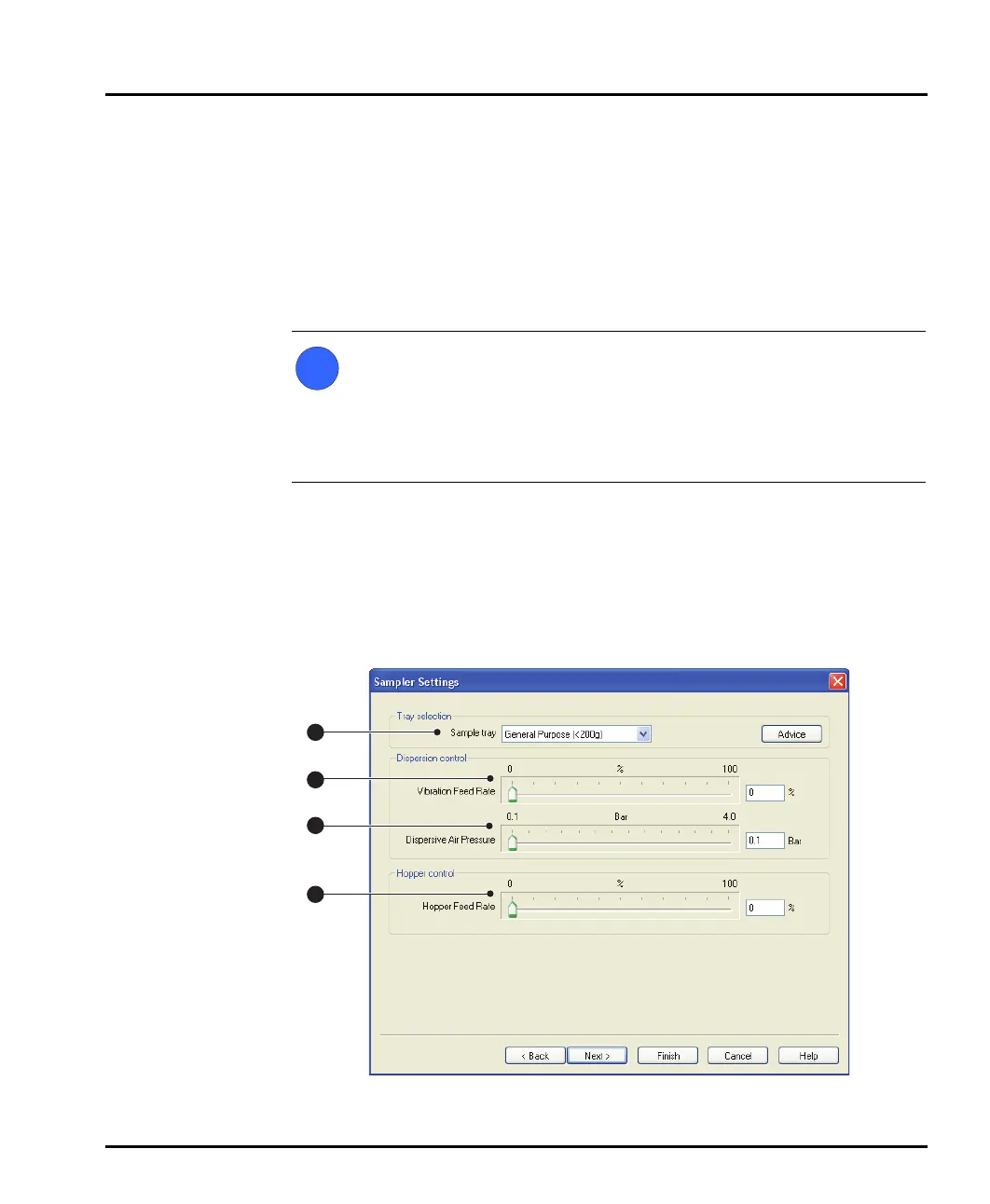
Sampler Settings dialogue
The Sampler Settings dialogue controls the feed rate and air pressure settings for
the dispersion unit. This dialogue changes depending on the dispersion unit
selected in the Sampler Selection dialogue. This diagram shows the dialogue for
the Scirocco 2000:
ill 7768
i
1
2
3
4
MAN0386-1.0 Scirocco 2000.book Page 7 Friday, March 16, 2007 4:15 PM



 To Next Page