Software features Chapter 3
Scirocco 2000 Page 3-11
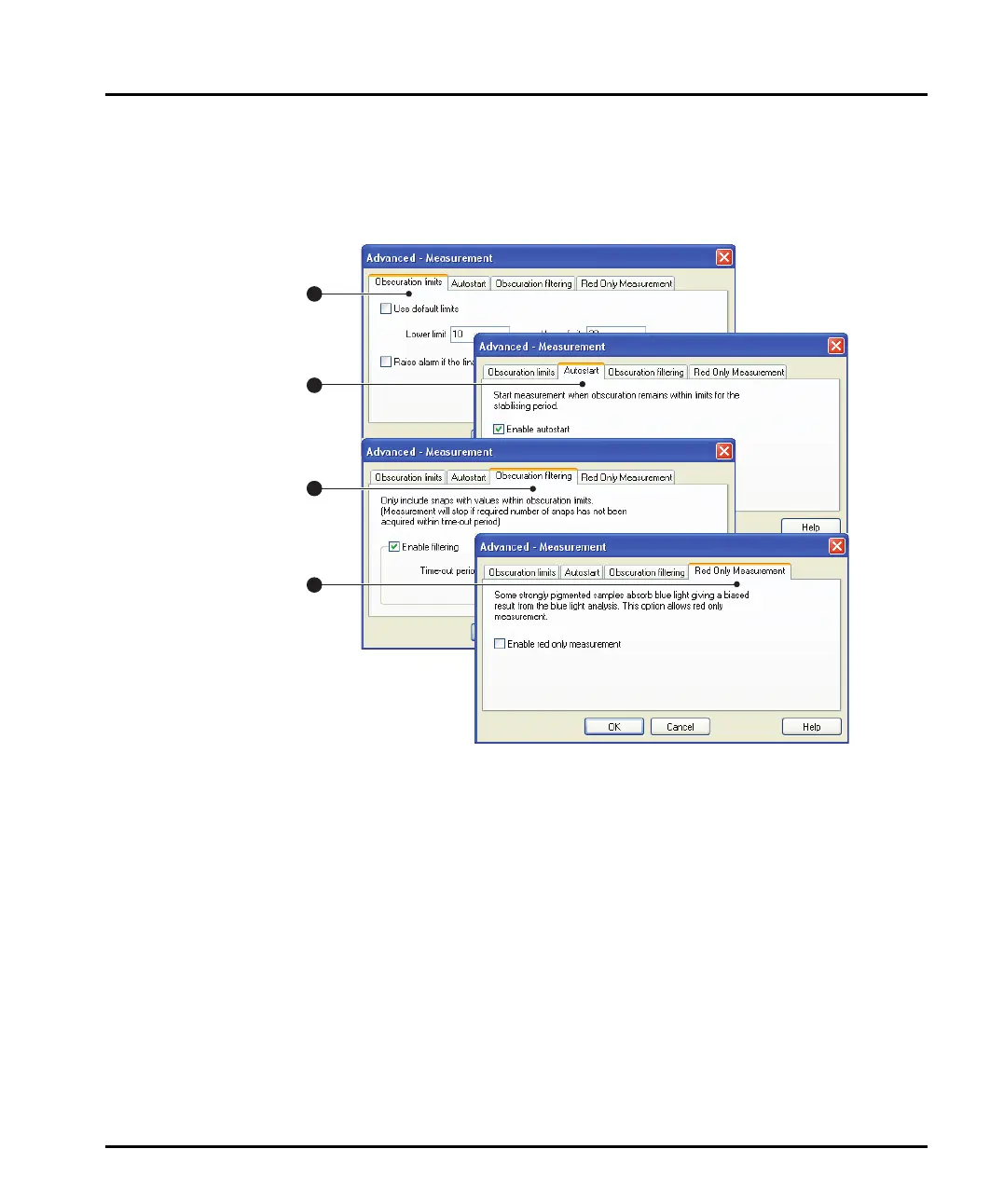
The Advanced - Measurement dialogue
The system can be configured to measure only when certain obscuration condi-
tions are met. Open the Advanced - Measurement dialogue by clicking the
Measurement button on the Measurement dialogue.
ill 7770
The Advanced - Measurement dialogue allows configuring of Obscuration
limits and Autostart, Obscuration Filtering (where measurements are only
taken when obscuration lies between certain limits) and Red Only Measure-
ment. These are described in Chapter 9 of the main User manual, but this sec-
tion gives additional information specific to dry powder measurements.
The tabs on the dialogue are:
Obscuration limits
Check the Use default limits box to set the limits to default values of between
0.5% and 6% for a dry dispersion unit. Select the Raise alarm... box to flag when
integrated obscuration is out of range.
This tab only defines the limits - the Obscuration filtering tab imposes the
defined limits.
1
2
3
4
MAN0386-1.0 Scirocco 2000.book Page 11 Friday, March 16, 2007 4:15 PM



 To Next Page