Making a measurement Chapter 4
Scirocco 2000 Page 4-3
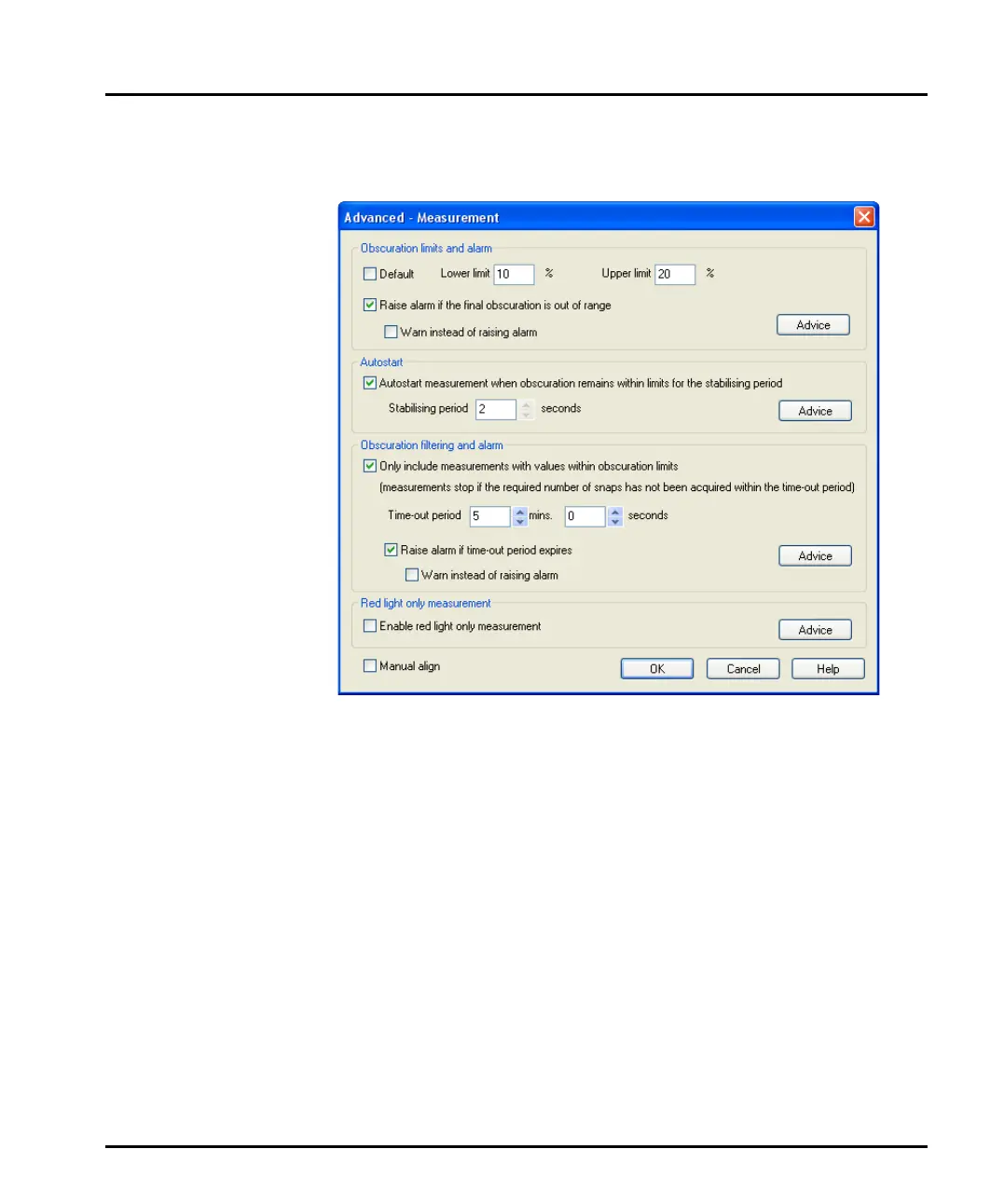
6. In the Advanced - Measurement dialogue, shown below, select the Only
include measurements with values within obscuration limits check box.
Set the obscuration limits (typically set these to between 0.5% and 6%):
Select OK.
7. Press the Next button in the Measurement display to access the Add sample
tab. This tab is not be needed as the measurement will be started by obscura-
tion triggering. Press the Next button again to view the Measure sample tab.
8. Press the Start button to start the measurement. The software now waits for
the sample to start feeding.
9. Select the Air flow radio button. The vacuum unit will automatically come on
and then, after a five second wait, the air line will be turned on automatically.
10. Select the Feed radio button in the Dry sampler control dialogue. The sam-
ple will start to move down the tray. The software will only make a measure-
ment when the measured obscuration is between the set obscuration limits.
Once the measurement is complete, the results will be saved to a measurement file.
MAN0386-1.0 Scirocco 2000.book Page 3 Friday, March 16, 2007 4:15 PM



 To Next Page