Once the AUTO ON TIME minutes have been set correctly, momentarily
depress the TIME/AUTO SET BUTTON again. The display will indicate "SET
AUTO OFF TIME" and the AUTO OFF TIME will be displayed with the hours
flashing. The UP and DOWN BUTTONS can be used as previously described
to increment or decrement the AUTO OFF TIME hours.
Once the AUTO OFF TIME hours have been set correctly, momentarily
depress the TIME/AUTO SET again. The display will indicate "SET AUTO
OFF TIME" and the AUTO OFF TIME will be displayed with the minutes
flashing. The UP and DOWN BUTTONS can be used as described previously
to increment or decrement the AUTO OFF TIME minutes.
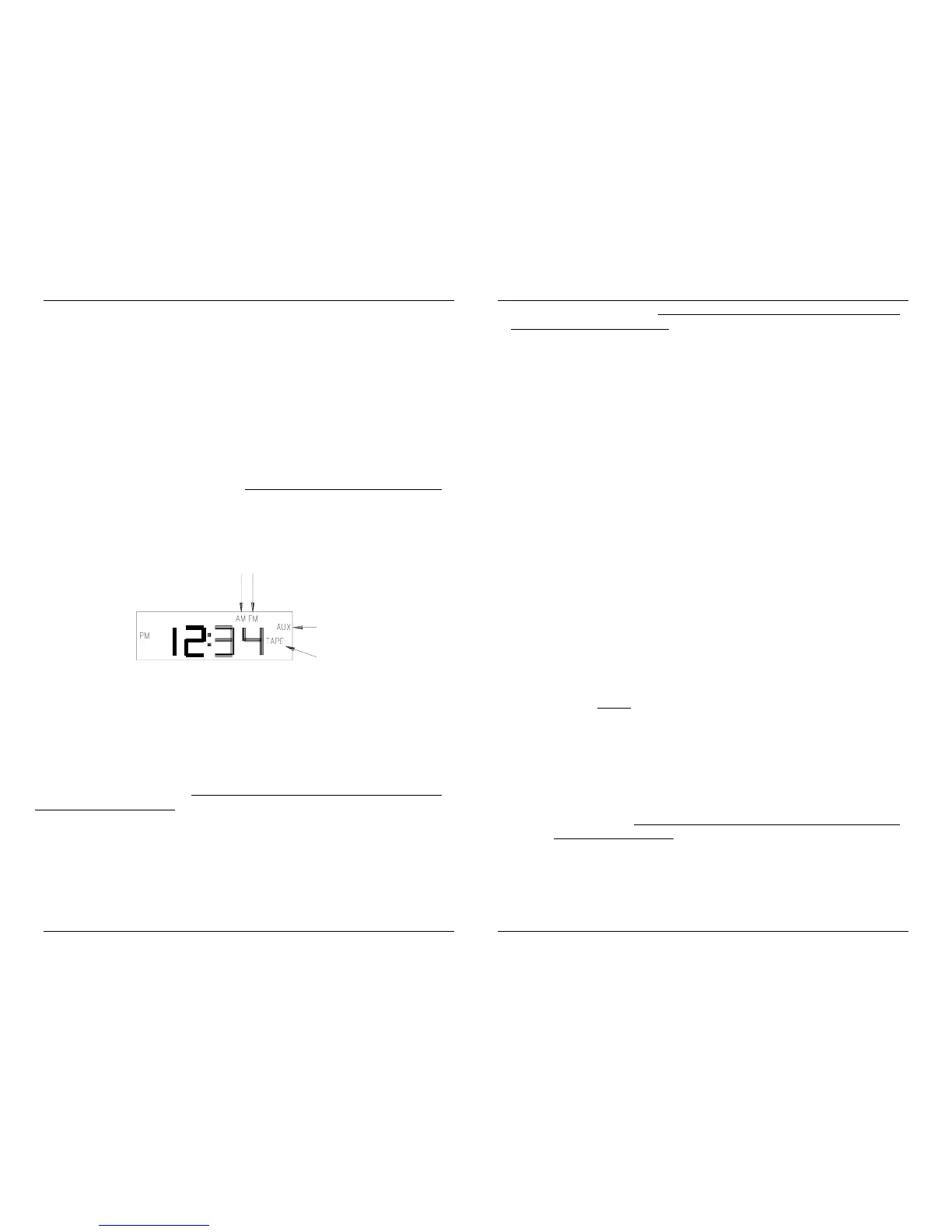
6. SOURCE SELECT BUTTON - active only when the MC350A is ON.
This button is used to select the audio source (FM, AM, AUX input, or TAPE
input) which the MC350A will output to the speakers. Each time the SOURCE
SELECT BUTTON is momentarily depressed the audio source changes. The
active source is displayed on the right side of the display.
7. MEM A/B BUTTON - active only when the MC350A is ON and the FM
or AM source is selected. This button is used in conjunction with the four
memory buttons (1, 2, 3, and 4) to access eight memories in FM and eight
memories in AM. The eight memory names are 1A, 2A, 3A, 4A, 1B, 2B, 3B,
and 4B for FM and the same eight names for AM. The use of the MEM A/B
button is explained in step 10.
8. DOWN BUTTON - active only when the MC350A is ON and the
FM or AM source is selected. This button is used to scan down through
the FM or AM radio stations. The radio stations can be scanned down in
two ways using this button:
1. To scan down until the next strong station is found
(Automatic Search), the DOWN BUTTON is simply depressed
momentarily. The audio will be muted and the display will show
the radio station frequency decreasing until a strong station is
found. Once MC350A locks onto a strong station, it will stop
scanning. This station's frequency will be shown on the display,
and the audio will again be heard through the speakers.
2. To scan down to a specific frequency and/or hear the
stations as they are scanned (Manual Scan), the DOWN BUTTON
is held in. After about 1 second the MC350A will go into Manual
Scan Down mode and the display will decrement in frequency
while the audio at this frequency will be heard. The unit will
continue to decrement and play each frequency until the DOWN
BUTTON is released. The Manual scan can be used to select a
station that is not strong enough to be picked up by the Automatic
Search, to scan through many frequencies without stopping on
each strong station, or to quickly hear a sample of each station as
it is scanned.
NOTE
: To decrement the frequency down just once, the
DOWN BUTTON should be held in until the frequency
changes--then immediately released.
The DOWN BUTTON is also used to decrement the time when the
unit is in the SET TIME, SET AUTO ON TIME, or SET AUTO OFF
TIME mode as described under the TIME/AUTO SET BUTTON.
9. UP BUTTON - active only when the MC350A is ON and the FM or
AM source is selected. This button is used to scan up through the
FM or AM radio stations. This button operates the same
(Automatic Search and Manual Scan) as the DOWN BUTTON
except that it scans the frequencies up instead of down.


 To Next Page
 Loading...