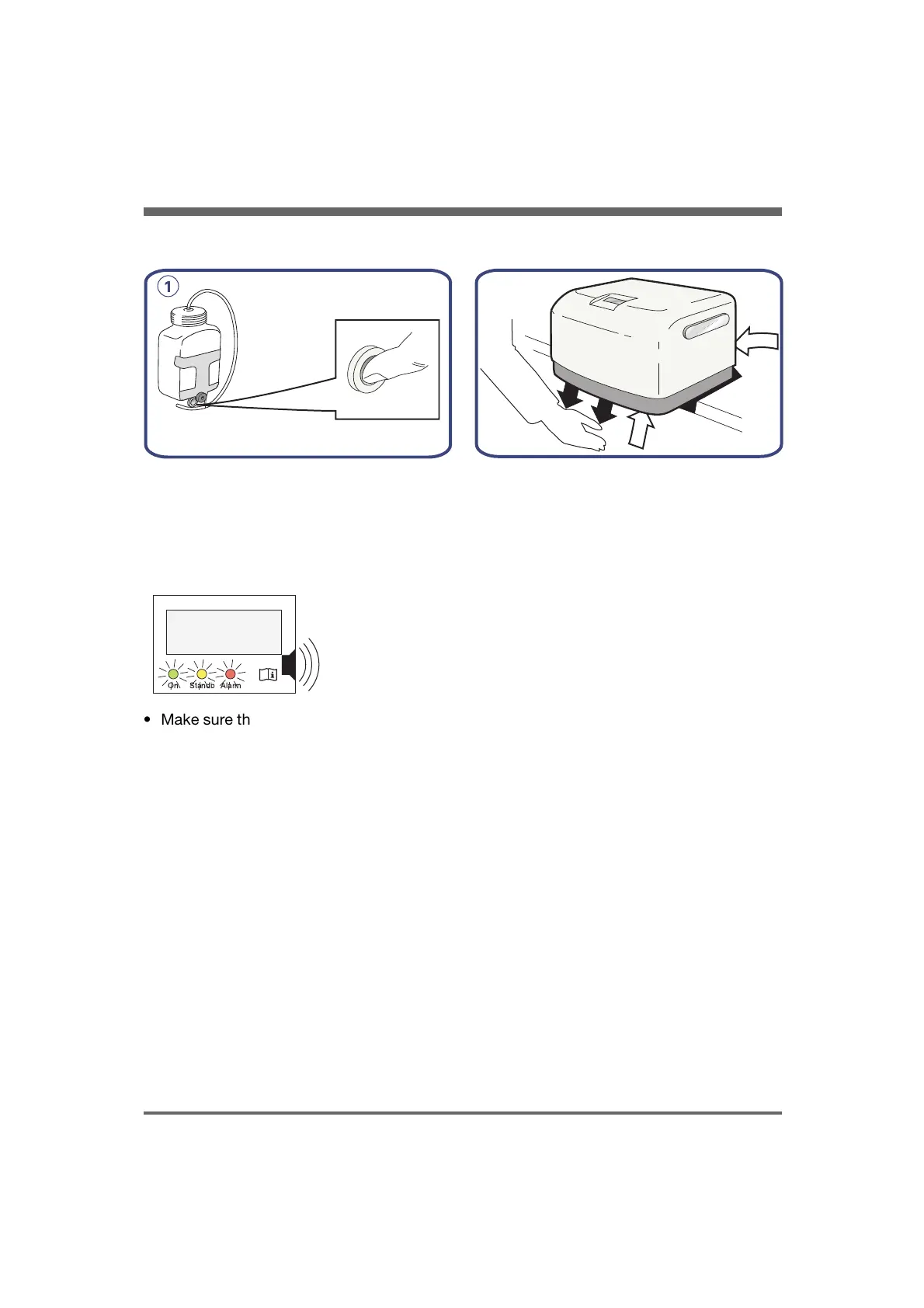
Function check
1. To check the internal air reservoir for
water, press the pin on the drain valve.
• Disconnect the inlet (if connected) and
outlet air connection to the compressor.
• Start the compressor with the Mains switch.
KMP-029X
On Standb Alarm
• Make sure that the startup sequence runs:
- The display and LEDs light up and the
alarm buzzer sounds
- The display shows Comp Mini, the
software version, the air pressure and
the elapsed operating hours.
• Check that the air pressure is between
approximately 50 – 64 psi (350 – 450
kPa/3.5 – 4.5 bar).
Cooling fans
KMP-007X
• Make sure that air circulates through the
ventilating holes.
COMPRESSOR MINI, User´s Manual
English version
28.0
13
4. Function check


 To Next Page