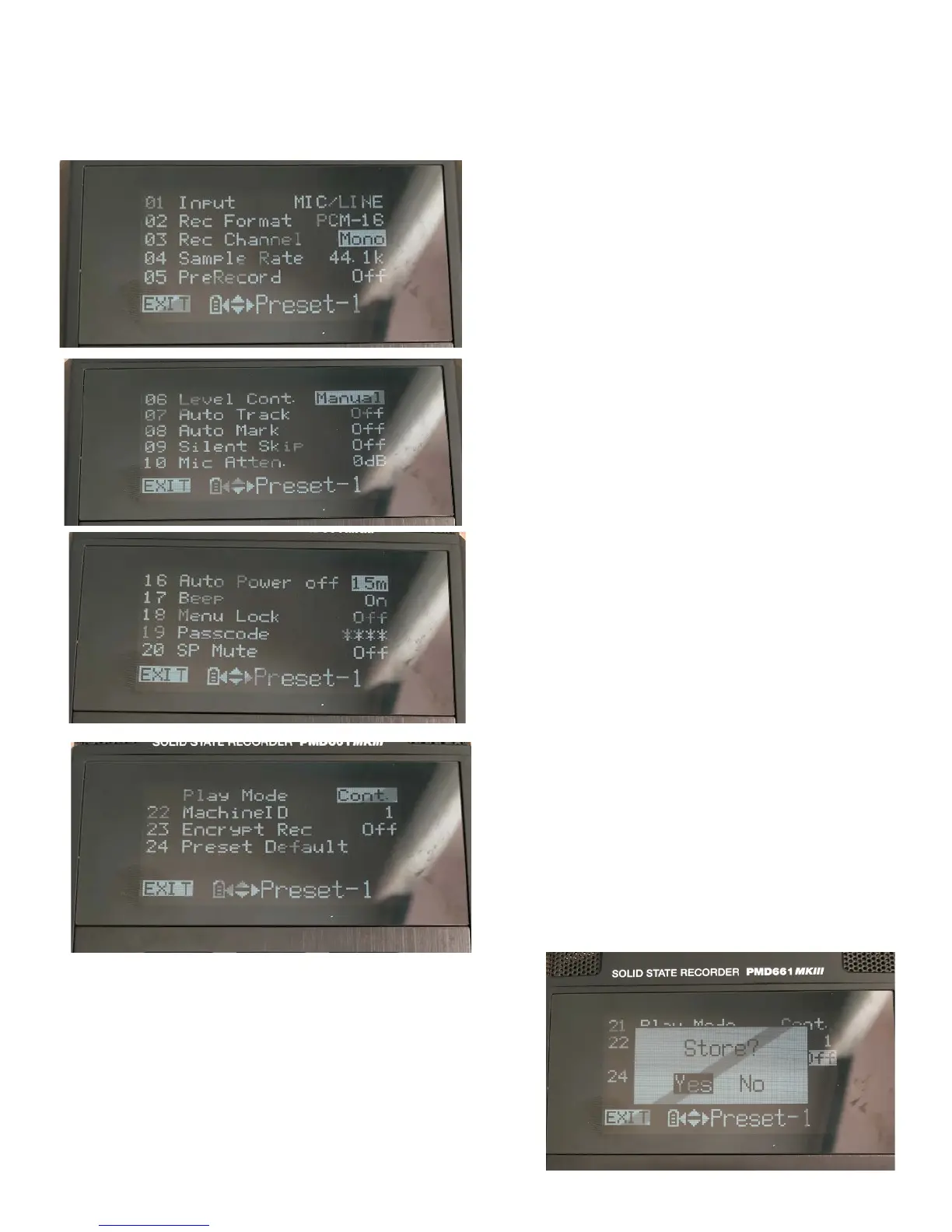
Scroll through the settings and change the choices to the ones listed is the pictures below (using the arrow keys beside
the enter button to find the correct settings).
Once you’ve changed the settings, push the button under EXIT (to
the left of the ‘Function’ button).
You will be prompted to STORE the settings. Choose ‘Yes’ and hit
‘Enter’.



 To Next Page